DaVinci Configurator Classic continues to provide a proven foundation for configuring, validating, and generating MICROSAR Classic projects, now evolving to meet the demands of modern software factories with collaborative, high-performance, and automation-ready workflows. With Generation 6, you are ready to scale development, streamline integration and support CI/CD-driven environments for Software-Defined Systems.
Key Benefits Enabled by Generation 6
- Collaboration & Reuse
Configure entire ECUs as code and manage changes through Git-based workflows. Reuse configuration artifacts across projects, streamline reviews, and keep teams aligned with version-controlled development. - Fast Feedback Loops
Reduce iteration times with fast tool startups, efficient processing steps and intelligent caching throughout the entire workflow. - Flexible Deployment
Run your configuration workflow on Windows or Linux, on developer machines, on-premises infrastructure, or in the cloud. Integrate seamlessly into build environments with clearly defined artifacts and dependencies.
- Modern Configuration Experience
Create, understand, and modify configurations in a fully modernized user interface. Stay in control and keep full ownership, even when the configuration is created as-Code or by AI agents. - AI-Assisted Engineering
Use the integrated AI chatbot for help and configuration insights . Extend your workflow with coding agents that help implement you configuration use cases in code and resolve found issues faster.
Evolution Steps
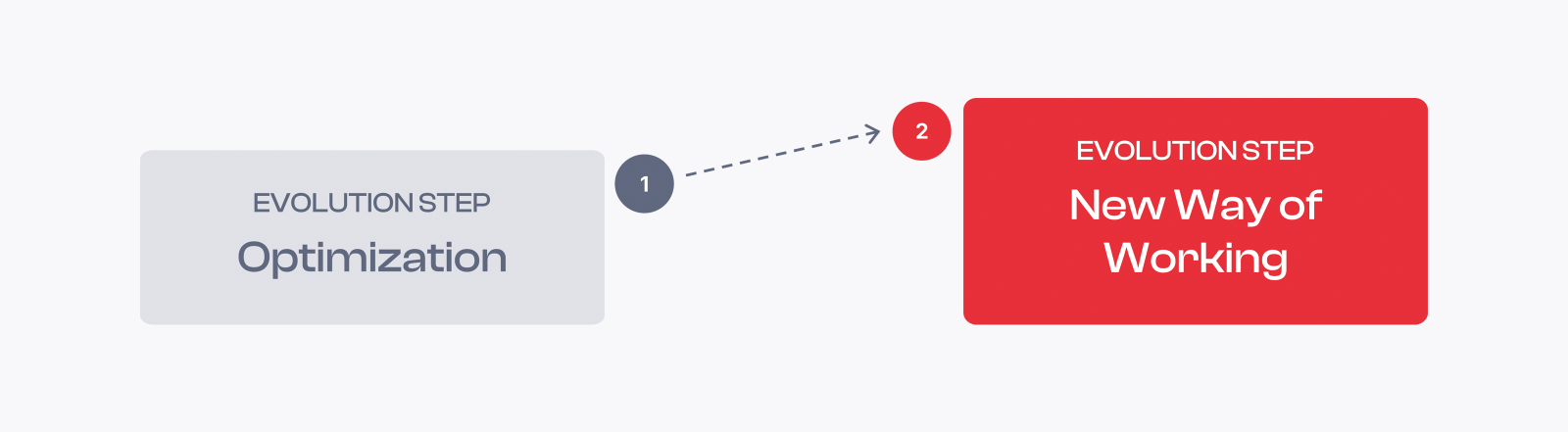
Generation 6 arrives in two evolution steps. Evolution Step 1 improves the familiar way of working and sets the technical foundation for the move to Evolution Step 2. It builds on a familiar environment, based on the graphical user interface and the configuration paradigms of DaVinci Configurator 5. Evolution Step 2 enables the new, code-centric way of working, and can already be integrated step-by-step while Step 1 is in place.
Step 1 - Highlights
- A modular and transparent input file handling workflow.
- Optimized performance and turnaround times.
- Tool version independence from the MICROSAR release to allow projects benefit from the latest tool versions.
- Flexible project structure and text-based project settings for an easy git integration.
- Improved command line interface and modernized public automation interface.
- AI chatbot that answers your questions, explains a configuration and applies small changes.
Step 2 - Highlights
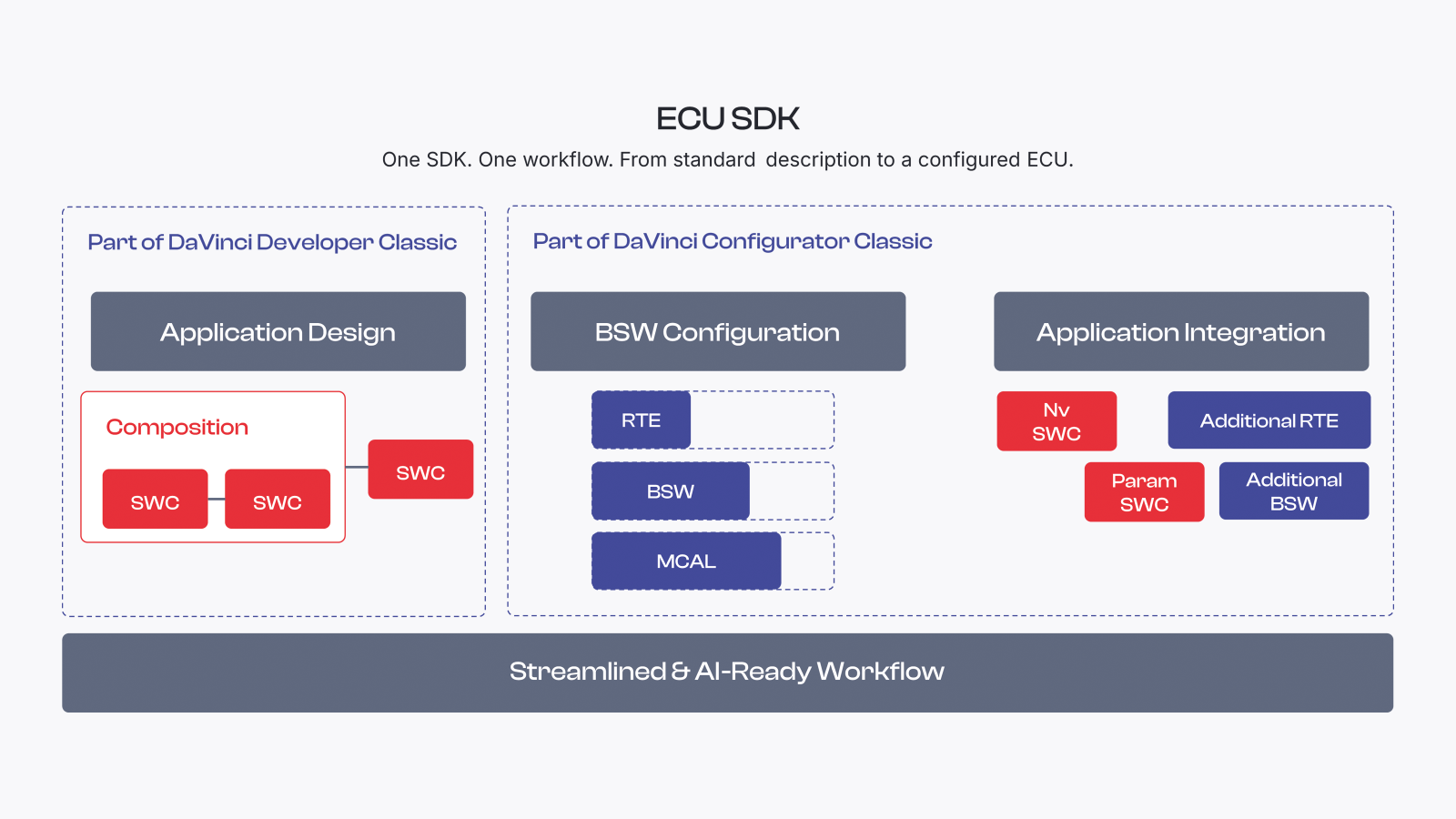
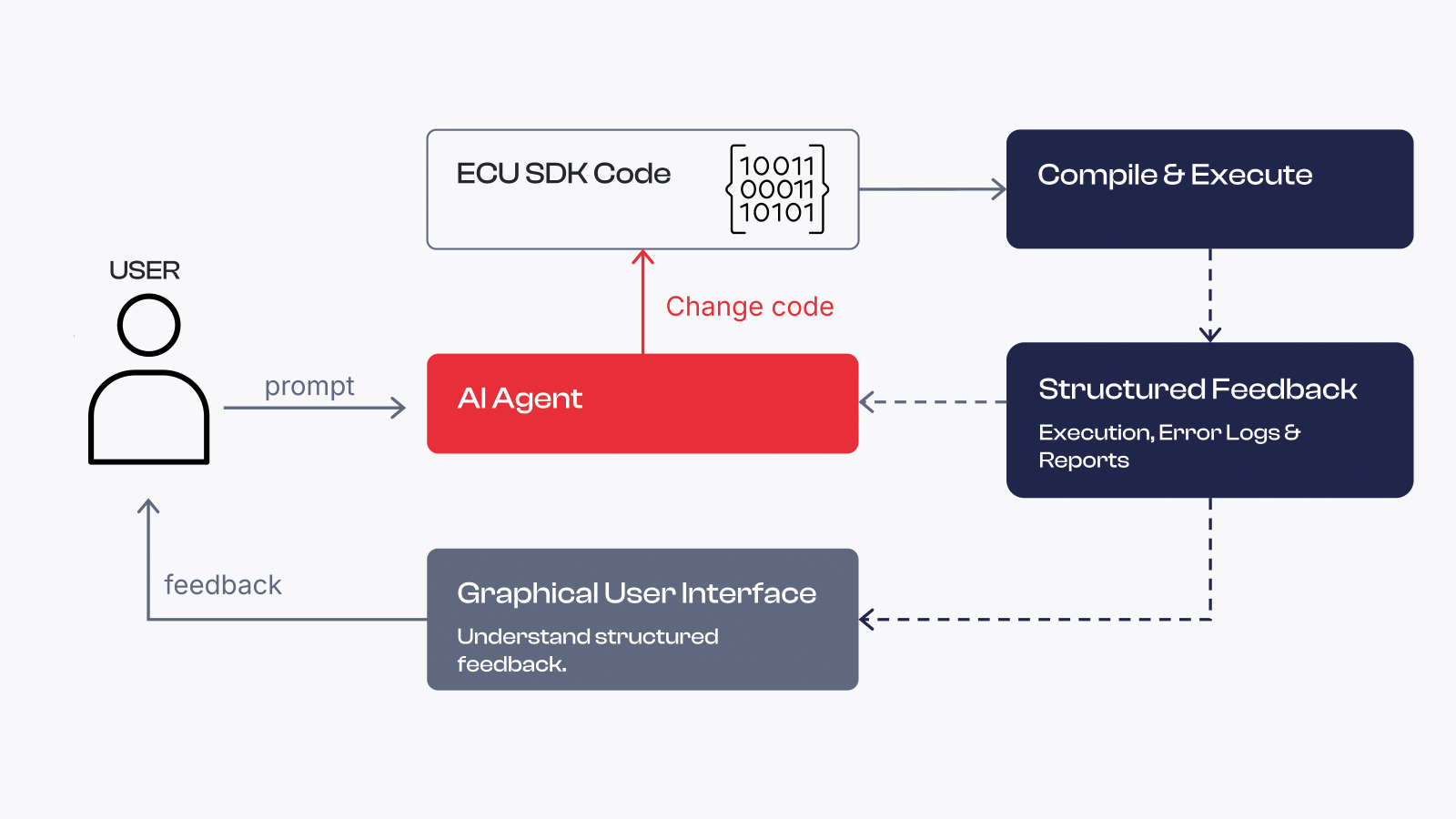
- Configuration of the Ecu "as-Code" via the ECU SDK to accelerate collaboration and reuse across projects.
- Modernized graphical user interface to configure, view and understand configurations.
- Efficient caching of outputs and intermediate results through the whole workflow.
- AI agentic workflows that realize configuration use cases in code and resolve compile, runtime and validation errors.
Latest Highlights Introduced to Version 6
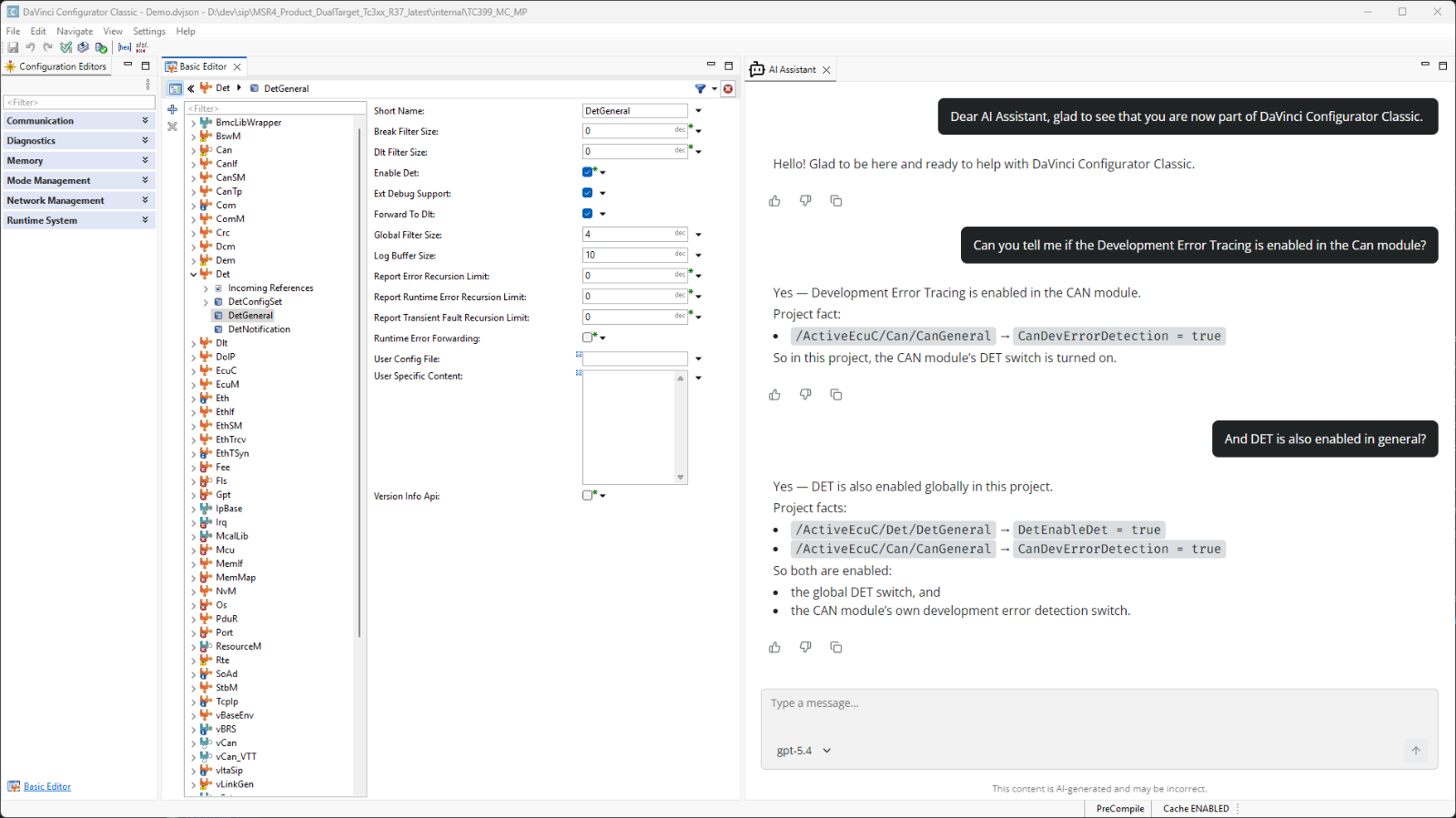
Built-In AI Assistant
Introduced with DaVinci Configurator Classic 6.4 and integrated directly into the GUI to assist GUI centric work modes.
Quick support from Vector's knowledge base and documentation.
Query, inspect, and interpret configuration models for contextual insights.
Modify configurations with smart suggestions, coming with version 6.5 in December 2026.
Relevant for: Evolution Step 1, Evolution Step 2
More Insights
MICROSAR Classic
Software Platform Services
Software Factory