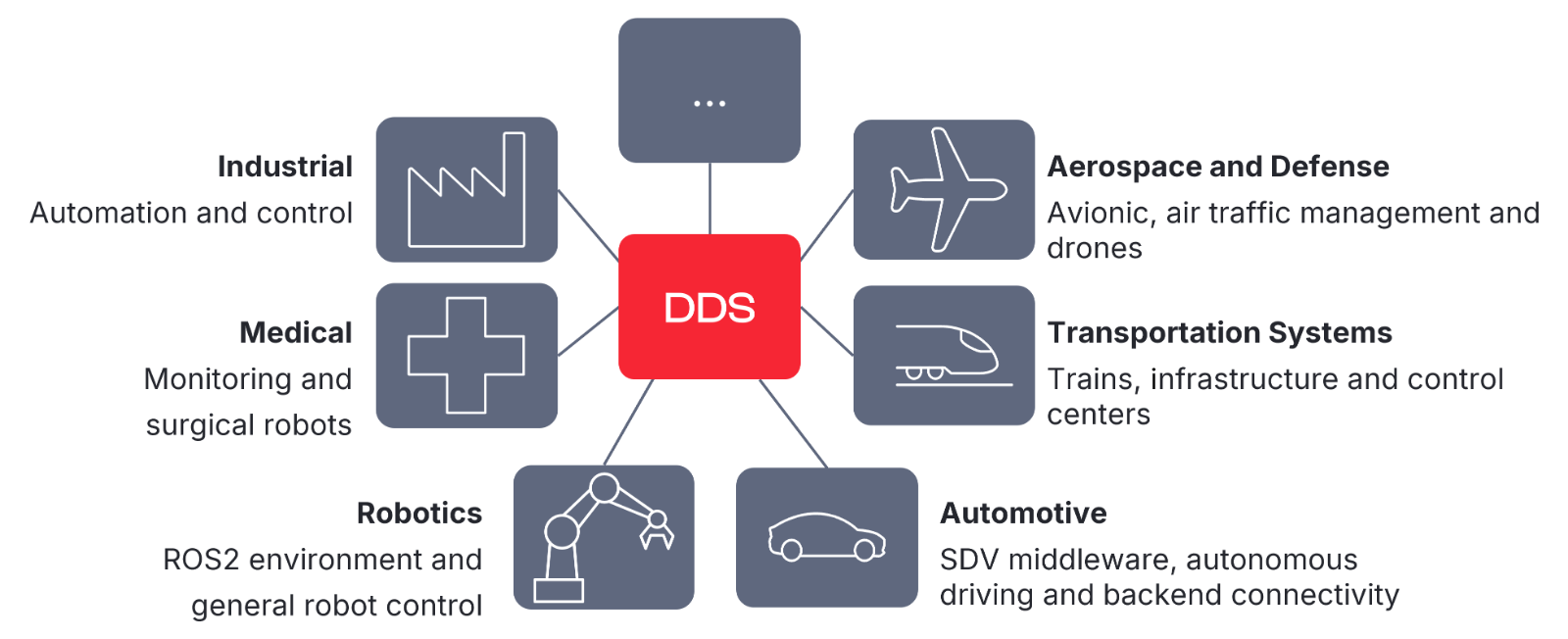
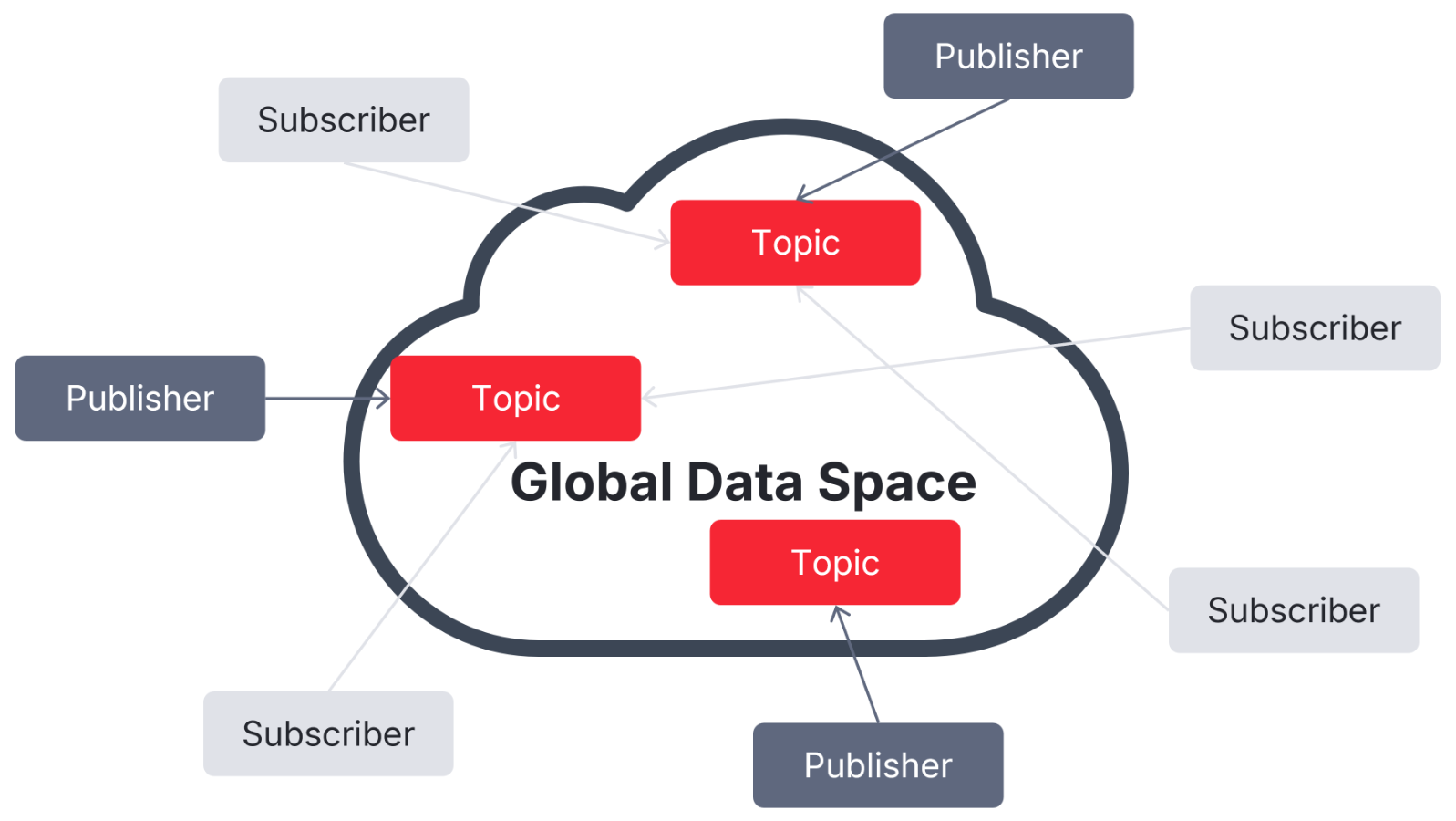
DDS (Data Distribution Service) is a universal middleware protocol for transferring data in distributed systems. It represents data in the form of a "global data space," enabling the efficient and robust transfer of the right information at the right time to the right place. Therefore, DDS is used in many different industries, such as automotive, medical, robotics, and smart transportation.
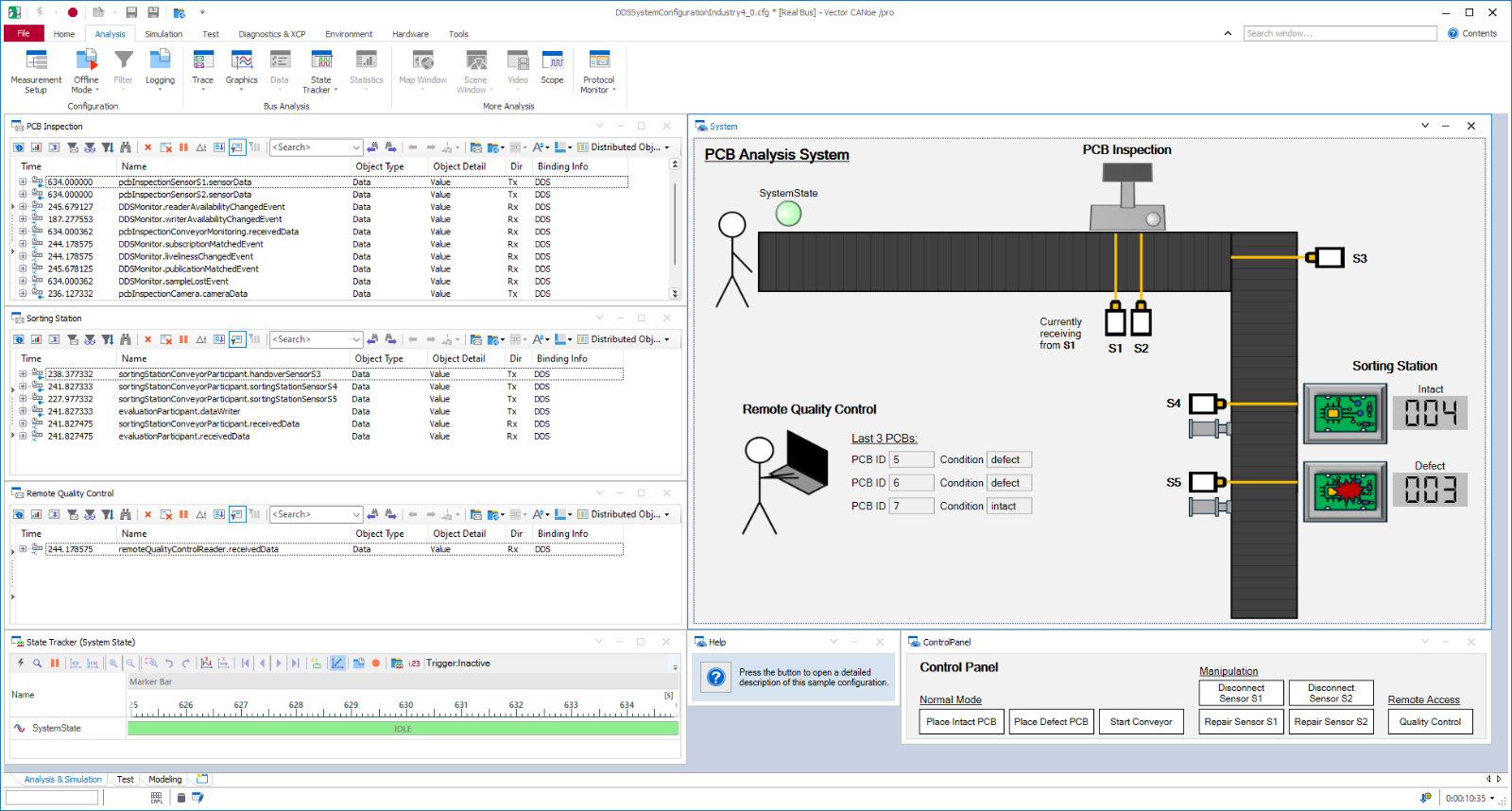
The .DDS option enhances CANoe to simplify the development and testing of distributed DDS systems. The integrated simulation, analysis, and automated testing functions support early validation and targeted error analysis of DDS communication. Test and simulation models can be reused across various development phases.
Advantages
- End-to-end workflows:
Configure, simulate, analyze, and test DDS systems in CANoe without switching between tools - Faster troubleshooting:
Transparent display and targeted analysis of DDS and Ethernet communication - Efficient test automation:
Automate tests and evaluations using CAPL, C#, and Python
- Full DDS support:
Coverage of the OMG (Object Management Group) DDS standard, including all Quality of Service (QoS) parameters and data types, as well as the DDS Security Extension - Easy integration:
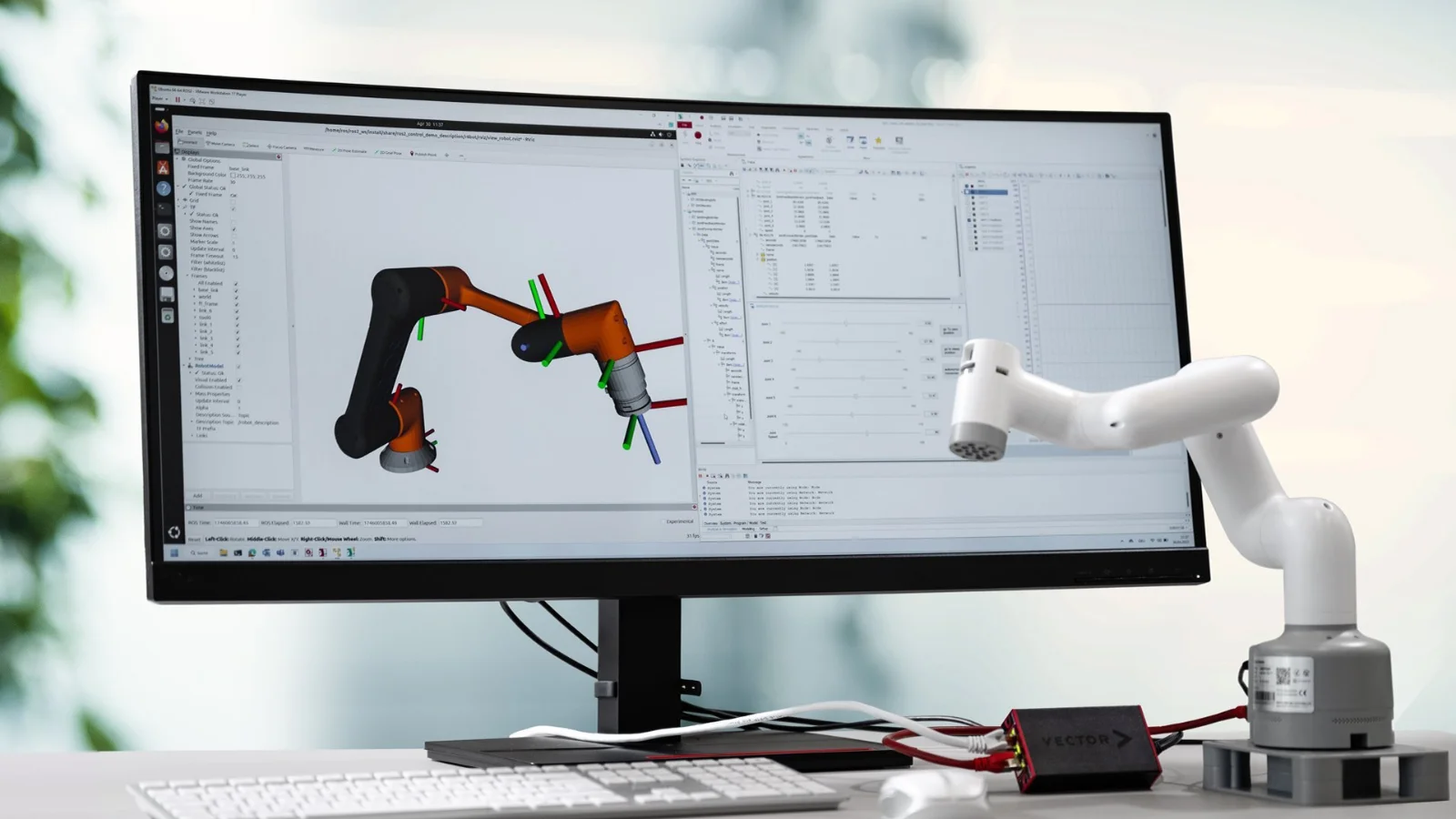
Direct connection to and networking with ROS2 environments
Gallery
Application Areas
CANoe.DDS covers a wide range of application areas:
- Testing of real DDS systems:
Currently, the most common use case for CANoe.DDS is testing individual DDS-based devices or subsystems. These are connected to CANoe.DDS via Vector's VN Ethernet interfaces or the network adapter of the operating system. - SIL testing of virtual DDS systems:
For testing in the SIL environment, CANoe.DDS can also be connected to virtual devices to ensure early validation. At later stages of development, you can easily switch to the real device and reuse existing tests and simulation models. - Monitoring and debugging during development and startup:
CANoe.DDS provides extensive information about the DDS network. This includes the available topics as well as the matching of the QoS parameters. This enables fast troubleshooting and start-up.
- Connection of ROS2 environments:
CANoe.DDS can be easily connected to ROS2 environments to receive data in CANoe or send data from CANoe. This makes it easy to implement even complex systems such as a CAN-ROS gateway. - Bypassing and error injection:
CANoe.DDS makes it possible to temporarily deactivate or replace existing nodes in a DDS network. In this way, errors are injected and the system behavior is checked.
The combination with other CANoe options enables you to view chains of action in a time-synchronized manner across different bus systems. This makes it easier for you to efficiently test complex systems that are based on CAN and DDS in combination with digital and analog I/Os, for example.
Simulation and Stimulation
CANoe.DDS enables the simple simulation of DDS devices. CANoe.DDS actively sends topics and receives topics from real DDS nodes. In this way, you can simulate missing system components in early development phases and start testing devices under development at an early stage. By simulating error situations right at the start of the development process, problems can be easily identified and corrected.
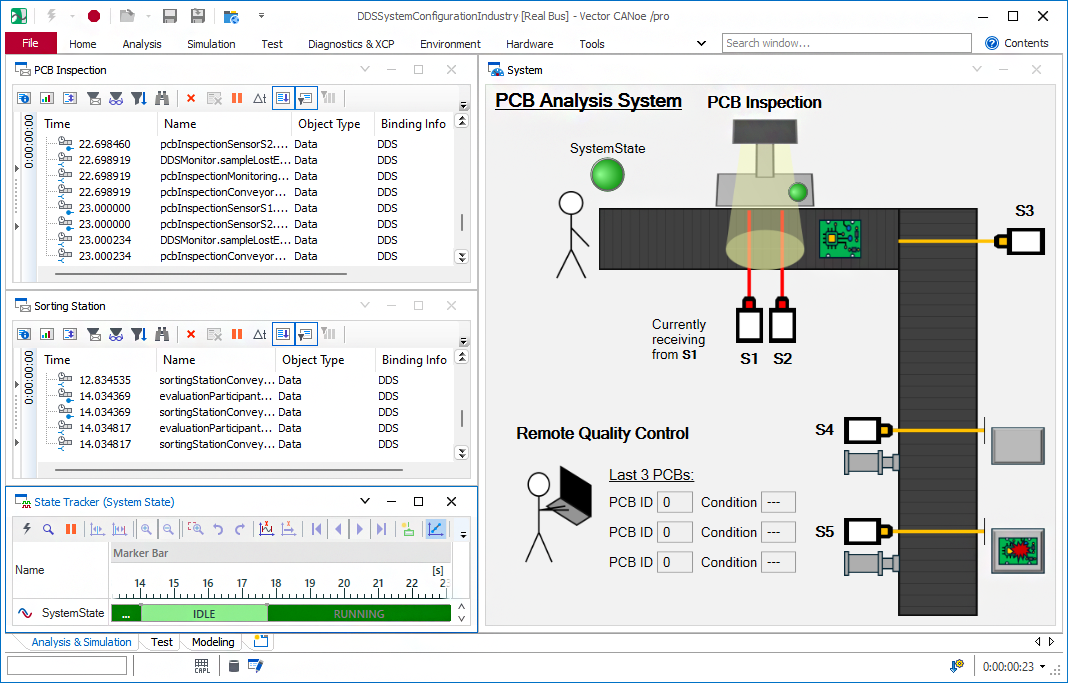
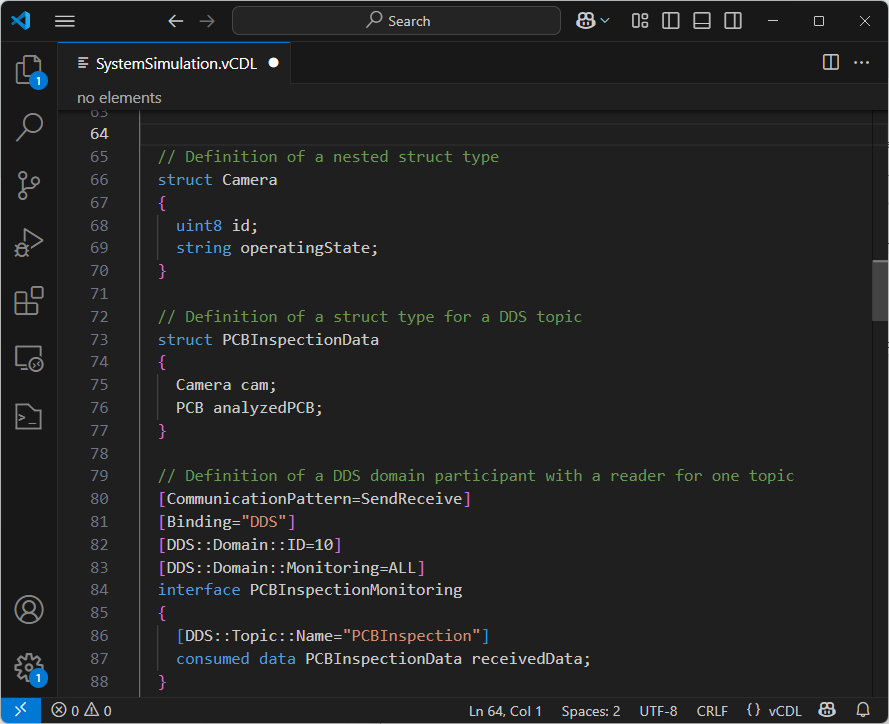
With CANoe.DDS, you can configure all the QoS parameters defined in the OMG DDS standard and use them in the simulated DDS nodes. CANoe.DDS also simplifies the handling of complex data types such as dynamic lists and multidimensional arrays. These are modified and evaluated via easy-to-understand programming interfaces in CAPL, C#, and Python.
Using Vector's VN Ethernet interfaces allows you to apply errors to lower protocol layers, such as the IP and MAC layers. This means that systems with extended requirements in terms of safety can also be tested comprehensively.
Testing
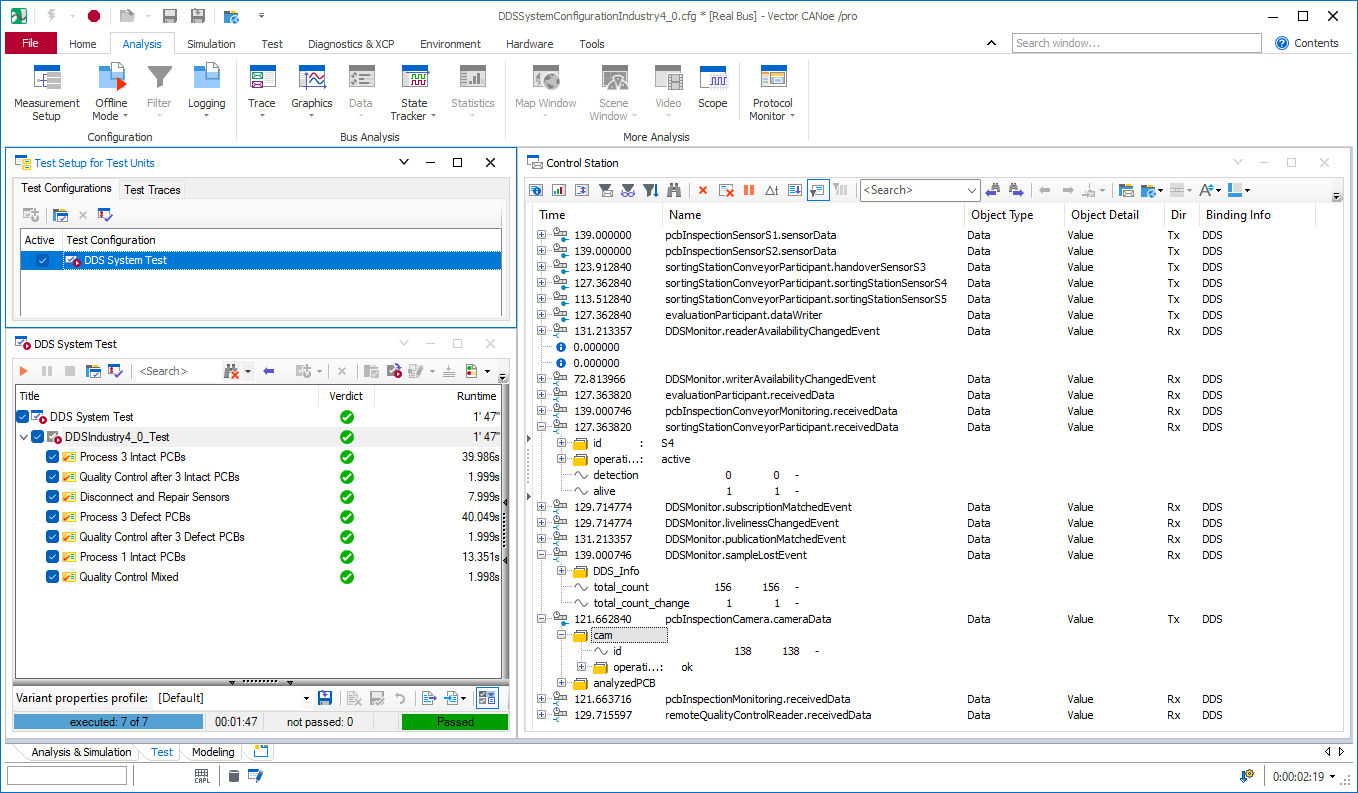
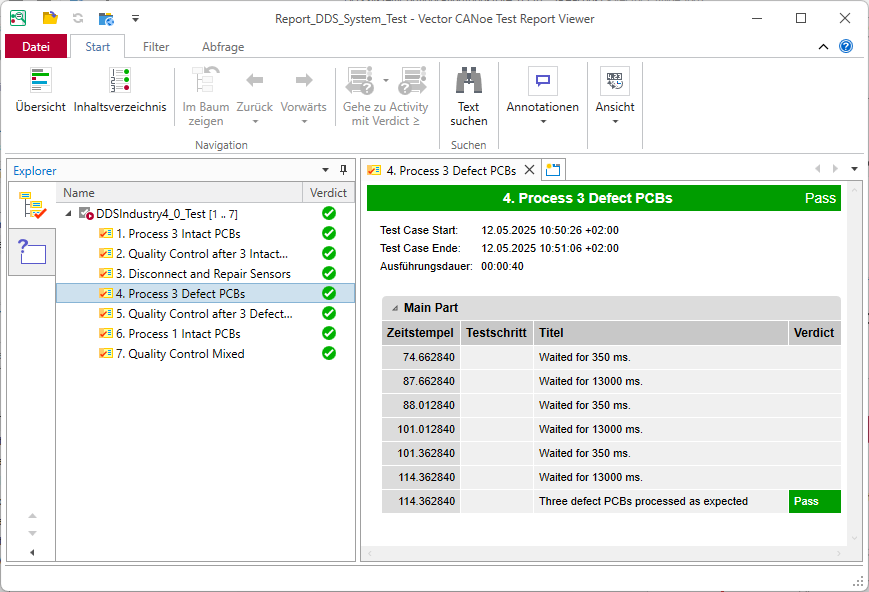
With CANoe.DDS, you can use a comprehensive collection of test functions specifically for DDS-based networks. These functions allow you to test the behavior of individual nodes and ensure that the network works as intended.
In addition to using the programming interfaces in CAPL, C#, and Python, you can optionally use vTESTstudio to create tests. This allows you to implement even extensive test requirements efficiently and in a structured manner.
Analysis and Monitoring
Trace Window
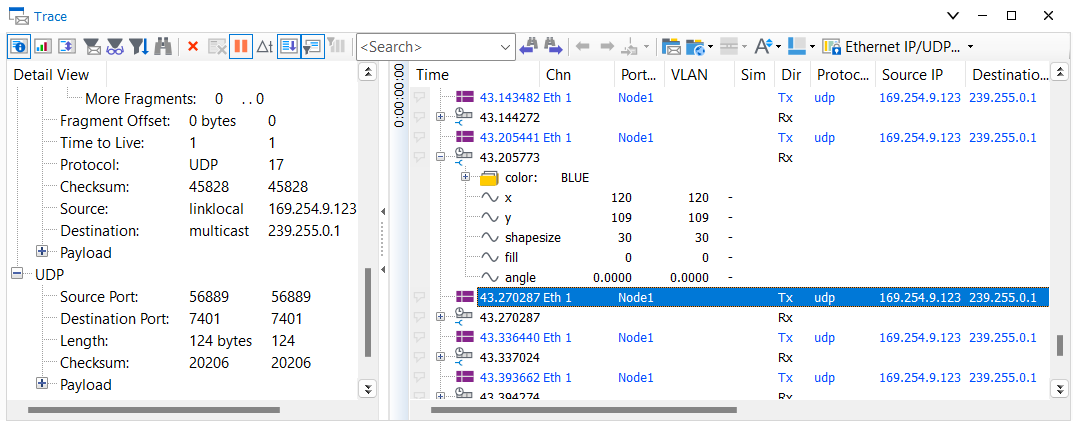
In CANoe.DDS, you use the Trace window to monitor communication. It displays the DDS application data in a structured form. DDS metadata, such as the topics available in the domain, is also displayed. DDS communication errors, such as a QoS misconfiguration between reader and writer, are also displayed directly.
In addition to this DDS-specific information, additional information on the underlying Ethernet communication is also displayed. This includes protocol information of the MAC, IP, and UDP layers.
Integration of RTI Connext in CANoe.DDS
As part of the partnership between RTI and Vector, the RTI Connext® communication framework has been integrated into CANoe.DDS. This provides development teams with a uniform environment for simulating, analyzing, and testing DDS functions, including Connext's extended functions. This increases efficiency, reduces complexity in heterogeneous environments, and ensures smooth workflows.
RTI Connext is one of the world's leading Data Distribution Service (DDS) platforms. Based on the DDS standard, it offers a comprehensive, data-centric software framework with functions for complex and safety-related applications. The integration into CANoe.DDS enables the creation of a complete simulation and testing environment. Thus, DDS-based systems can be created with minimal effort, and complex DDS communication can be simulated and validated early in the development cycle.
Webinar Recording
Not in the mood to read? Then watch this video.
In the webinar recording "DDS - Easier Testing of Data-Centric Communication With CANoe.DDS," you get an introduction to DDS and you see step by step how to use CANoe.DDS to create test setups even more efficiently.