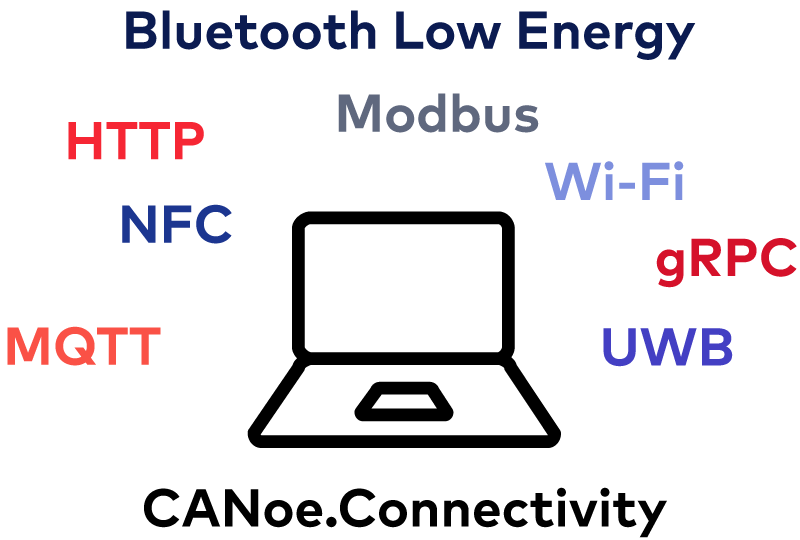
Connectivity protocols such as MQTT, HTTP or gRPC, as well as wireless protocols such as BLE, NFC and UWB are nowadays an integral part of distributed applications. They are increasingly being used in automotive, industrial automation, MedTech, and beyond.
CANoe.Connectivity extends CANoe for the development and testing of connected systems and IoT applications. It enables engineers to simulate, test, and analyze communication between devices, applications, and backend systems across a wide range of wired and wireless protocols.
Advantages
- Integrated configuration, analysis, simulation and test tool for connectivity and IoT applications from a single source
- Wide range of applications thanks to support for the IP-based protocols MQTT, HTTP, Modbus and gRPC
- Additional integration of the wireless protocols BLE, Wi-Fi, NFC and UWB in combination with the Vector hardware VH4110
- Test and application development using CAPL, C# and Python
- Convenient description of data formats and communication parameters via a text-based description language with VS Code support
- Interactive stimulation and visualization of signal and status curves via panels and signal generators
- Comprehensive functions for analysis and error injection on lower protocol layers such as MQTT, HTTP and Modbus – in combination with the VN Ethernet Interfaces
Application Areas
CANoe.Connectivity covers a wide range of application areas:
- Testing connectivity and telematics applications:
Protocol support for MQTT, HTTP and gRPC allows you to conveniently simulate missing system components and thus test your overall system early and comprehensively. - Integration and use of REST-based interfaces:
Any REST-based interfaces can be integrated into CANoe.Connectivity. This allows you to connect e.g. OEM backend systems or AI-supported diagnostic procedures to CANoe. - Testing measurement and control systems in the field of industrial automation:
For efficient testing of complex system architectures, CANoe.Connectivity offers direct use of the standard Modbus/TCP protocol in the roles of client, server and gateway. - Integration of connectivity applications in test environments:
With the MQTT, HTTP and gRPC protocols, you can seamlessly and easily integrate various applications directly into your test and simulation environment. This eliminates the need for third-party tools and scripts.
In combination with the Vector hardware VH4110, you can also use wireless protocols and thus expand the range of applications:
- Testing of smart access and keyless go applications:
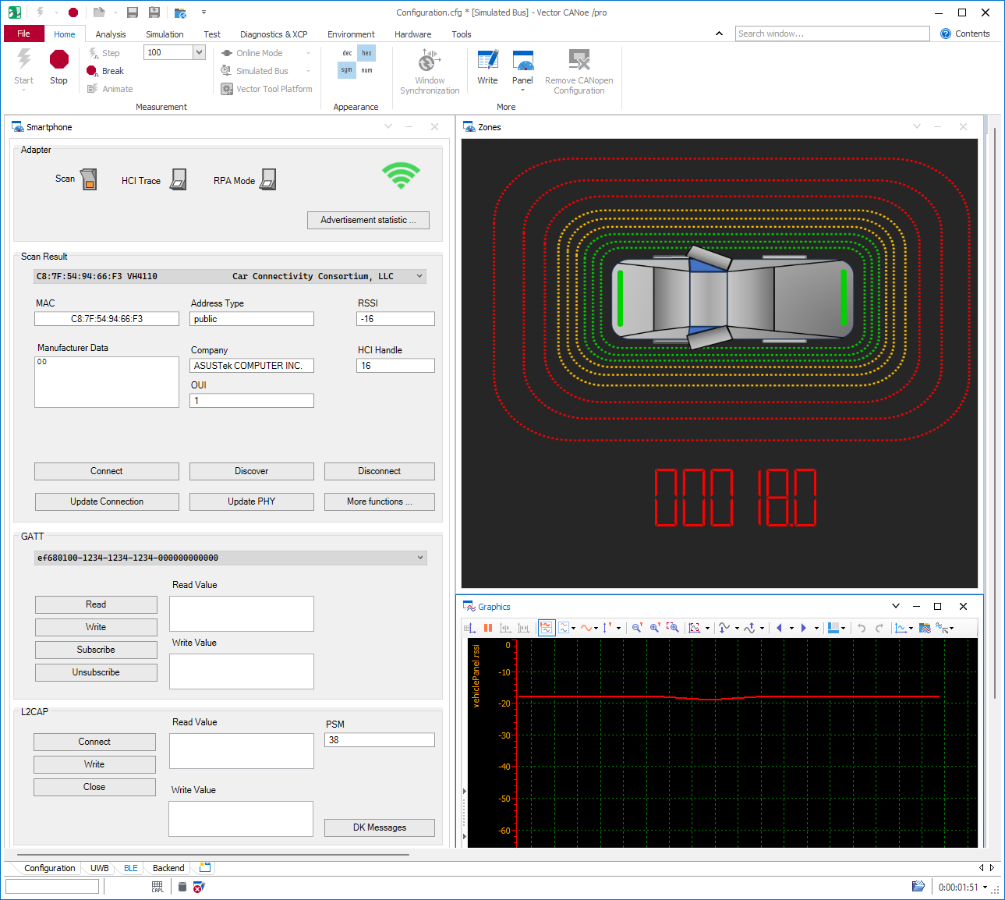
By using the BLE, NFC and UWB wireless protocols in CANoe.Connectivity, tests in the area of the Car Connectivity Standard (CCC), for example, can be implemented effortlessly. - Testing Industry 4.0 applications:
With CANoe.Connectivity, you can test smart sensors directly via the BLE and NFC wireless interfaces. With the help of the CANoe test functions, you can automate your tests and thus obtain efficient validation throughout the entire development cycle. - Simulation of smartphones:
CANoe.Connectivity allows you to simulate smartphones with their manufacturer-specific communication parameters. This ensures the greatest possible compatibility of your applications with common smartphones.
Combine CANoe.Connectivity with other CANoe options for time-synchronous observation of active chains across different bus systems. This makes it easier to efficiently test complex systems based, for example, on CAN and BLE in combination with digital and analog I/Os. Furthermore, CANoe.Connectivity allows you to connect distributed, cloud-based applications and access external resources for implementing extended use cases, such as OTA or logging.
Gallery
Simulation and Stimulation
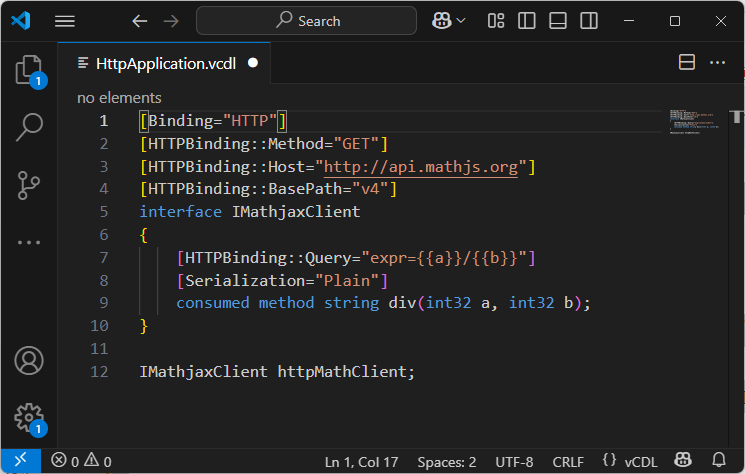
CANoe.Connectivity offers to simply simulate system components based on different connectivity protocols. In this way, you can simulate missing system components and fully test a system under development at an early stage. By simulating error situations right at the start of the development process, problems can be easily identified and corrected.
CANoe.Connectivity contains the following connectivity protocols for simulating system components:
- MQTT: Simulation of an MQTT broker or client. Data is transferred in proprietary formats or directly in JSON. CANoe.Connectivity supports the injection of typical error sources, such as delays or connection interruptions.
- HTTP: Simulation of an HTTP client or server. A high-level API is available that abstracts HTTP-specific properties as far as possible. There is a low-level API for fine-grained controls at HTTP level. Server-side APIs allow a custom response to HTTP client requests in order to send custom content for header and body data.
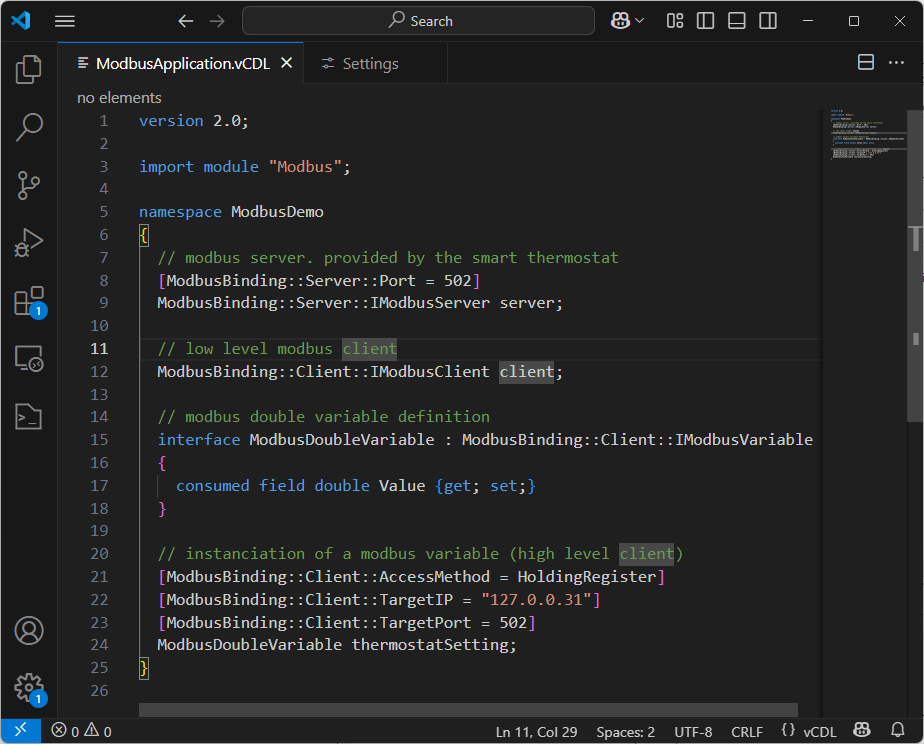
- gRPC: Simulation of a gRPC client for Unary requests. The data types and methods are described in an intuitive modeling language. Corresponding objects are automatically converted from and to the Protobuf format.
- Modbus: Simulation of Modbus clients, servers or gateways. The inputs and outputs are as well described in an intuitive modeling language, too. The APIs for application models and tests provide an interface for targeted control of the connection and access to Modbus data.
- BLE: Simulation of BLE Centrals and BLE Peripherals. CANoe.Connectivity supports both service-oriented communication (GATT) and bidirectional data streams (L2CAP). Protocol parameters, such as connection interval and MTU size, are configurable. Advanced security functions are also available, such as out-of-band pairing. Direct tracing and stimulation at Bluetooth protocol level (HCI) is possible, too.
- UWB: Simulation of the UW initiator or responder. You can use all functions according to the FiRa standard via a UCI interface.
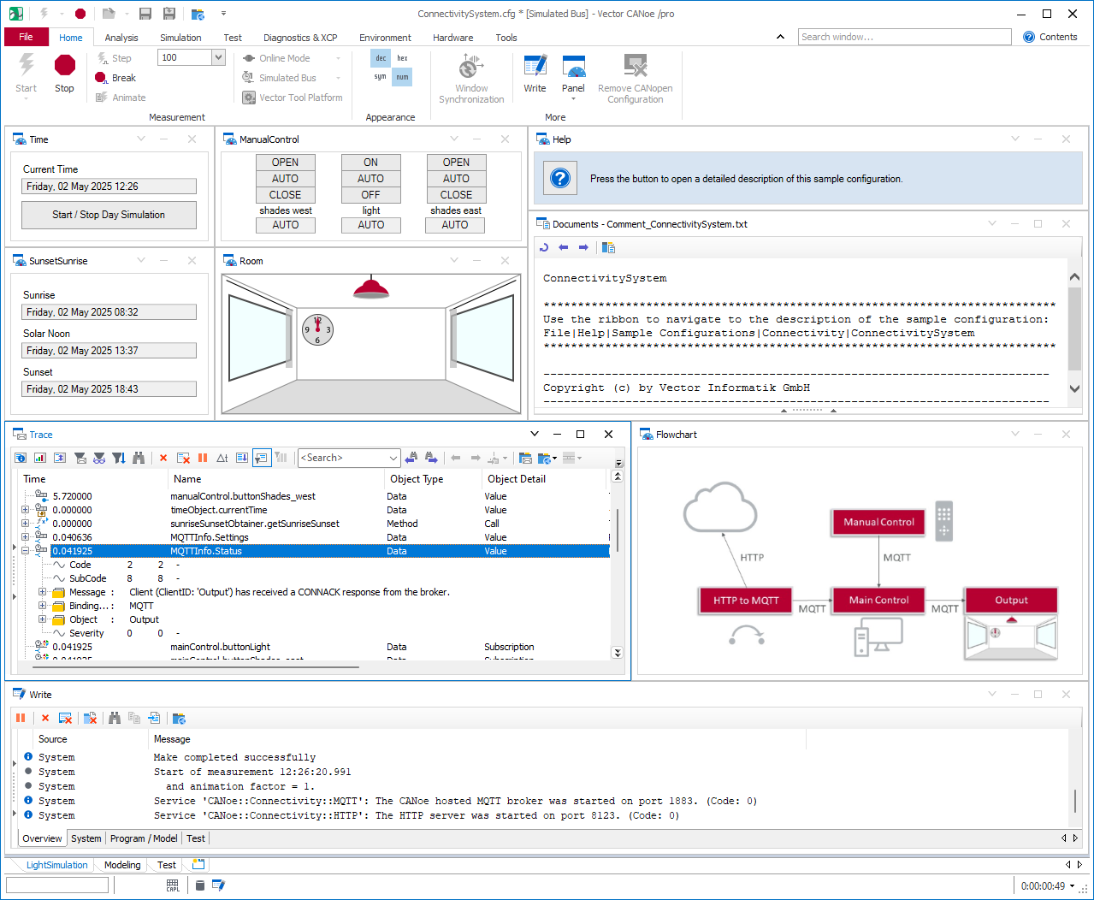
- NFC: Simulation of an NFC reader or NFC tag. Data communication takes place at A-PDU level (ISO 7816).
- Wi-Fi: Simulation of a Wi-Fi client or access point. Protocol parameters such as SSID, frequency band and encryption method can be configured. An Ethernet Wi-Fi bridging function is also provided. This allows you to convert Ethernet-based protocols from CANoe directly to Wi-Fi.
You can use all above-mentioned functions via easy-to-understand programming interfaces in CAPL, C# and Python. When using the VN Ethernet interfaces, you also have the option of applying errors to lower protocol layers, such as IP and MAC layers. In this way systems with extended safety requirements can be tested comprehensively.
Testing
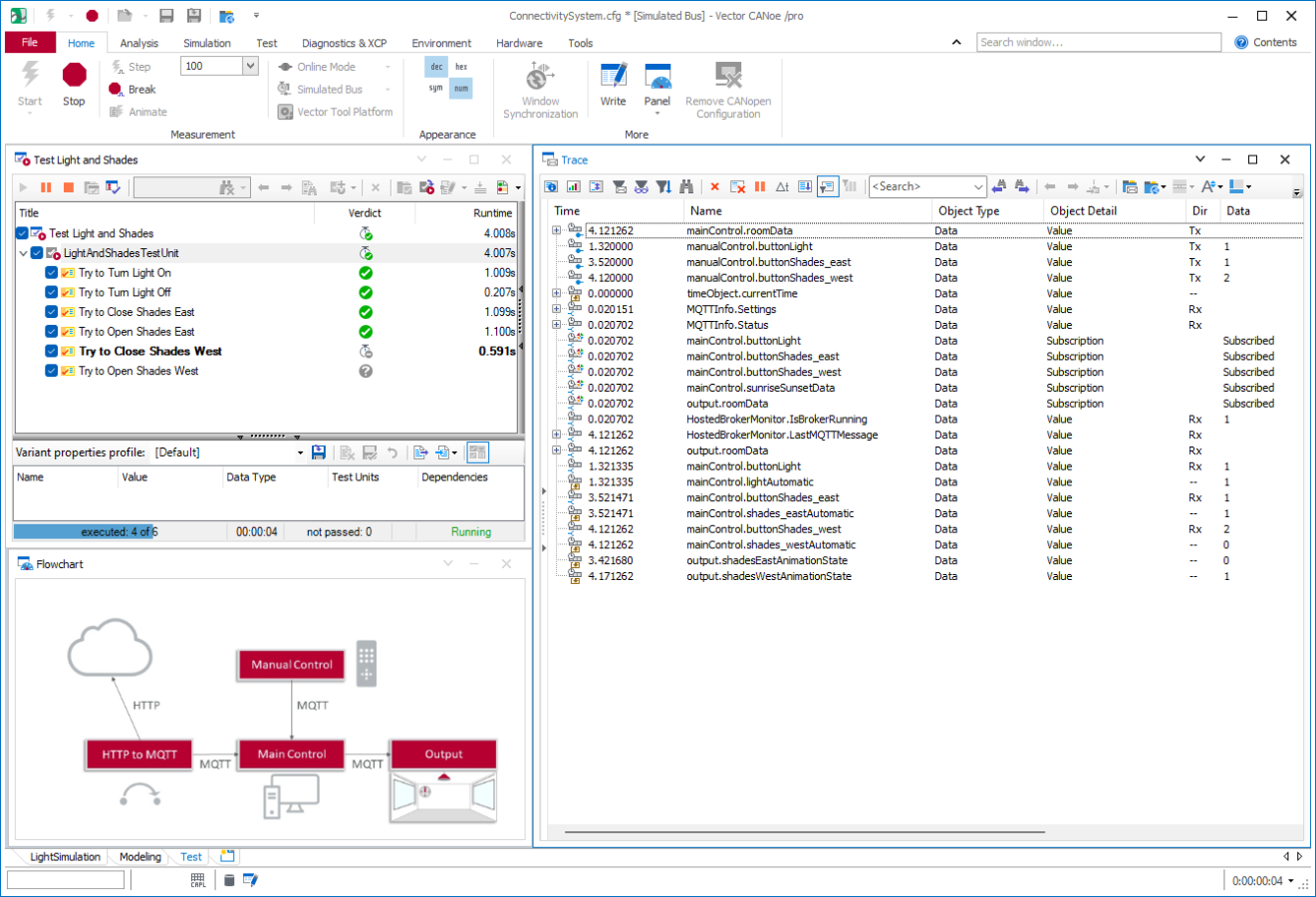
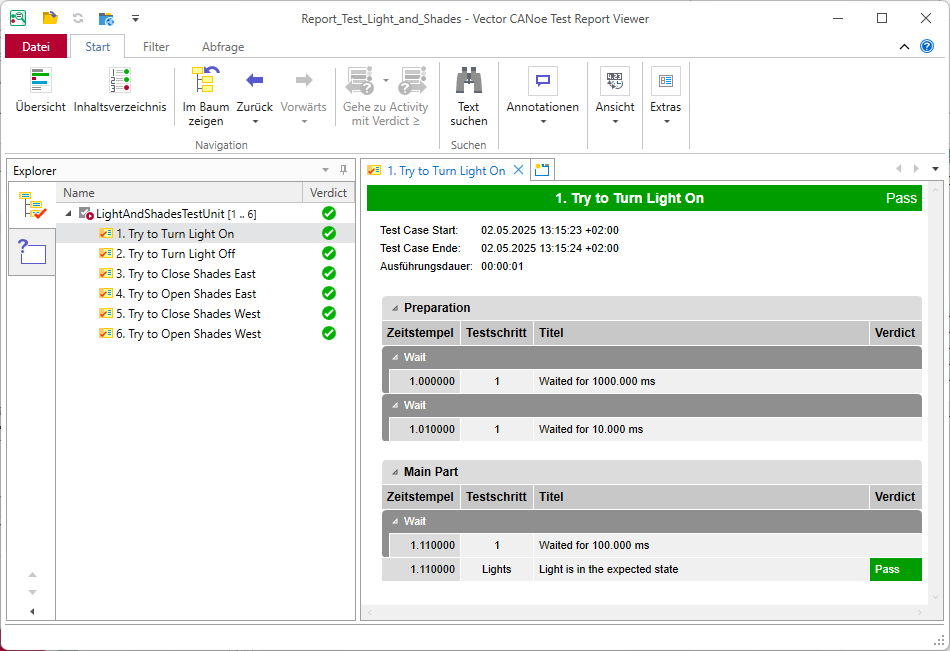
CANoe.Connectivity offers you a comprehensive collection of test functions specifically for connectivity applications. You can use these functions to test the behavior of individual components or the entire system and ensure that your application works as intended.
In addition to test implementation via the programming interfaces in CAPL, C# and Python, you can use vTESTstudio. This allows you to implement even extensive test requirements efficiently and in a structured manner.
Analysis and Monitoring
Trace Window
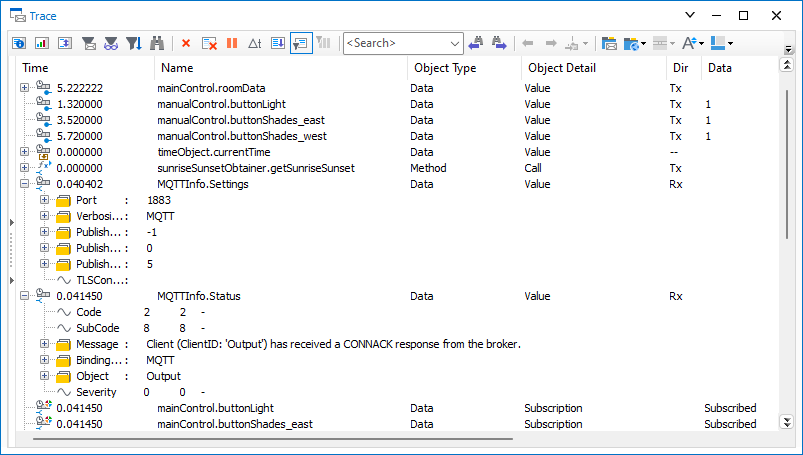
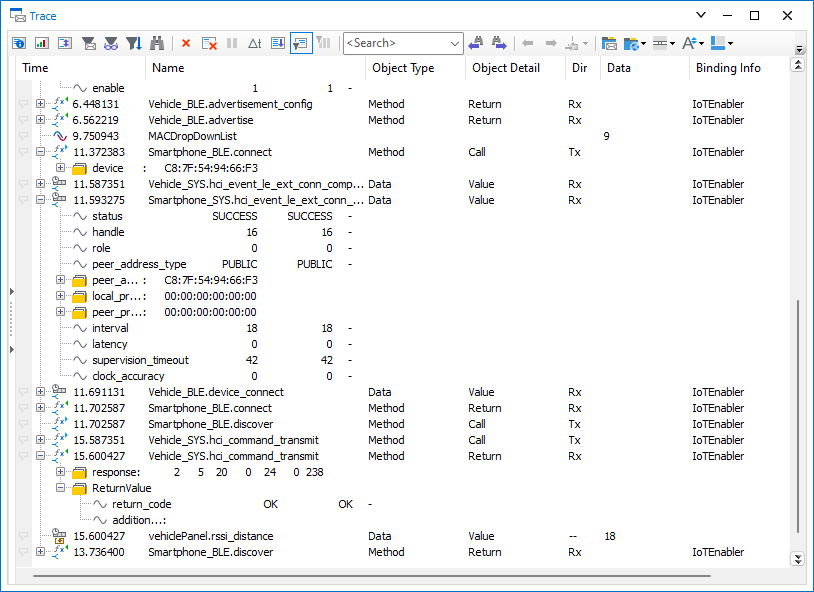
With CANoe.Connectivity, you can monitor all communication in a Trace window. This includes application data across all used protocols. Advanced analysis and troubleshooting during start-up are also possible thanks to the display of extended protocol information, such as HTTP headers or BLE and HCI commands.
Videos
Not in the mood to read? Then watch these videos.
Webinar Recording
In the webinar recording "Testing Wireless Devices With the VH4110 and CANoe" you will learn how to test wireless devices with CANoe and the VH4110. In addition to presenting the product concept, use cases and supported wireless interfaces, a live demo will show you how to test devices with Bluetooth Low Energy and UWB using CANoe.
Watch the webinar recording on Webex
TechTutorial Video
CANoe.Connectivity allows you to test a system or device in a realistic environment. Protocols from the IoT, medical technology, rail transport and many other industries are used.