Easier Ethernet Network Analysis With Protocol Monitor
CANoe Quick Tip

The Protocol Monitor is a CANoe component that simplifies Ethernet analysis by automatically detecting and validating protocols like SOME/IP, TCP, and gPTP. It delivers a clear overview of network traffic and highlights protocol violations to support efficient analysis and validation.
What Can You Do With It? | What Problems Does It Solve?
Clear, Organized Data Overview
Analyzing Ethernet-based systems often means navigating large volumes of complex communication data, making it difficult and time-consuming to pinpoint specific errors.
Protocol Monitor simplifies this process by providing protocol-aware traffic analysis. It automatically analyzes and structures communication flows for protocols such as SOME/IP, TCP, and gPTP, giving you a clear, organized overview of the data.
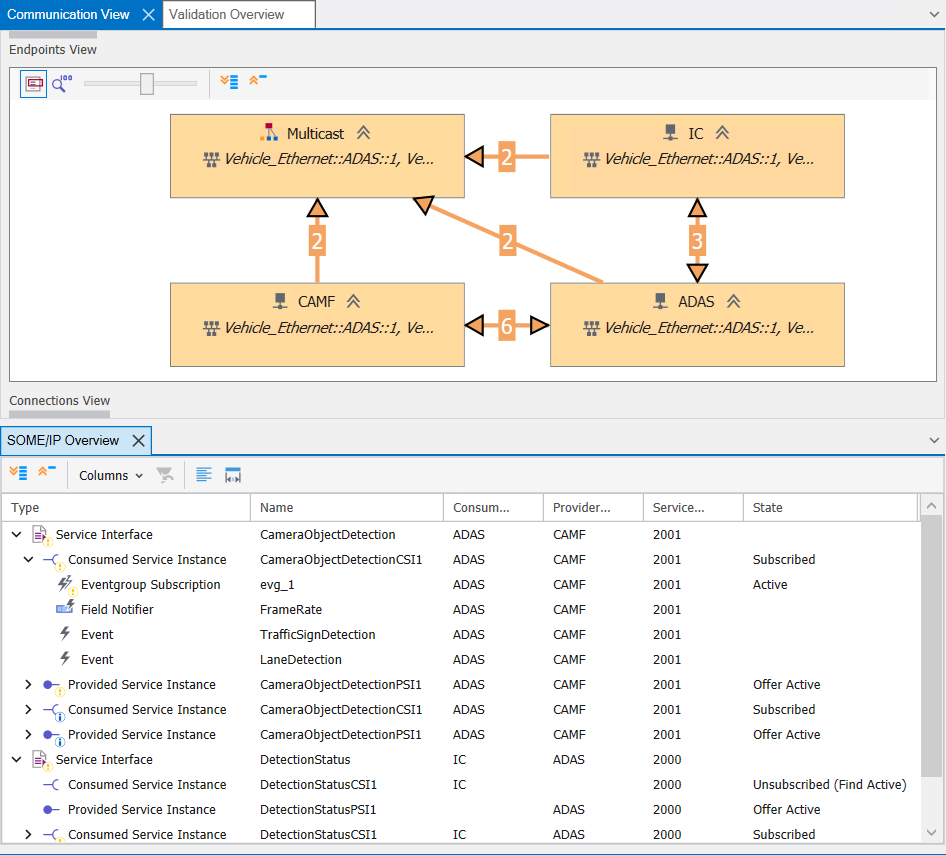
Advanced Filtering Capabilities
To help you focus on what matters most, Protocol Monitor offers advanced filtering capabilities that allow you to isolate specific areas of interest right from the start. It highlights protocol-specific communication, displays validation results, and monitors traffic based on your configured filters.
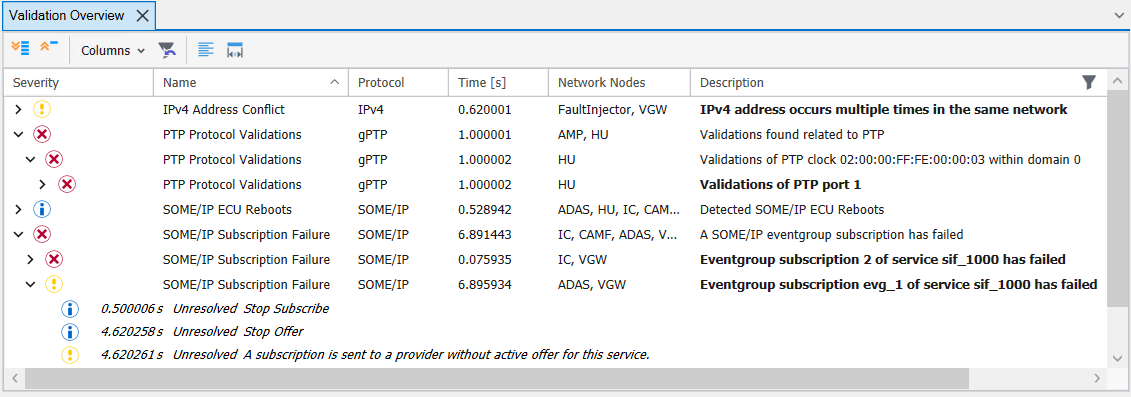
When a protocol inconsistency is detected and displayed in the validation overview, you can instantly create a Trace filter for deeper analysis. The window synchronization feature enables you to jump directly to the relevant timestamp across all analysis views.
Where Can You Find This Function In CANoe? | How to Start the Process?
With an active Ethernet or Basic Ethernet license and at least one Ethernet channel, the Protocol Monitor can be found under Ribbon > Analysis > Protocol Monitor.
The Protocol Monitor must be activated before starting the measurement.
Related CANoe Topics