CANoe Operating Modes and “Soft Realtime”
CANoe Quick Tip

CANoe essentially consists of two major software components. On the one hand, there is the GUI component, and on the other hand, there is the RT Kernel (Runtime Kernel). These two components can run on one system or be physically separated from each other. This leads to different CANoe operating modes. The operating modes have an influence on the soft realtime behavior of a simulation. But, which mode to choose?
What Can You Do With It? | What Problems Does It Solve?
The possibility to separate GUI and RT Kernel leads to three valid configurations:
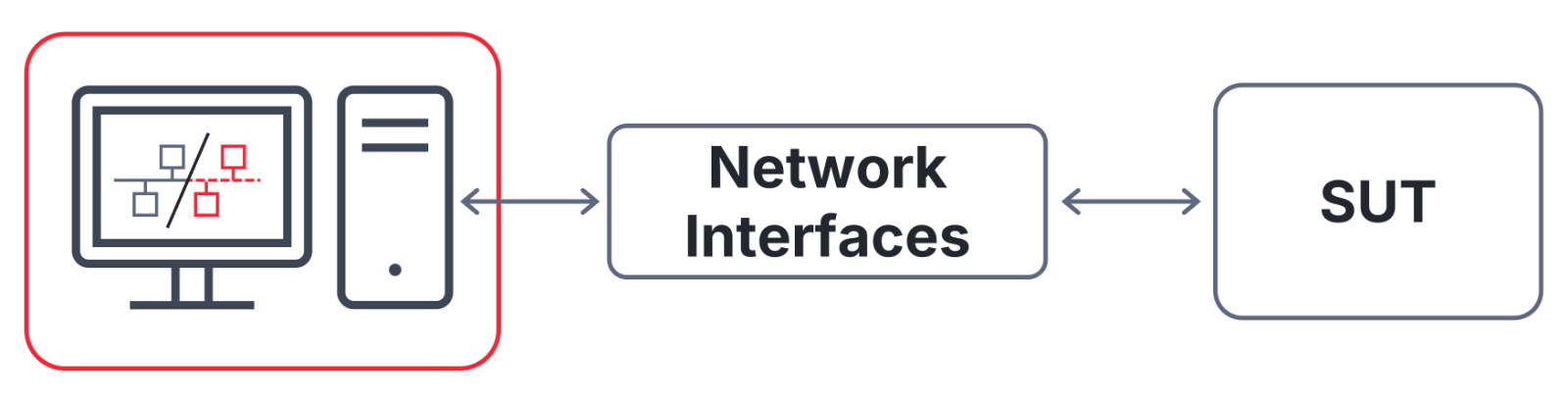
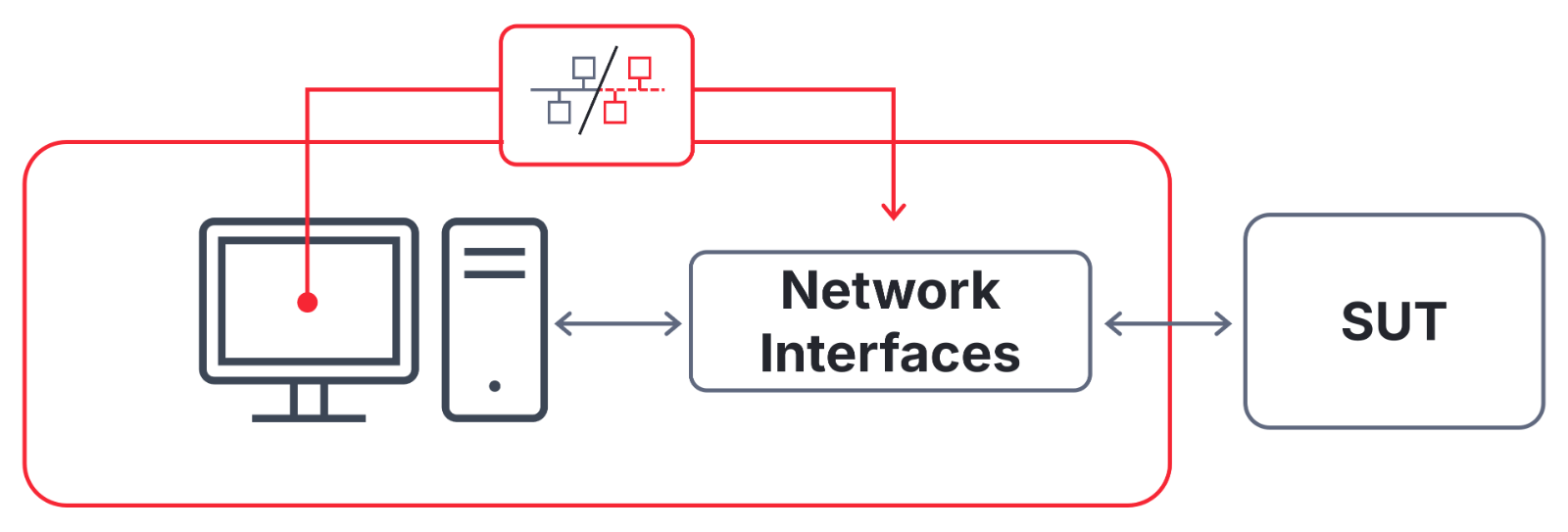
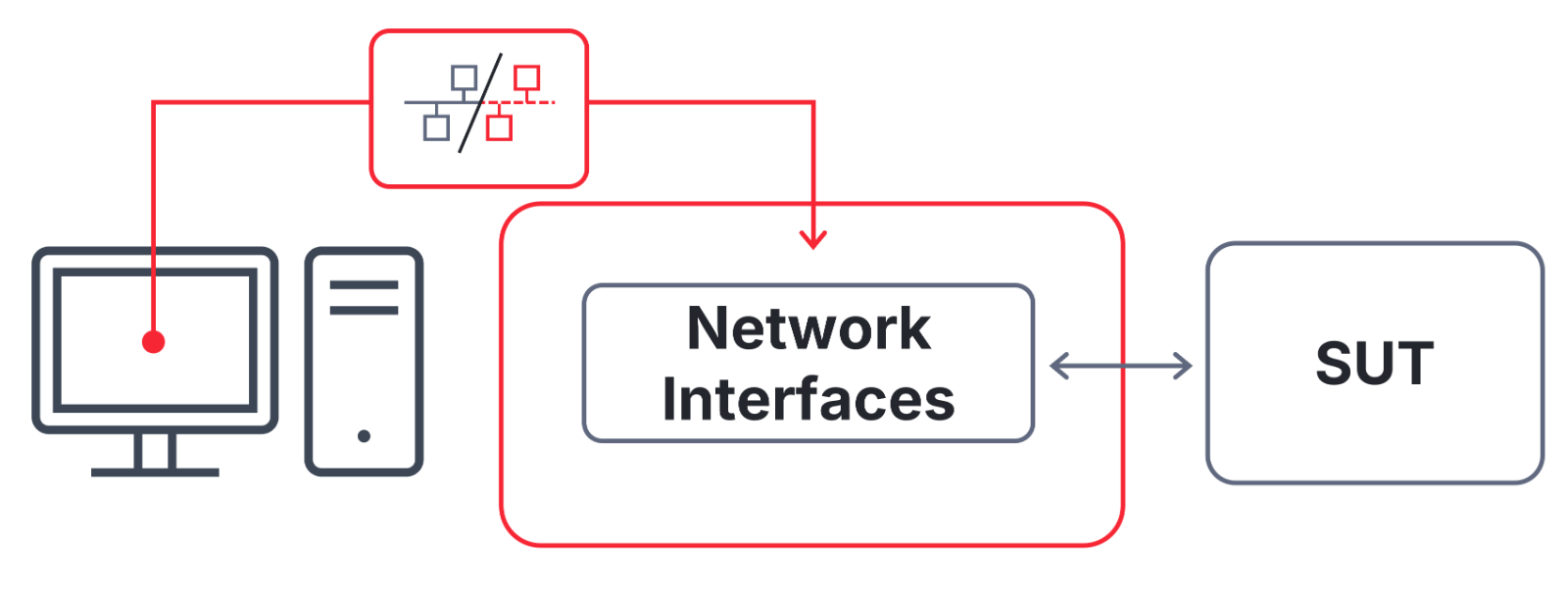
Which Configuration Should I Choose for My Use Case?
| Advantages | Disadvantages | Soft Realtime | Use Cases | |
Interface Mode |
|
| Possible1 |
|
Distributed Mode |
|
| Good |
|
Standalone Mode |
|
| Even better |
|
1 Depends heavily on the CPU performance of the user computer and the software installed on it.
Sufficient soft realtime behavior is generally already achieved with Distributed Mode. Hard realtime behavior is possible with the free-of-charge Distributed Mode extension Extended Real Time.
The free-of-charge Multi CANoe extension is ideal for large and time-consuming simulations and models with many network interfaces. All CANoe operating modes can be used.
Where Can You Find This Function In CANoe? | How to Start the Process?
The CANoe operating modes Distributed Mode and Standalone Mode can be avtivated in the Vector Tool Platform (VTP): CANoe|Home|Measurement|Vector Tool Platform. An existing VTP Device is required.
Related CANoe Topics