Adding New I/O Cards to Your VIO System: CANoe Puts You on the Fast Lane!
CANoe Quick Tip

A newly released VIO System I/O card can be used in customer projects right from the start. Each card comes with a customized CCD file that provides CANoe with all relevant details about the card’s possibilities, functions, and system variables. This eliminates the need to wait for a new CANoe release.
What Can You Do With It? | What Problems Does It Solve?
- A typical problem with the addition of new items (here: I/O cards) to a given product portfolio is that the user might have to wait for the next SW release that will then support the new card(s).
This is no longer necessary as CANoe will learn about a new card by reading the card’s CCD file.
- Users who use their VIO System only occasionally might forget over time how a card is configured. In this case, the automated configuration is also very helpful, be it for I/O cards already known to the user or for brand-new ones.
Where Can You Find This Function In CANoe? | How to Start the Process?
The VIO System Configuration ribbon is the place to go to make use of the automated configuration of VIO System I/O cards:
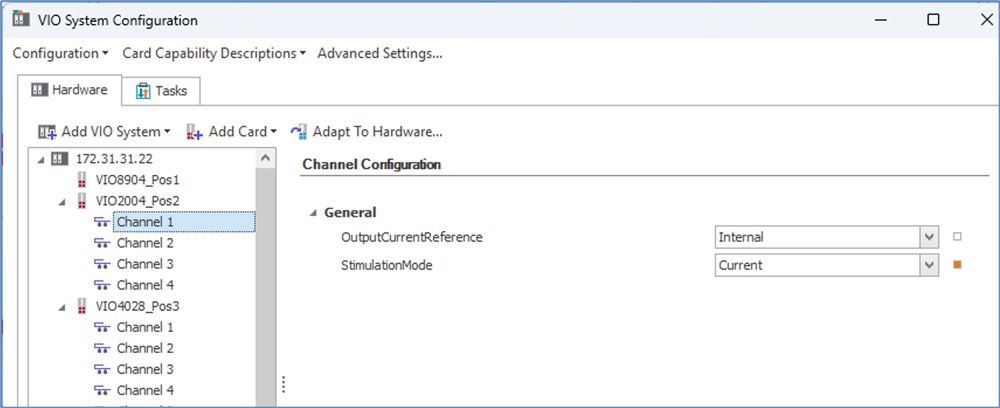
- The Hardware tab gives access to card-wide settings like logical levels, signal directions, and more. It also allows the renaming of an I/O card to make the code easier to read. Adding new cards is also done here.
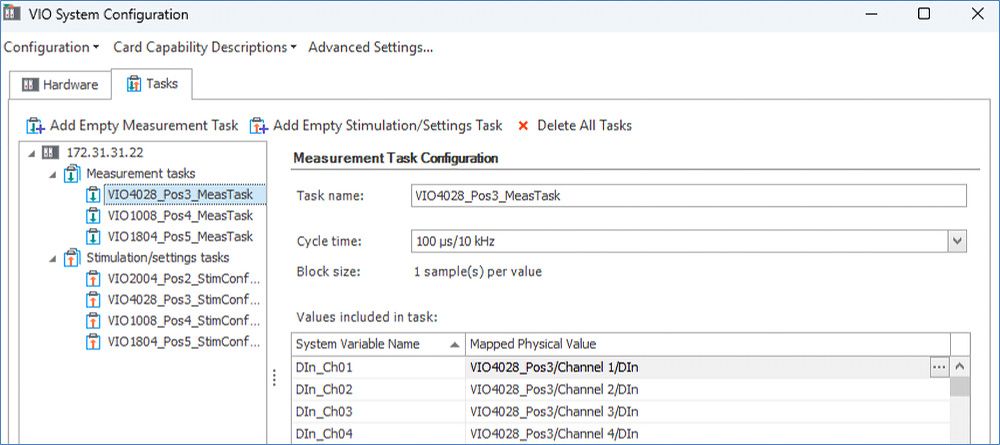
The Tasks tab gives access to channel-specific system variables (used by CANoe inside CAPL scripts). It also allows the renaming of task groups and signals to make the code easier to read. Adding the tasks for newly added cards is also done here.
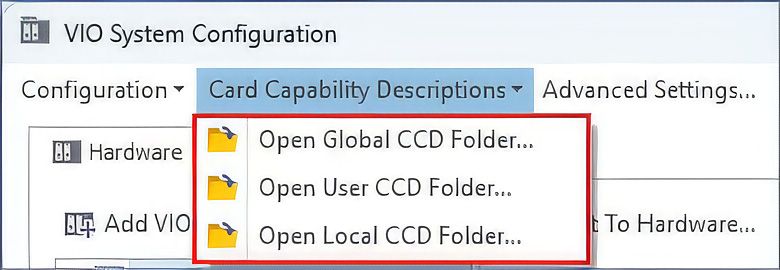
Where to Find the CCD Files?
The CCD files are stored in different folders:
- The Global CCD folder contains the CCD files installed with your current CANoe release.
- The User CCD folder contains the CCD files downloaded from a real connected VIO System.
If your VIO System contains I/O cards that are newer than your current CANoe release, you will find their CCD files here. - The Local CCD folder can be found within your current VIO System configuration.
Related CANoe Topics