Red gradient badge with a white PREEvision "Bird" product icon and the word "PREEvision".

PREEvision

Accelerate Model-Based Systems Engineering in One Shared Platform

Connect requirements, architecture, hardware, software, and validation in one future-proof platform. Keep complex system development consistent. With PREEvision, you work in one shared model, connect information across disciplines, and maintain traceability from requirements to implementation and test artifacts. Reduce rework, shorten alignment loops, and justify decisions with confidence.

As a decision-maker, you establish a consistent backbone for governance, compliance, and coordination across teams and suppliers. In your day-to-day projects, you rely on integrated workflows and a data model that stays usable from early definition to detailed design and change impact analysis. Build momentum for your engineering teams.

The Foundation for Innovation

PREEvision is your model-based systems engineering platform. It supports the RFLP approach by connecting requirements (R), functional and logical architecture (F/L), and the physical implementation view (P) in one single environment. Build bidirectional traceability between all viewpoints at any time, without breaking your workflow.

Widely used for electrical and electronic system development in automotive programs, PREEvision supports workflows from architecture design to wiring harness development. Vector brings PREEvision to additional industries where teams demand cross-domain collaboration and consistent engineering information in increasingly software-defined and connected environments.

Four red tiles spelling RFLP on a dark, glowing background.

Master Complexity with RFLP

PREEvision supports RFLP in one shared model. Intelligent links keep requirements, architecture, implementation, and verification connected as your system evolves.

  • R – Requirements Viewpoint
    Capture and refine stakeholder, system, software, and hardware requirements. Connect them bidirectionally to all development artifacts for complete transparency and precise change impact analysis.
  • F/L – Functional and Logical Architecture Viewpoints
    Describe system behavior and structure. Keep it seamlessly linked to requirements and the implementation view.
  • P – Physical Implementation Viewpoint
    View Model the realization of your system, including hardware and software. Keep it connected back to requirements and architecture to ensure real-time performance and reliability.

Designed for the Future

Rely on PREEvision when you need one consistent system model for your teams and stakeholders. It supports systems engineering that remains comprehensible and traceable across the entire lifecycle of software-defined systems. Future-proof your development process.

Your Benefits at a Glance

PREEvision connects engineering information across disciplines. Align decisions instantly and track change impact with precision.

  • Work in one shared model across disciplines, replacing disconnected documents.
  • Achieve end-to-end traceability from requirements to architecture, hardware, software, and test artifacts.
  • Analyze change impact instantly. Links reveal exactly what is affected when requirements or design elements change.
  • Leverage a domain data model for systems engineering, designed to keep engineering information structured and reusable.
  • Develop systems aligned with ISO 26262 and Automotive SPICE (ASPICE) for uncompromising safety and standards compliance.
  • Export specifications and exchange model data via reports and standard formats for seamless integration with downstream tools.

Experience the PREEvision Interface
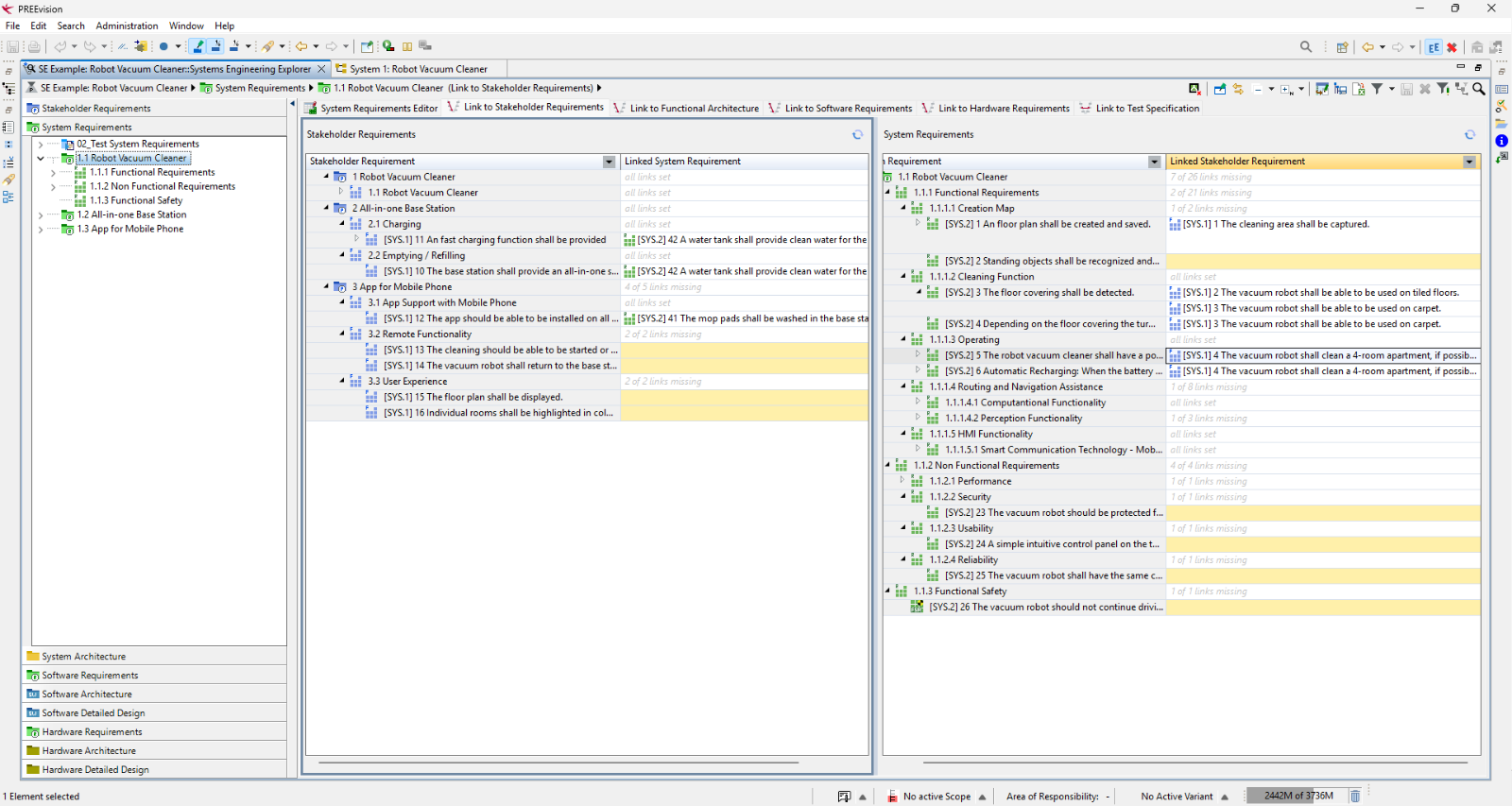
The Eclipse-based interface translates complex system data into clear, accessible diagrams. See how your teams interact with the model day to day to drive innovation and build the future.
PREEvision Systems Engineering Explorer showing the example project "Robot Vacuum Cleaner". The window displays the link view between stakeholder requirements (left) and system requirements (right). Requirements without a link are highlighted in yellow.
PREEvision Systems Engineering Explorer
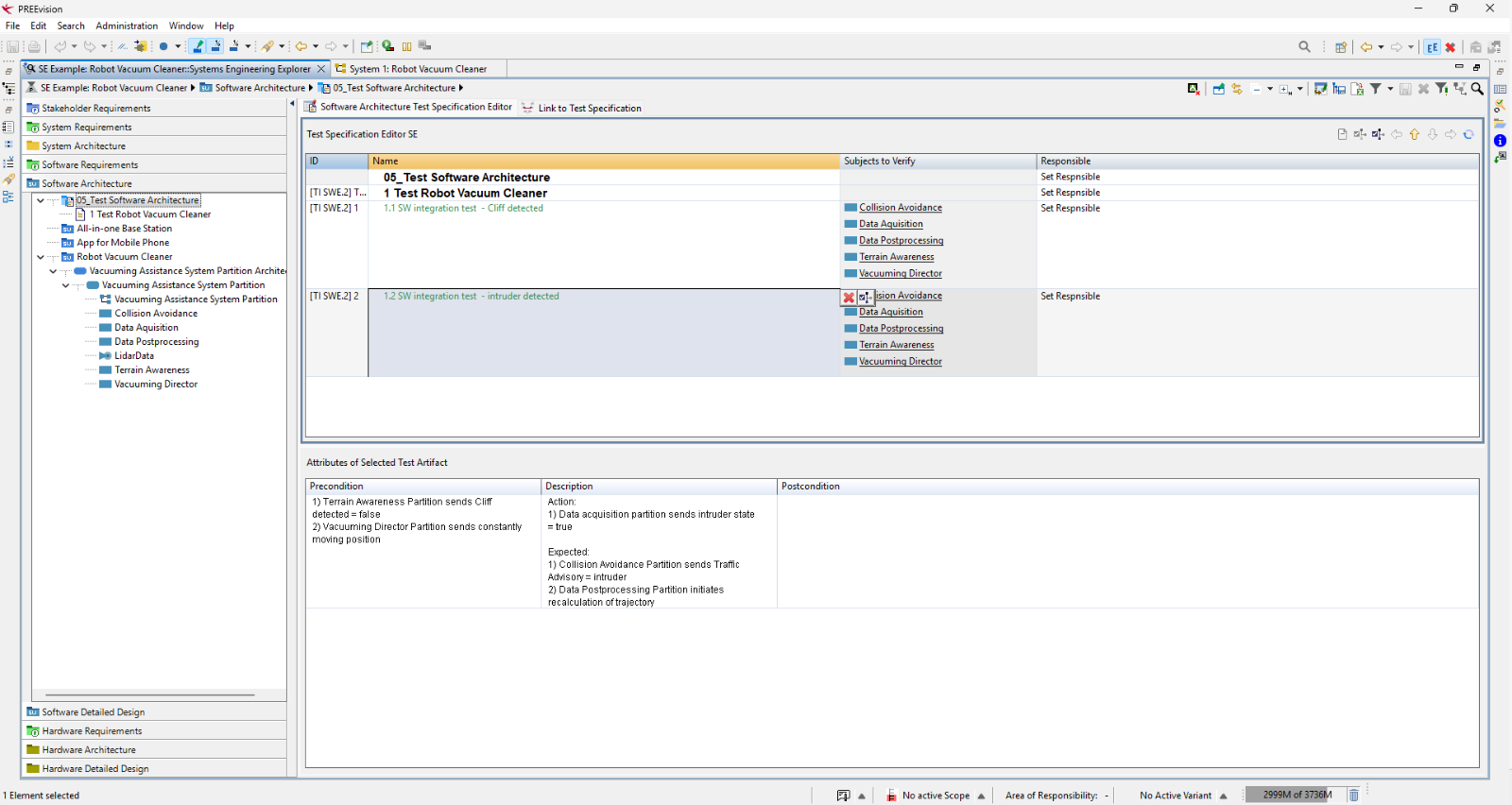
PREEvision Test Specification Editor showing two software integration tests for the Robot Vacuum Cleaner example: "Cliff detected" and "Intruder detected". Each test lists the software components it verifies, and the precondition, action and expected result of the selected test are shown below.
PREEvision Systems Engineering Explorer
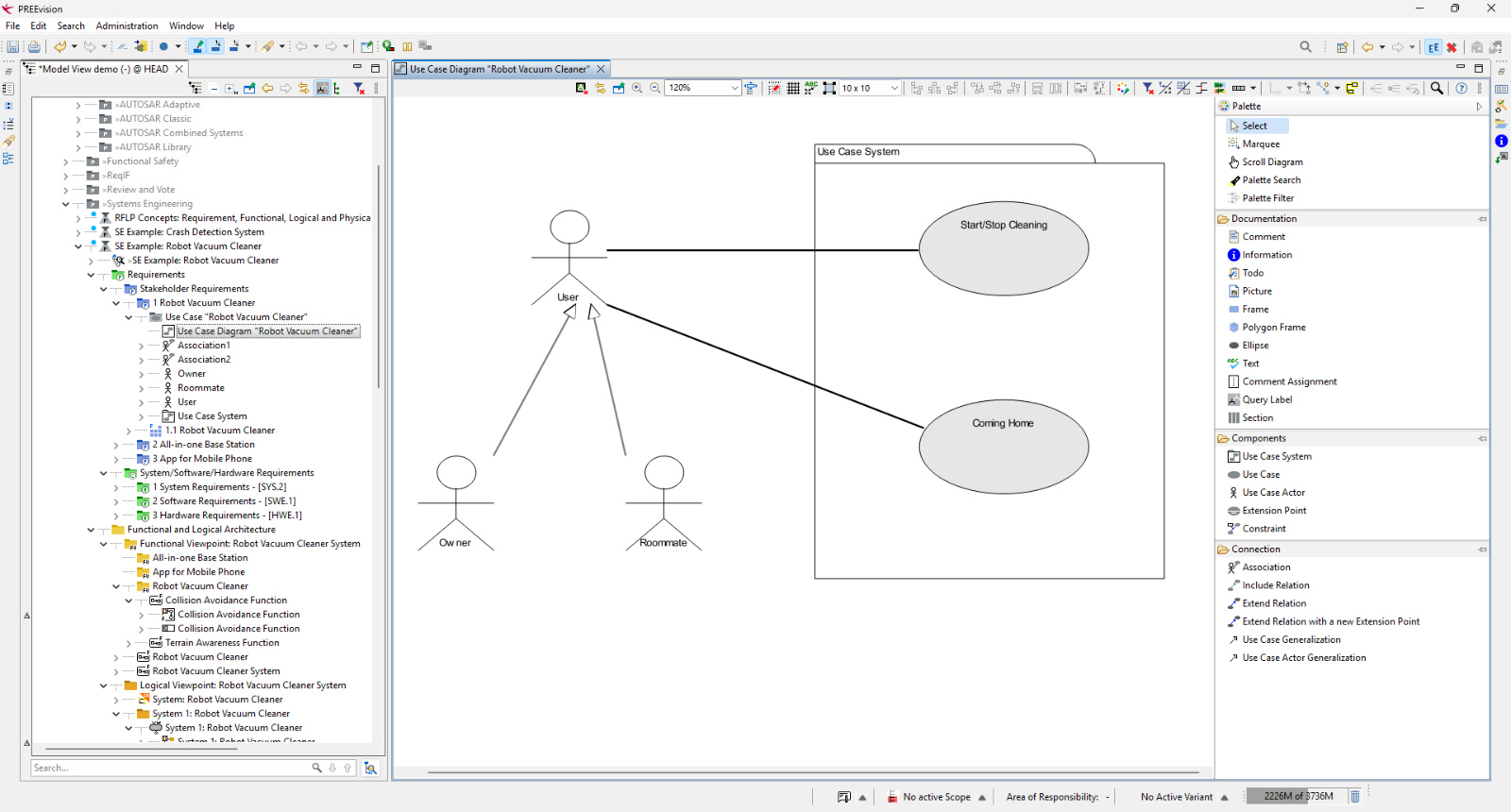
PREEvision use case diagram "Robot Vacuum Cleaner" with the actor User connected to the use cases "Start/Stop Cleaning" and "Coming Home" within the system boundary "Use Case System". The actors Owner and Roommate are linked to User by generalization arrows.
PREEvision Use Case Diagram
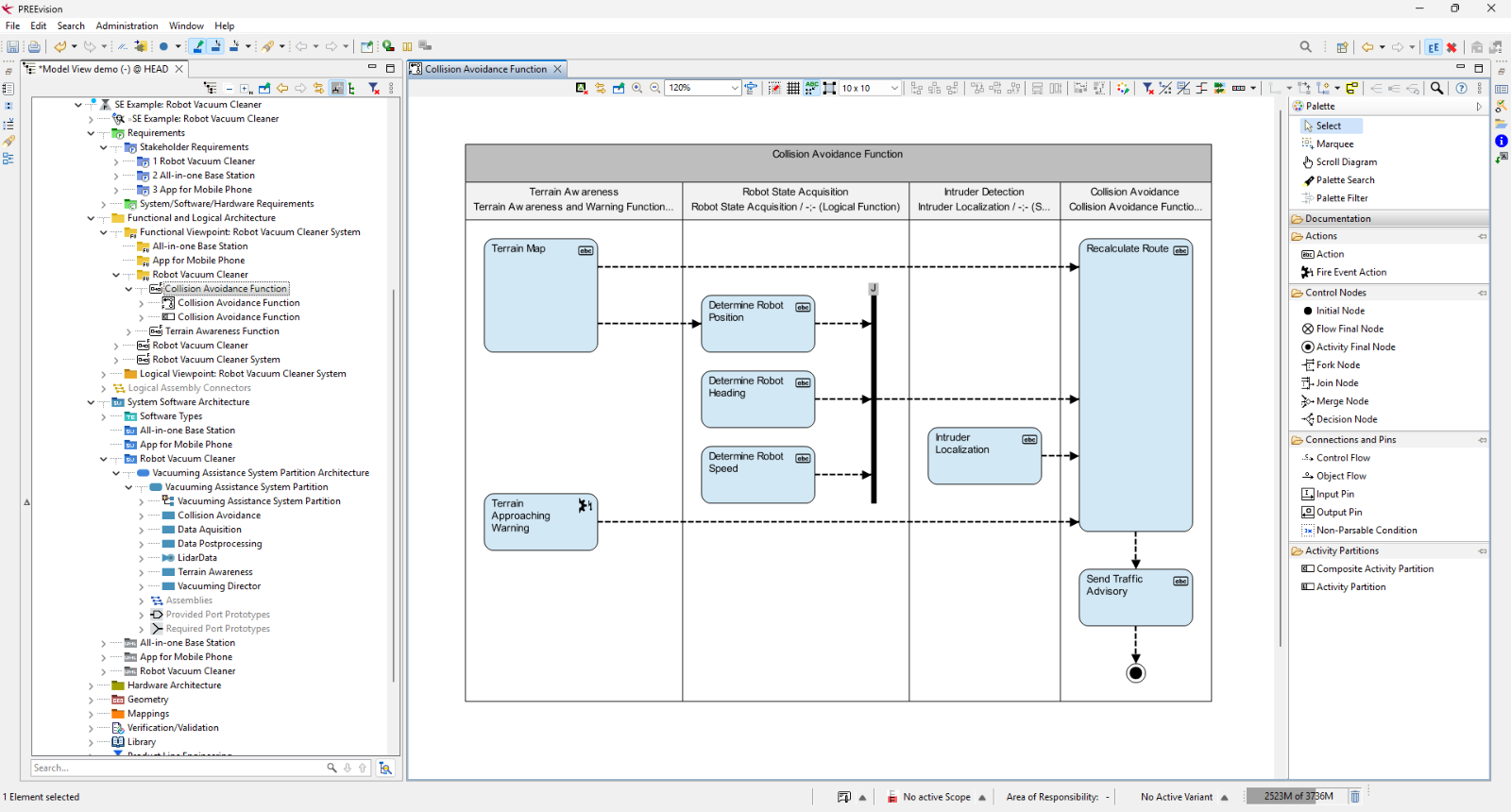
PREEvision activity diagram "Collision Avoidance Function" with four swimlanes: Terrain Awareness, Robot State Acquisition, Intruder Detection and Collision Avoidance. Terrain data and robot position, heading and speed feed into a route recalculation, which leads to sending a traffic advisory and an end node.
PREEvision Activity Diagram
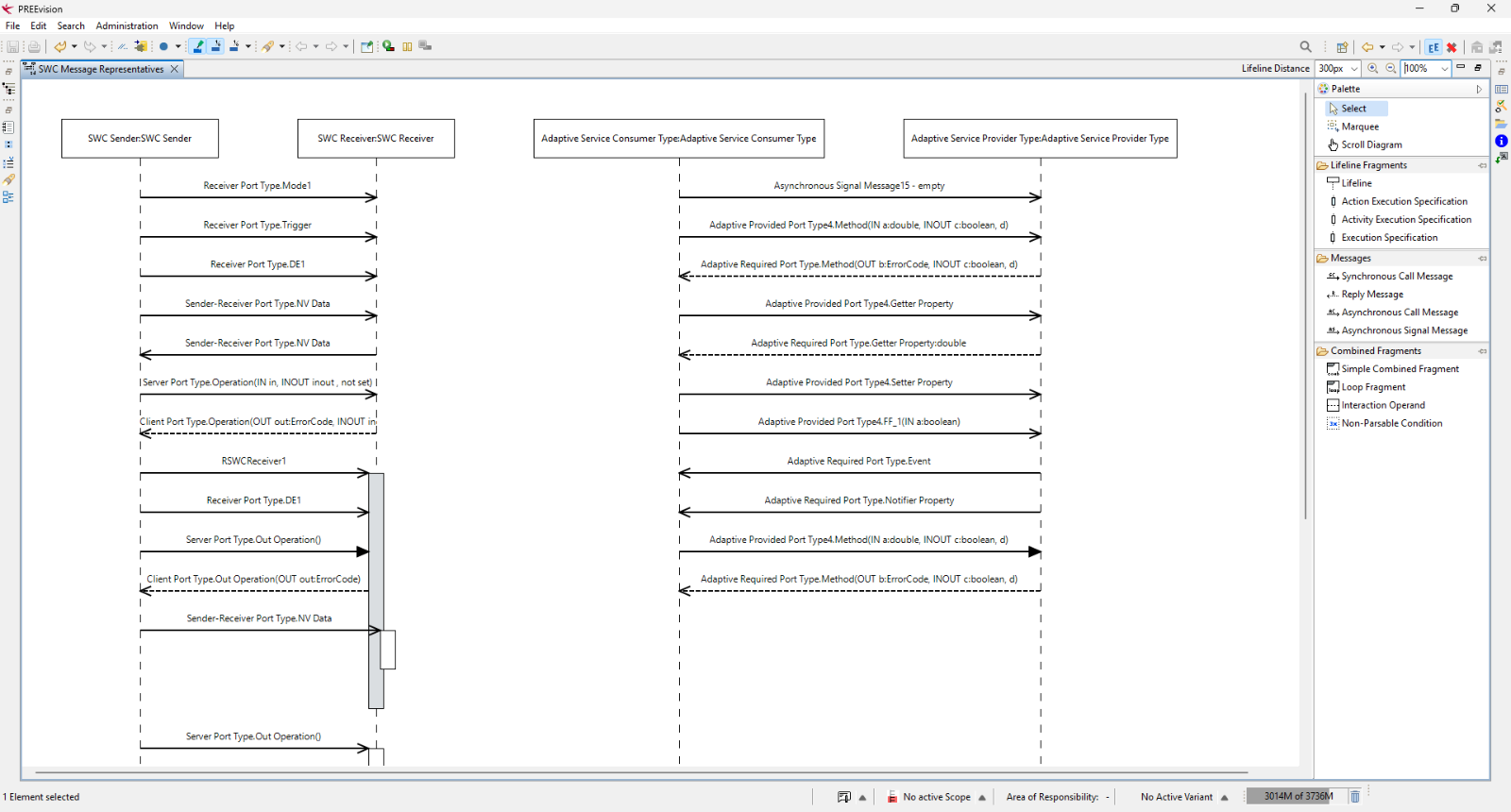
PREEvision sequence diagram "SWC Message Representatives" showing messages between two software components, SWC Sender and SWC Receiver, and between Adaptive Service Consumer and Adaptive Service Provider. The messages are calls, signals, property accesses and replies, shown as solid and dashed arrows.
PREEvision Sequence Diagram
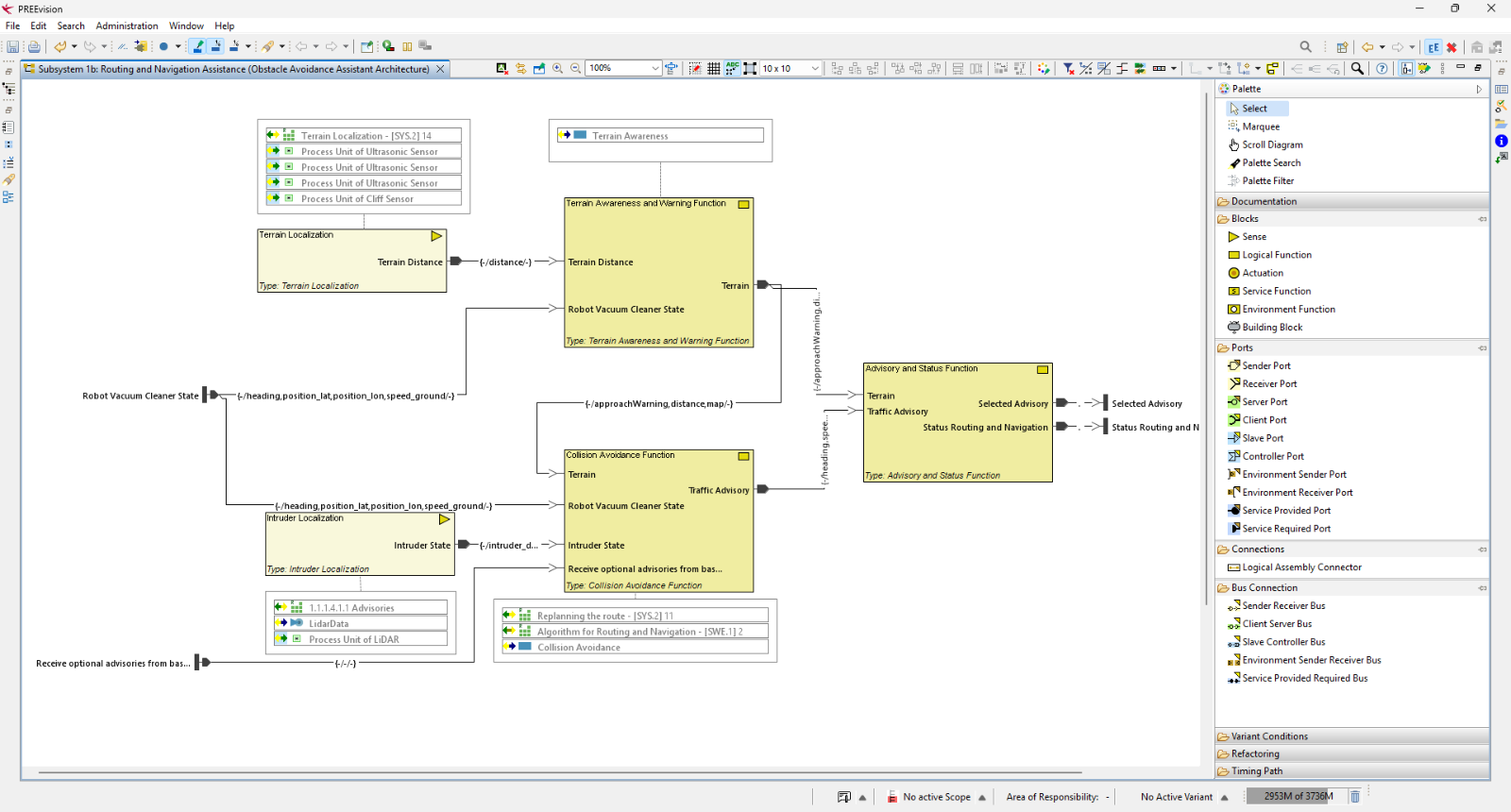
PREEvision logical architecture diagram of "Subsystem 1b: Routing and Navigation Assistance" for the Robot Vacuum Cleaner. Function blocks such as Terrain Localization, Terrain Awareness and Warning, Intruder Localization, Collision Avoidance and Advisory and Status are connected by labelled signal lines, with external inputs and outputs at the edges.
PREEvision Logical Architecture Diagram
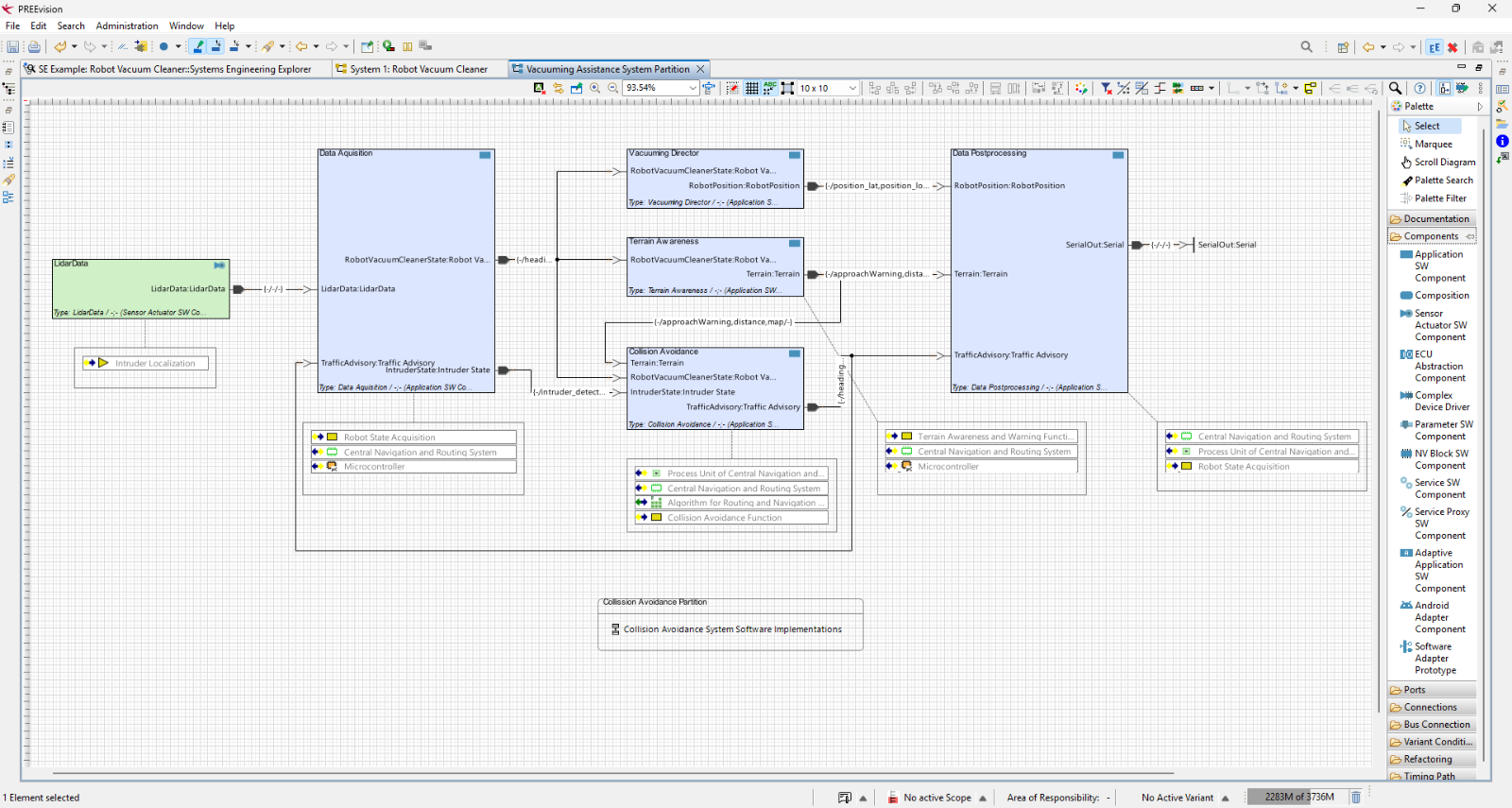
PREEvision software architecture diagram of the "Vacuuming Assistance System Partition" for the Robot Vacuum Cleaner. The components LidarData, Data Acquisition, Vacuuming Director, Terrain Awareness, Collision Avoidance and Data Postprocessing are connected by labelled ports and signals.
PREEvision Software Architecture Diagram
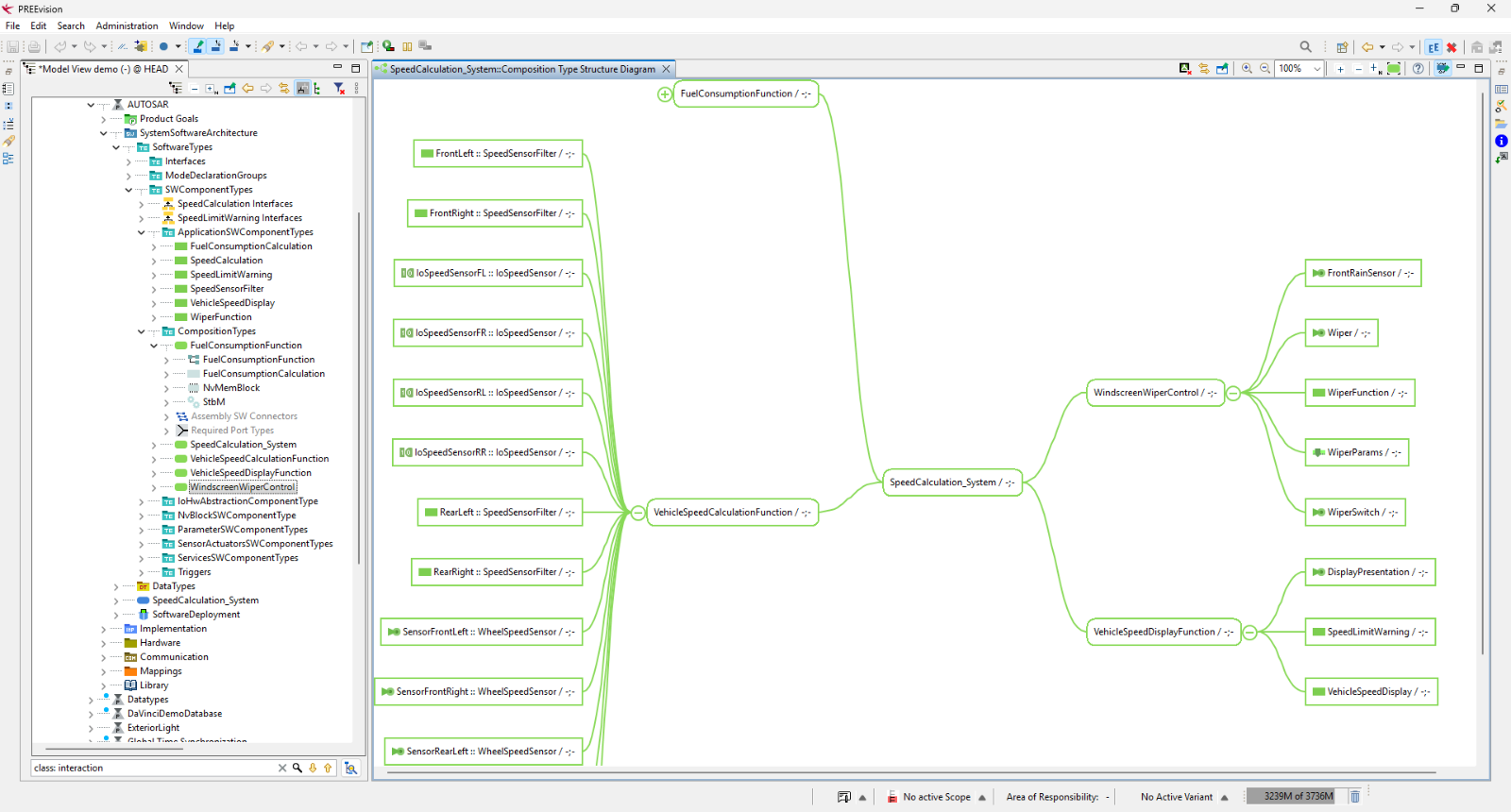
PREEvision composition type structure diagram of "SpeedCalculation_System". The central component connects to VehicleSpeedCalculationFunction, WindscreenWiperControl and VehicleSpeedDisplayFunction. Wheel speed sensors and filters feed into the speed calculation from the left.
PREEvision Software Component Structure Diagram
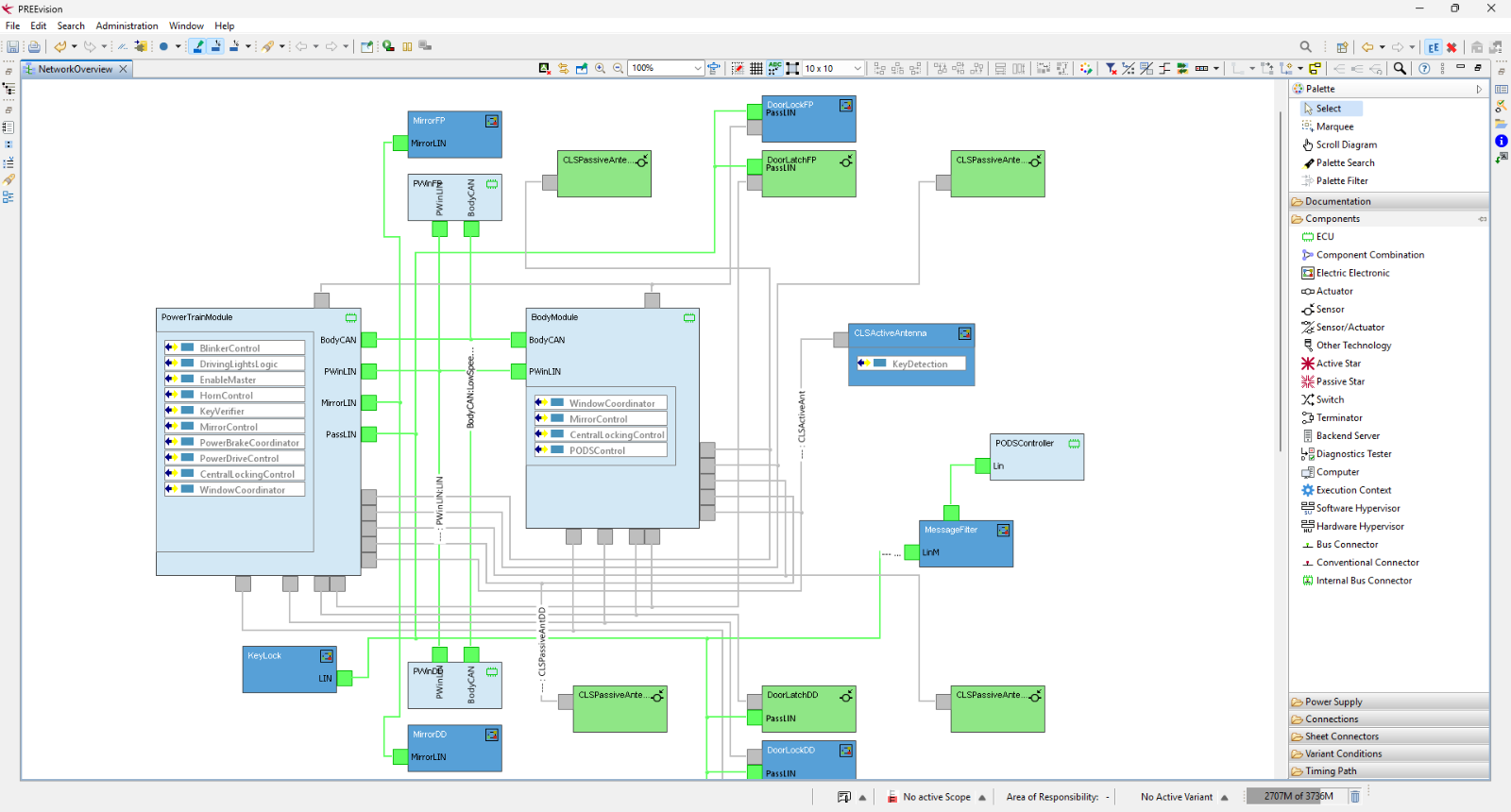
PREEvision network overview diagram of the vehicle's body electronics. The PowerTrainModule and BodyModule are connected by a body CAN bus and LIN buses, with door, mirror, window and antenna control units attached around them.
PREEvision Hardware Network Diagram
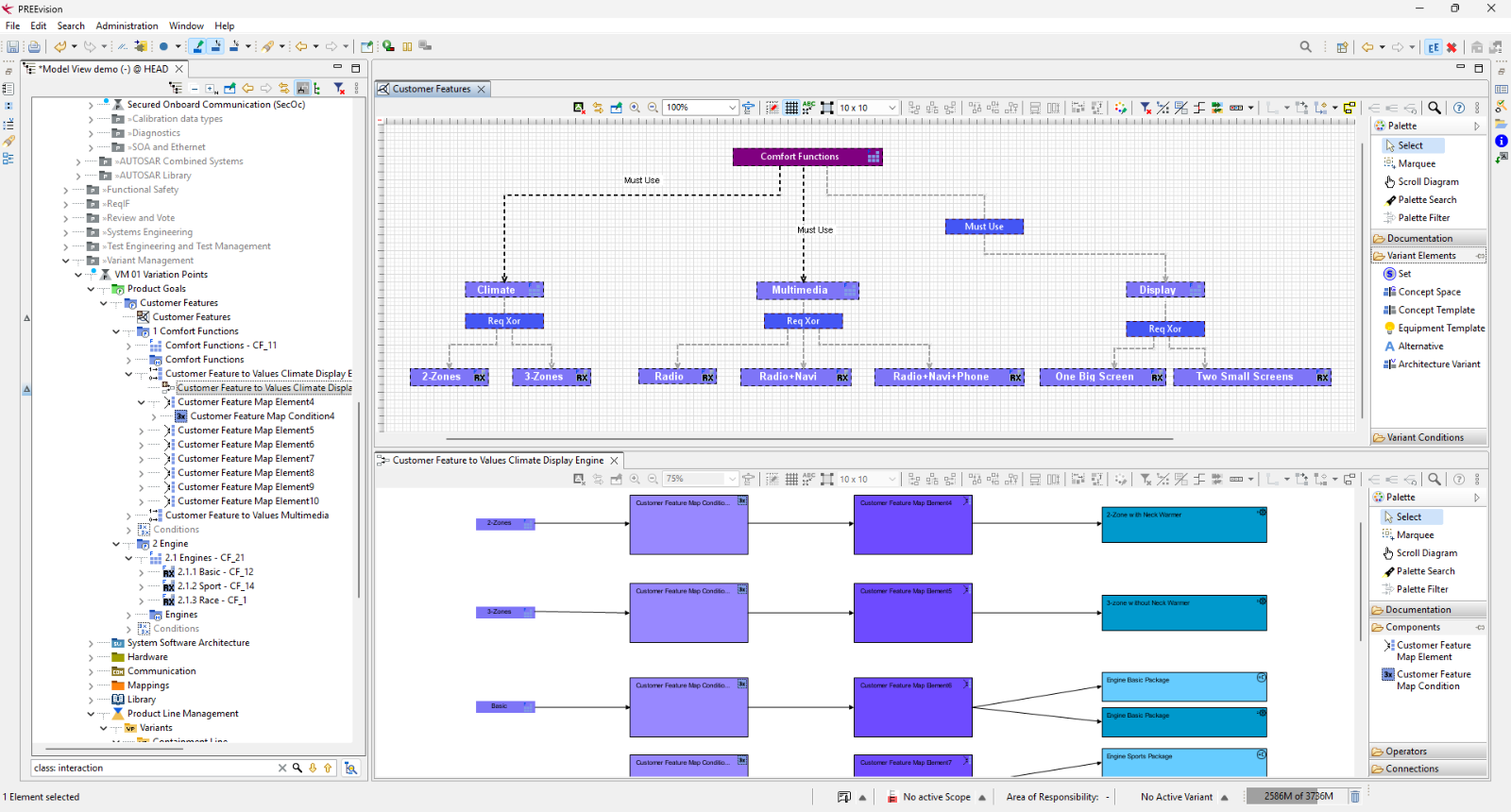
PREEvision variant management view for the Robot Vacuum Cleaner's customer features. The upper diagram shows a feature model with Comfort Functions and its sub-features Climate, Multimedia and Display, each with exclusive options. The lower diagram maps features to their values and to engine packages.
PREEvision Variant Management
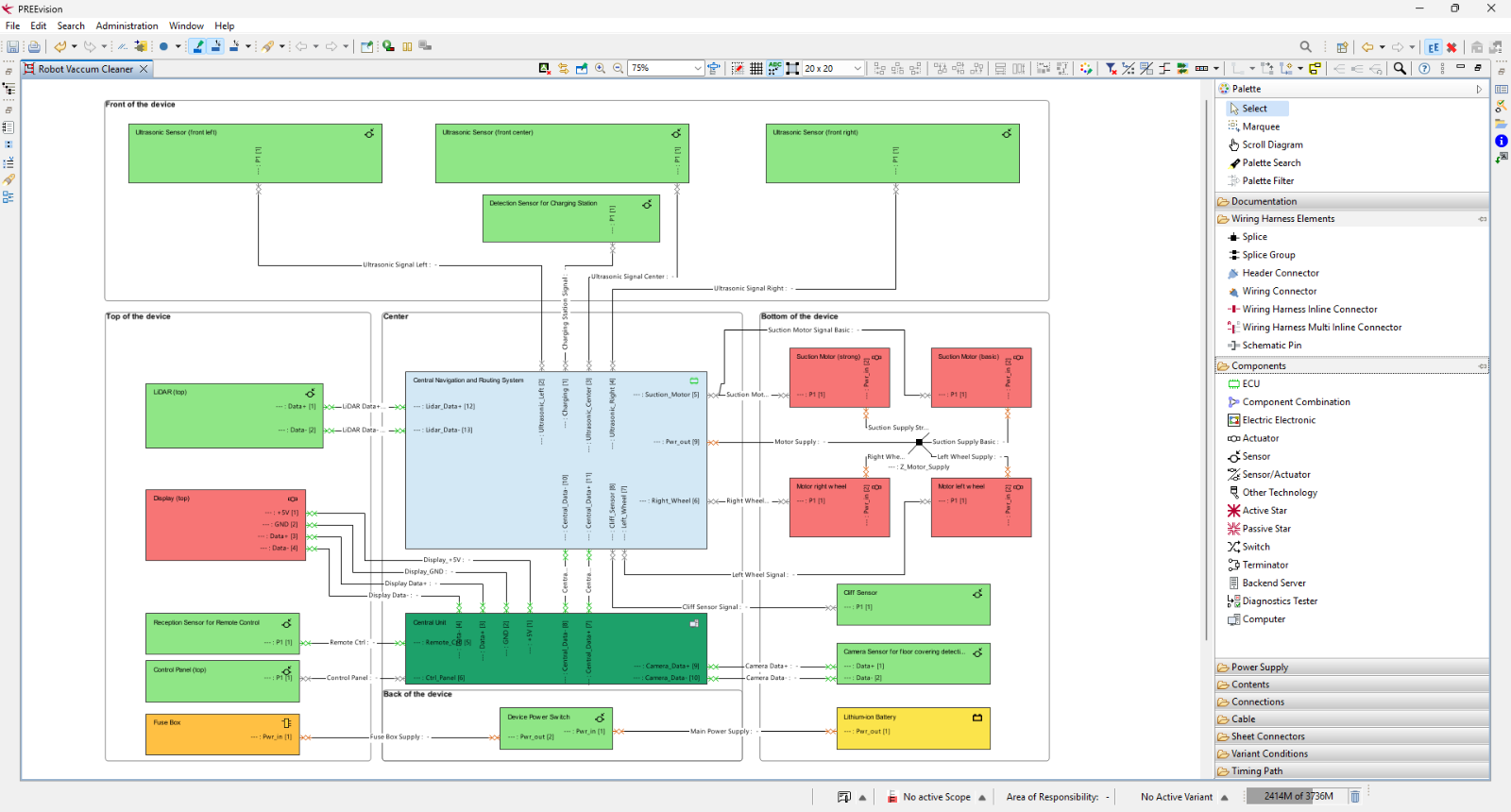
PREEvision wire harness diagram of the Robot Vacuum Cleaner. Components such as ultrasonic sensors, LIDAR, display, suction motors, wheel motors, central units and battery are grouped by their location on the device and connected by labelled harness wires.
PREEvision Wire Harness Diagram
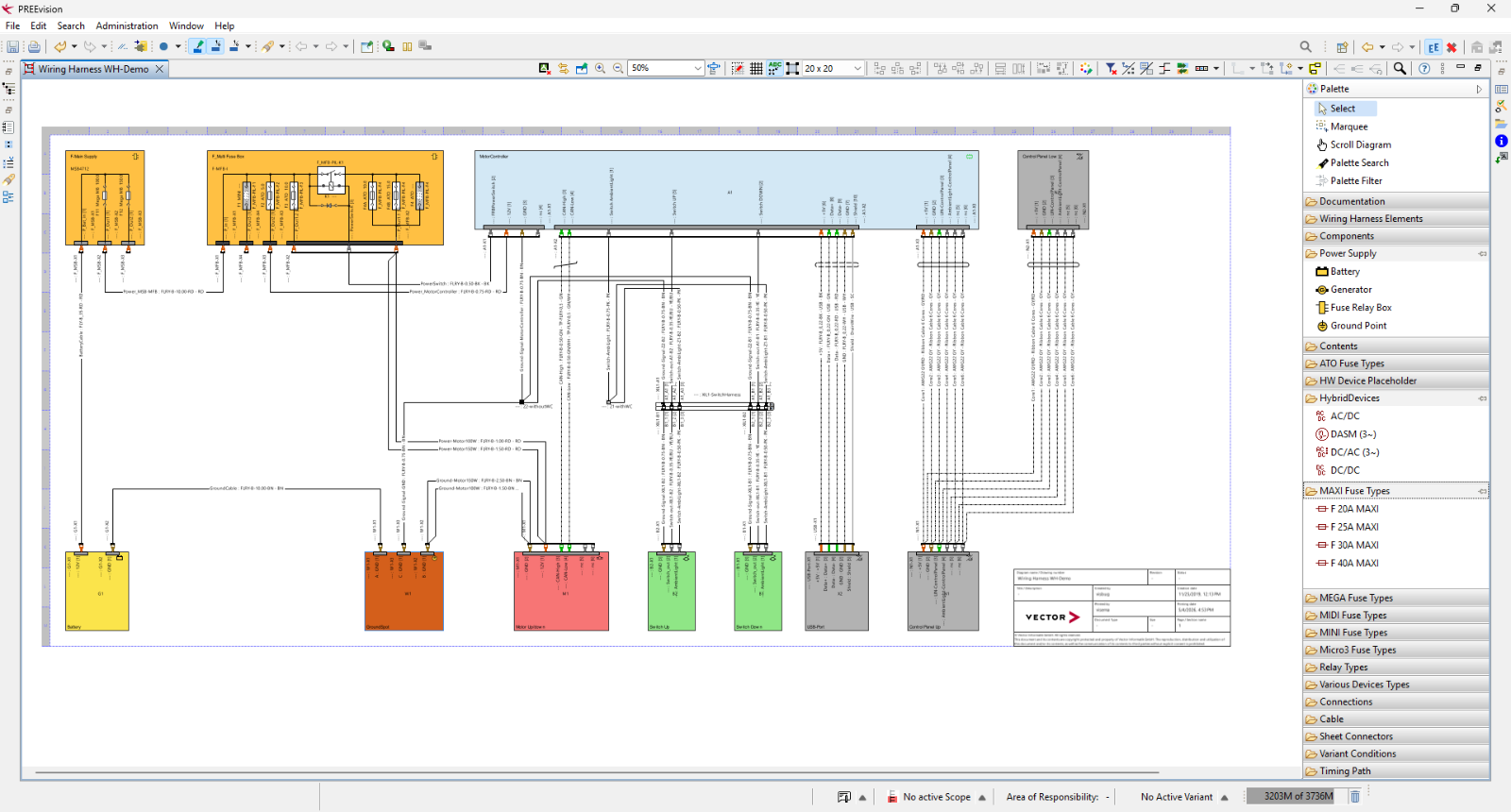
PREEvision wiring harness schematic "Wiring Harness WH-Demo" for the Robot Vacuum Cleaner. It shows the power supply and fuse box at the top, connected to the central motor controller, which links to the battery, motor, switches, USB port and control panel at the bottom.
PREEvision Wire Harness Diagram
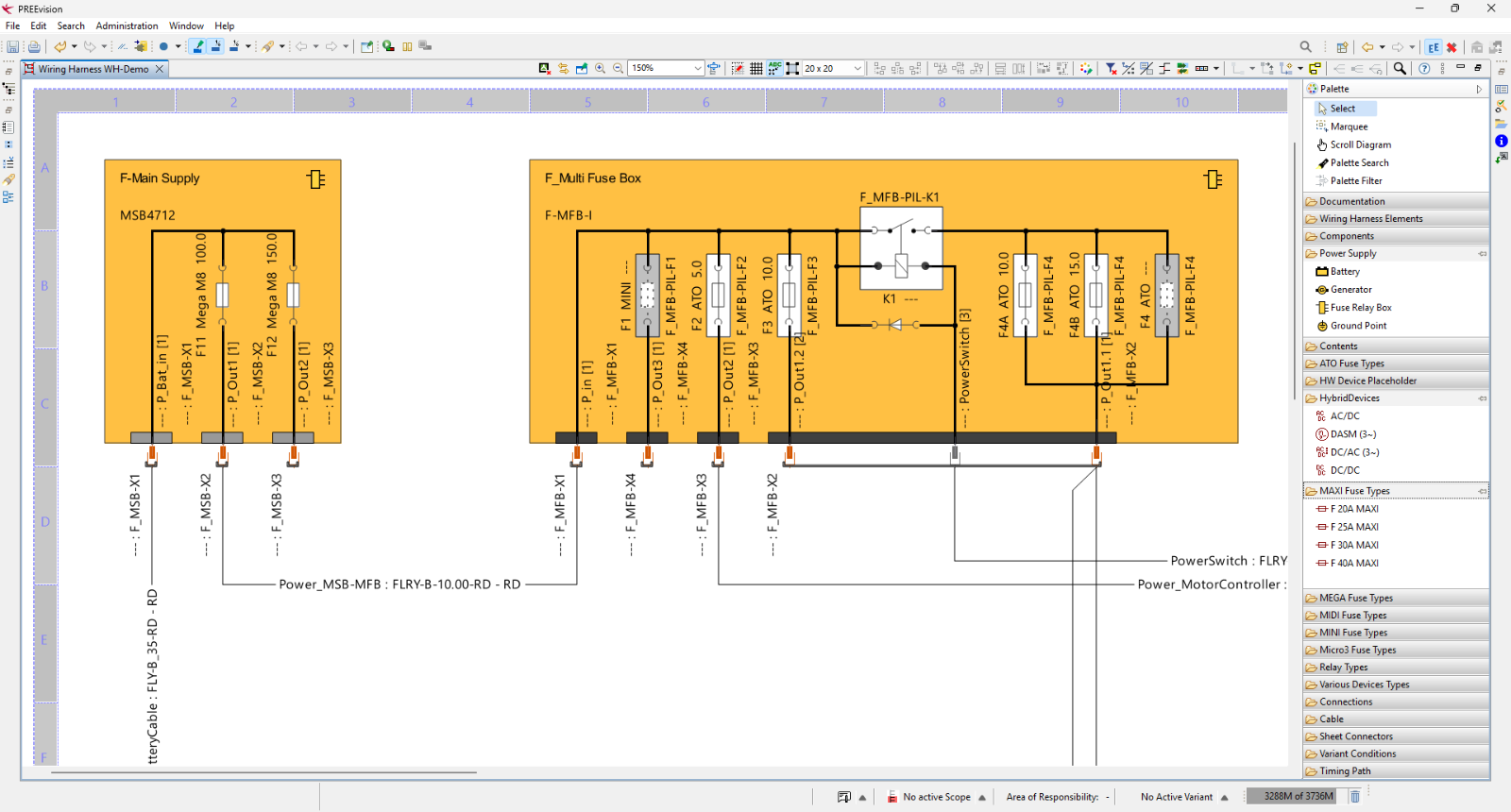
Detail view of the wiring harness schematic showing two fuse boxes: F-Main Supply with two Mega fuses, and F-Multi Fuse Box with several ATO fuses, a relay (K1) and a PowerSwitch. Connectors are labelled X1 to X4, and the wires lead to the battery cable and the motor controller.
PREEvision Wire Harness Diagram
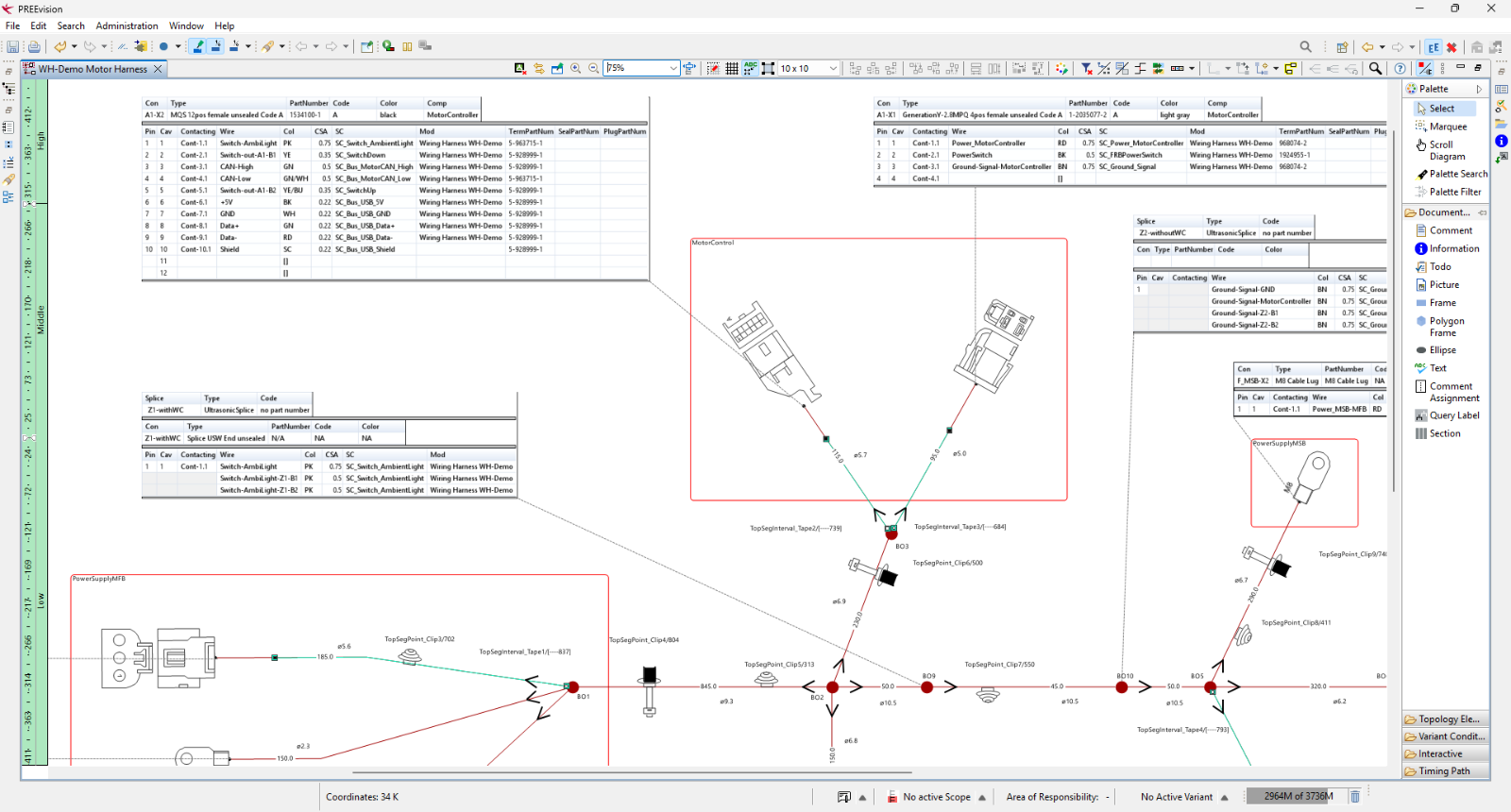
PREEvision geometry view of the wire harness "WH-Demo Motor Harness" with connector pin tables and the physical routing of the cable with breakout points, clips and tape.
PREEvision Geometry Diagram
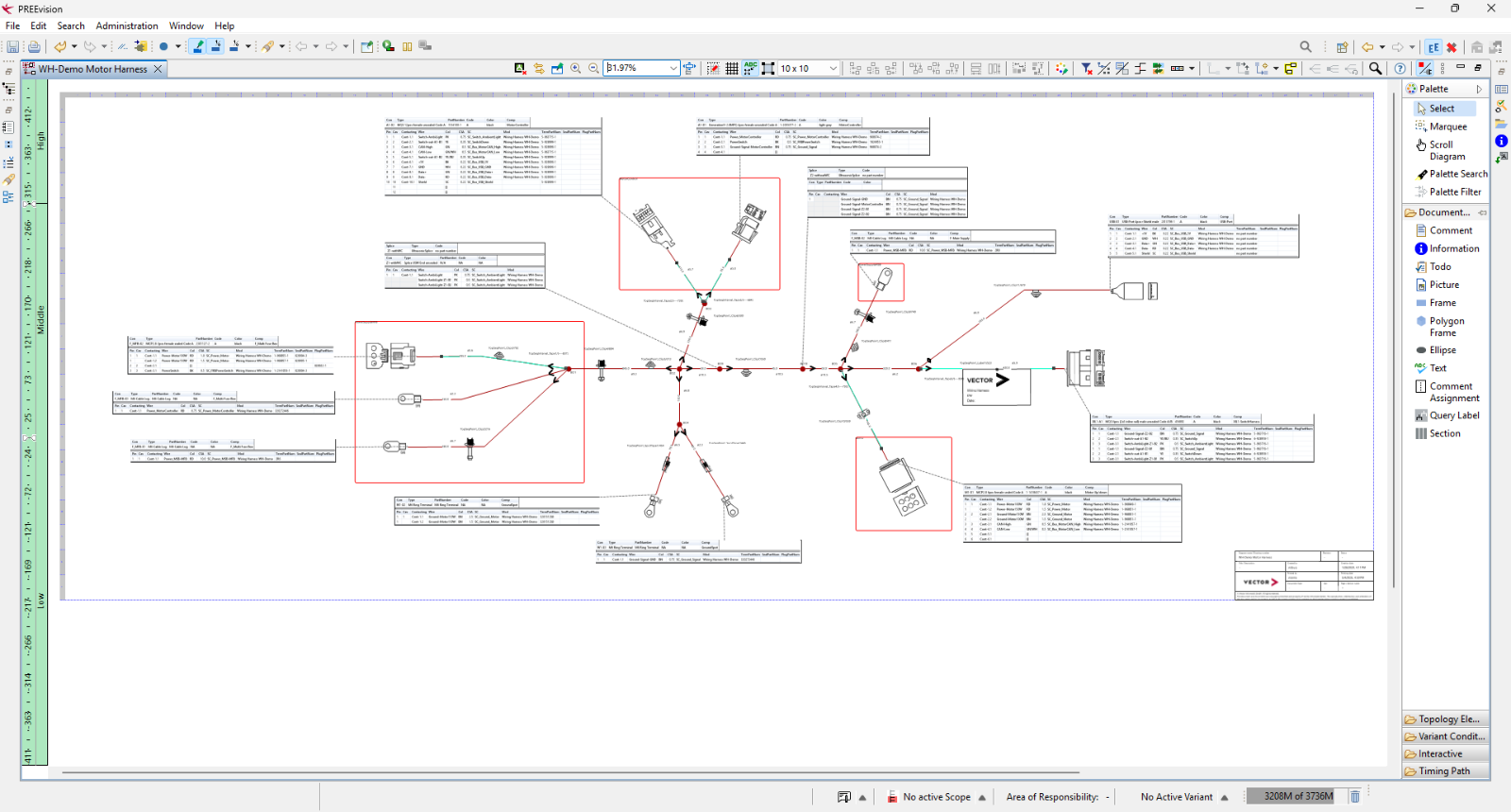
PREEvision geometry overview of the complete "WH-Demo Motor Harness" with its connectors, cable routing, breakout points and connector tables, shown zoomed out.
PREEvision Geometry Diagram

Explore Key Application Areas

Dive deeper into workflows, examples, and supporting material for your specific use case.

PREEvision 26.x key visual: the white text "26.x" on a red bird silhouette, partly cropped at the edges, overlaid on a dark blue to red gradient.
Continuous Innovation in PREEvision 26.0
PREEvision 26.0 modernizes the technical core and data structure to handle complex, software-defined system architectures with ease. Experience improved baselines and precise documentation of completed development states. Benefit from enhanced day-to-day usability with faster startup times, simpler login processes, and optimized UI rendering on high-resolution displays. The 26.x series follows a dynamic eight-week release cycle, ensuring you always have the latest tools at your fingertips.

Empower Your Teams with Expert Support

Vector services support you in every phase of your system development. Get the most out of your PREEvision solution with expert consulting, secure IT hosting, and tailored e-learning, remote, and classroom courses.

Four people in a bright office look at a glass wall, where a woman in a white blazer points at a drawing with a marker.

Customer Services

Accelerate your projects with expert guidance. Rely on our consultants to optimize your workflows, integrate PREEvision into your existing toolchain, and achieve engineering excellence.

Four people in a bright office look at a glass wall, where a woman in a white blazer points at a drawing with a marker.

Hosting Solutions

Focus entirely on your system design while we handle the IT infrastructure. Secure, high-performance hosting ensures your teams collaborate efficiently across locations without administrative overhead.
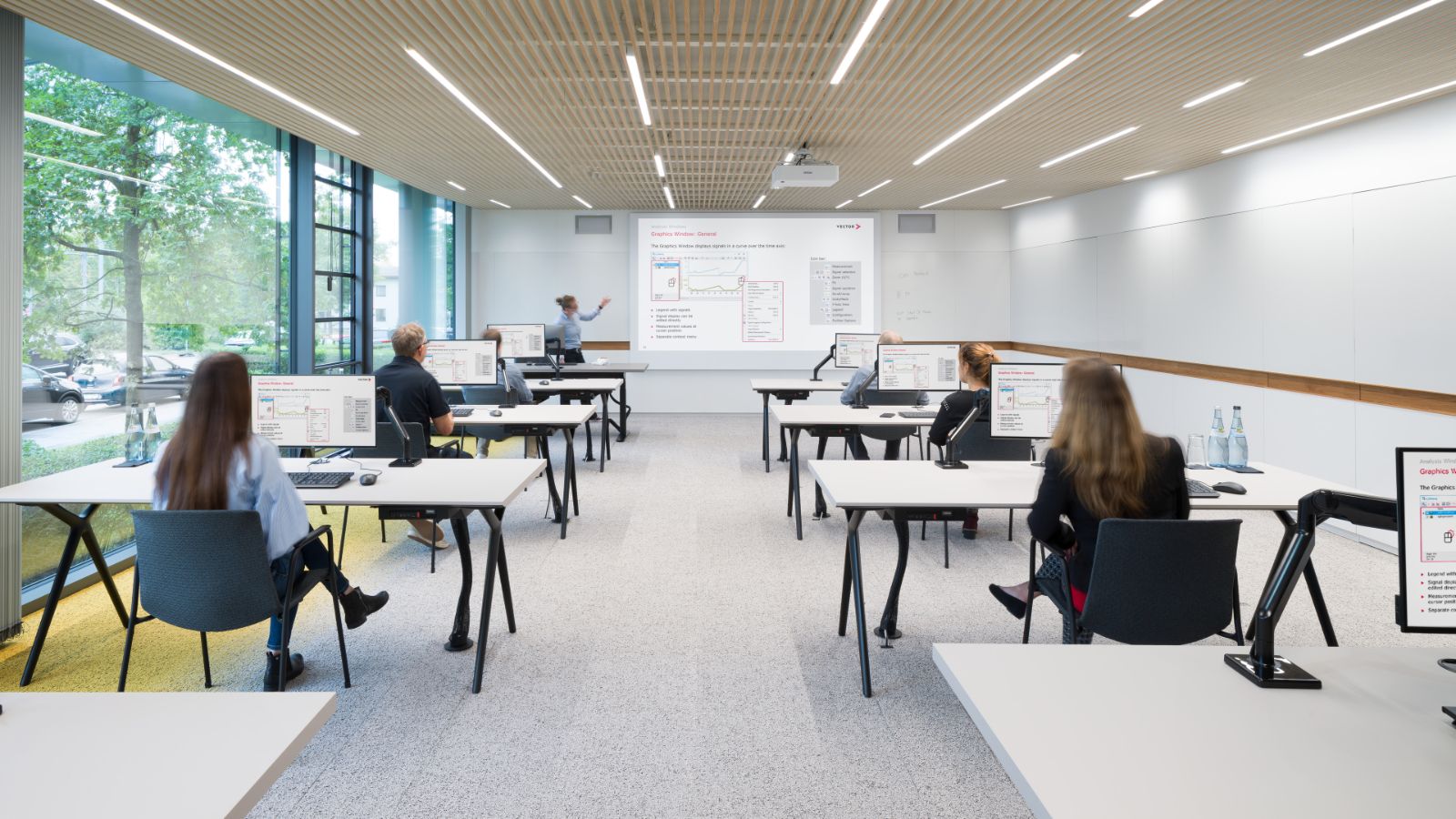
Bright classroom with rows of desks and computer monitors, where people sit working. A projection screen is at the front, and large windows show trees outside.

Vector Academy

Equip your engineers for excellence. Choose from flexible e-learning modules, remote sessions, certification programs, and in-depth classroom courses to master the full potential of your PREEvision solution.

A presenter in a teal shirt gestures at a projected slide with a diagram of ECU models. In the foreground, two people sit at a table and listen.
PREEvision Advisors
Strategic Business Development
Your Partner for Engineering Excellence
Let us build the ideal setup for your engineering challenges together. Reach out to our team to explore how the powerful capabilities of PREEvision can seamlessly integrate into your existing workflows.

Frequently Asked Questions

LinkedIn logo.
Vector Systems Engineering Solutions
Discover our dedicated focus page for your engineering success. You receive the latest news on seamless, agile, and holistic systems engineering directly in your feed. Stay updated on PREEvision's suite of MBSE tools and master the RFLP approach to system design. Connect with us and build future-proof architectures.

Explore More