Red gradient badge with a white PREEvision "Bird" product icon and the word "PREEvision".

PREEvision

単一の統合プラットフォームでモデルベース・システムズ・エンジニアリングを加速

要求・アーキテクチャ・ハードウェア・ソフトウェア・検証を、将来にわたって活用できる単一のプラットフォーム上で統合。複雑なシステム開発の一貫性を維持します。PREEvisionでは、単一の共有モデル上で作業を行い、分野をまたいだ情報を関連付けながら、要求から実装、テスト成果物に至るまでのトレーサビリティを確保できます。手戻りを削減し、関係者間の調整サイクルを短縮するとともに、設計判断の根拠を明確に示すことができます。

意思決定者にとっては、チームやサプライヤーを横断したガバナンス、コンプライアンス、連携のための一貫した基盤を構築できます。また、日々のプロジェクトでは、構想段階から詳細設計、変更影響分析まで継続的に利用可能なデータモデルと統合ワークフローを活用できます。エンジニアリングチームの生産性向上と開発推進を支える基盤を構築します。

イノベーションの基盤

PREEvisionは、モデルベース・システムズ・エンジニアリング(MBSE) のためのプラットフォームです。要求(R)、機能・論理アーキテクチャ(F/L)、および物理実装ビュー(P)を、単一の統合環境で結び付ける RFLPアプローチ を支援します。すべてのビュー間で双方向トレーサビリティを構築し、ワークフローを中断することなく常に関連付けを維持できます。

PREEvisionは、自動車開発における電気・電子システム開発で広く利用されており、アーキテクチャ設計からワイヤハーネス開発までのワークフローを支援します。さらにベクターは、分野横断的なコラボレーションや、一貫したエンジニアリング情報管理が求められる、ますますソフトウェア・デファインドかつコネクテッドな環境を持つ他業界へもPREEvisionを展開しています。
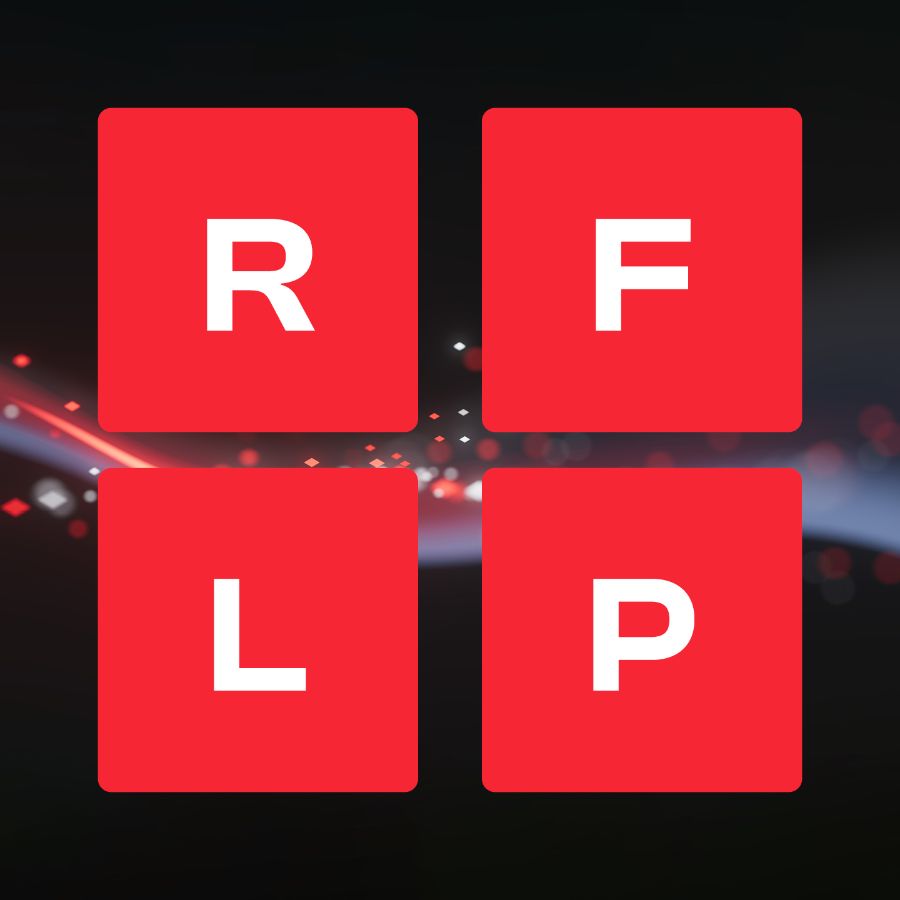
Four red tiles spelling RFLP on a dark, glowing background.

RFLPで複雑性を克服

PREEvisionは、単一の共有モデル内でRFLPをサポートします。インテリジェントなリンクにより、システムの進化に合わせて要求、アーキテクチャ、実装、検証を継続的に結び付けます。

  • R – 要求ビュー
    ステークホルダー要求、システム要求、ソフトウェア要求、ハードウェア要求を定義・詳細化できます。これらをすべての開発成果物と双方向に関連付けることで、完全な可視性と正確な変更影響分析を実現します。
  • F/L – 機能・論理アーキテクチャビュー
    システムの振る舞いや構造をモデル化します。要求および実装ビューとシームレスに連携し、一貫性を維持できます。
  • P – 物理実装ビュー
    ハードウェアおよびソフトウェアを含むシステム実装をモデル化します。要求やアーキテクチャとの関連付けを維持することで、リアルタイム性能と信頼性を確保します。

将来を見据えた設計

PREEvisionは、チームや関係者全体で共有できる一貫したシステムモデルを必要とする場面で力を発揮します。ソフトウェア・デファインド・システムのライフサイクル全体にわたり、理解しやすく追跡可能なシステムズエンジニアリングを実現します。

主なメリット

PREEvisionは、分野を横断してエンジニアリング情報を統合します。意思決定の整合性を高めるとともに、変更影響を高精度に把握できます。

  • 分断されたドキュメント管理に代わり、分野横断で単一の共有モデルを利用可能
  • 要求からアーキテクチャ、ハードウェア、ソフトウェア、テスト成果物までのエンドツーエンドのトレーサビリティを実現
  • 要求や設計要素の変更時に、影響を受ける箇所を即座に特定可能
  • システムズエンジニアリング向けのドメインデータモデルにより、情報を構造化し再利用を促進
  • ISO 26262およびAutomotive SPICE(ASPICE)に準拠したシステム開発を支援
  • レポートや標準フォーマットによる仕様書出力およびモデルデータ交換に対応し、下流ツールとの連携を実現

PREEvisionのユーザーインターフェイス
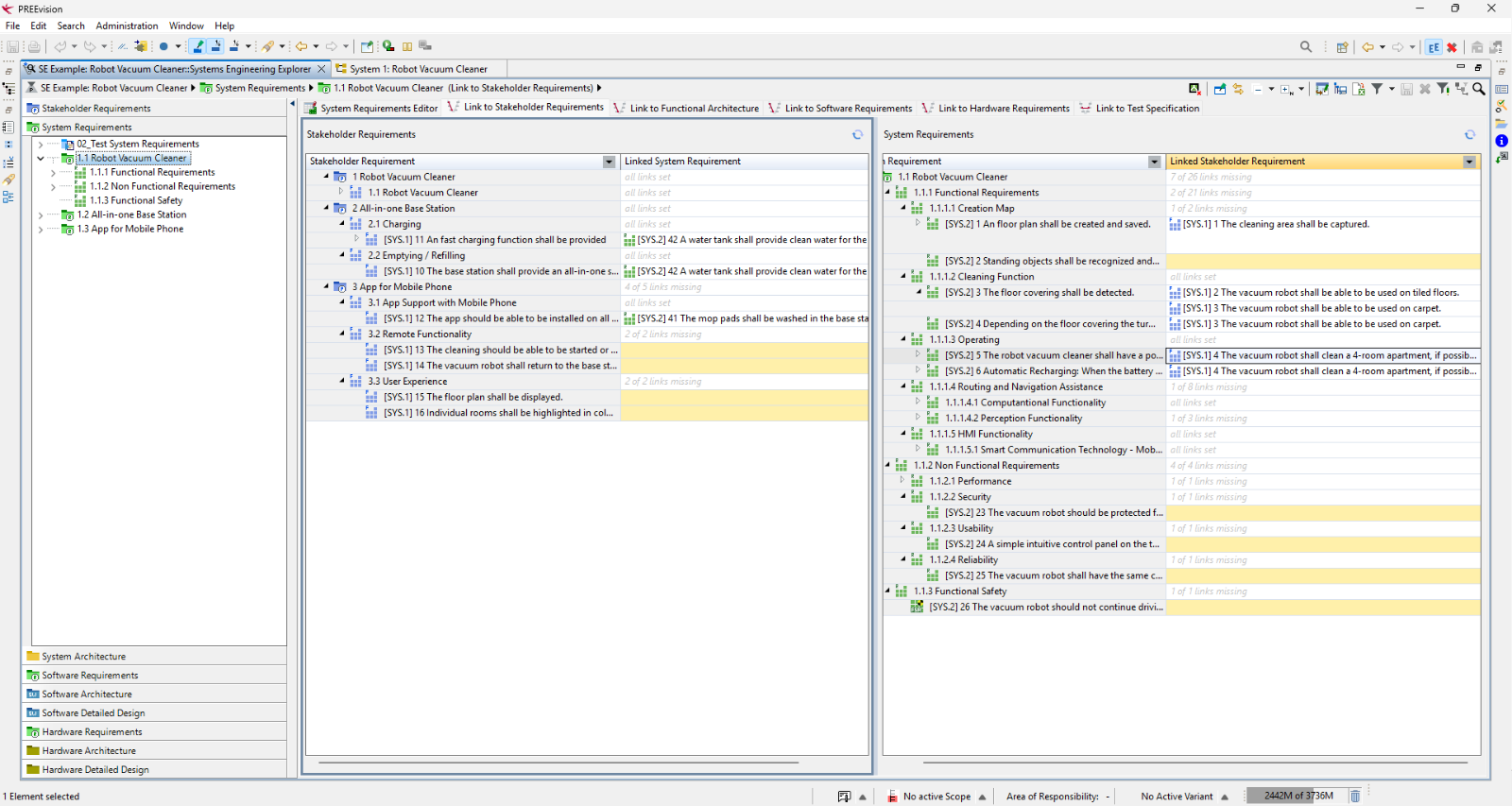
Eclipseベースのインターフェイスにより、複雑なシステム情報を分かりやすい図として可視化できます。チームが日常的にどのようにモデルと連携し、イノベーションを推進しているかをご確認ください。
PREEvision Systems Engineering Explorer showing the example project "Robot Vacuum Cleaner". The window displays the link view between stakeholder requirements (left) and system requirements (right). Requirements without a link are highlighted in yellow.
PREEvisionシステムズエンジニアリングエクスプローラー
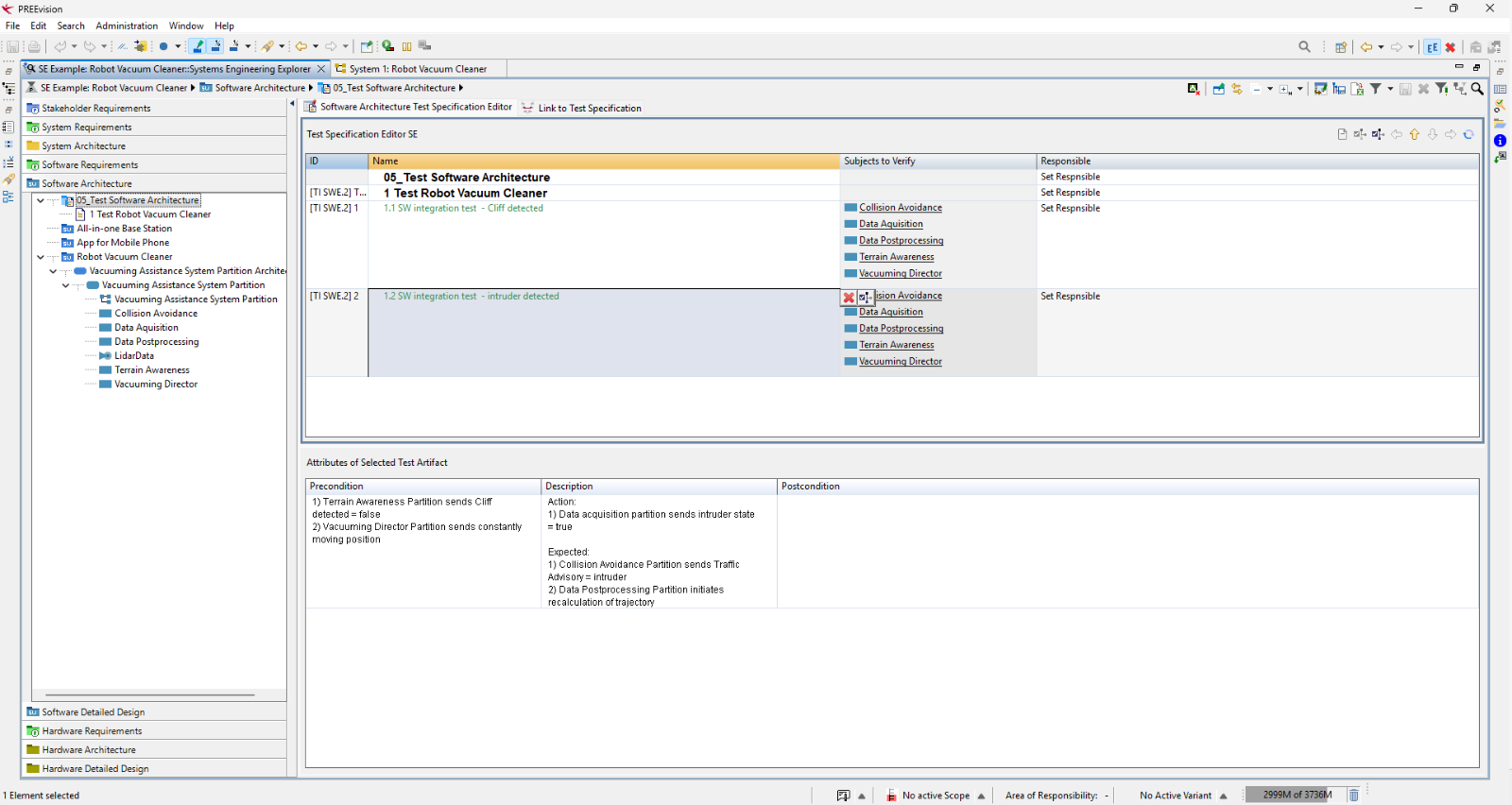
PREEvision Test Specification Editor showing two software integration tests for the Robot Vacuum Cleaner example: "Cliff detected" and "Intruder detected". Each test lists the software components it verifies, and the precondition, action and expected result of the selected test are shown below.
PREEvisionシステムズエンジニアリングエクスプローラー
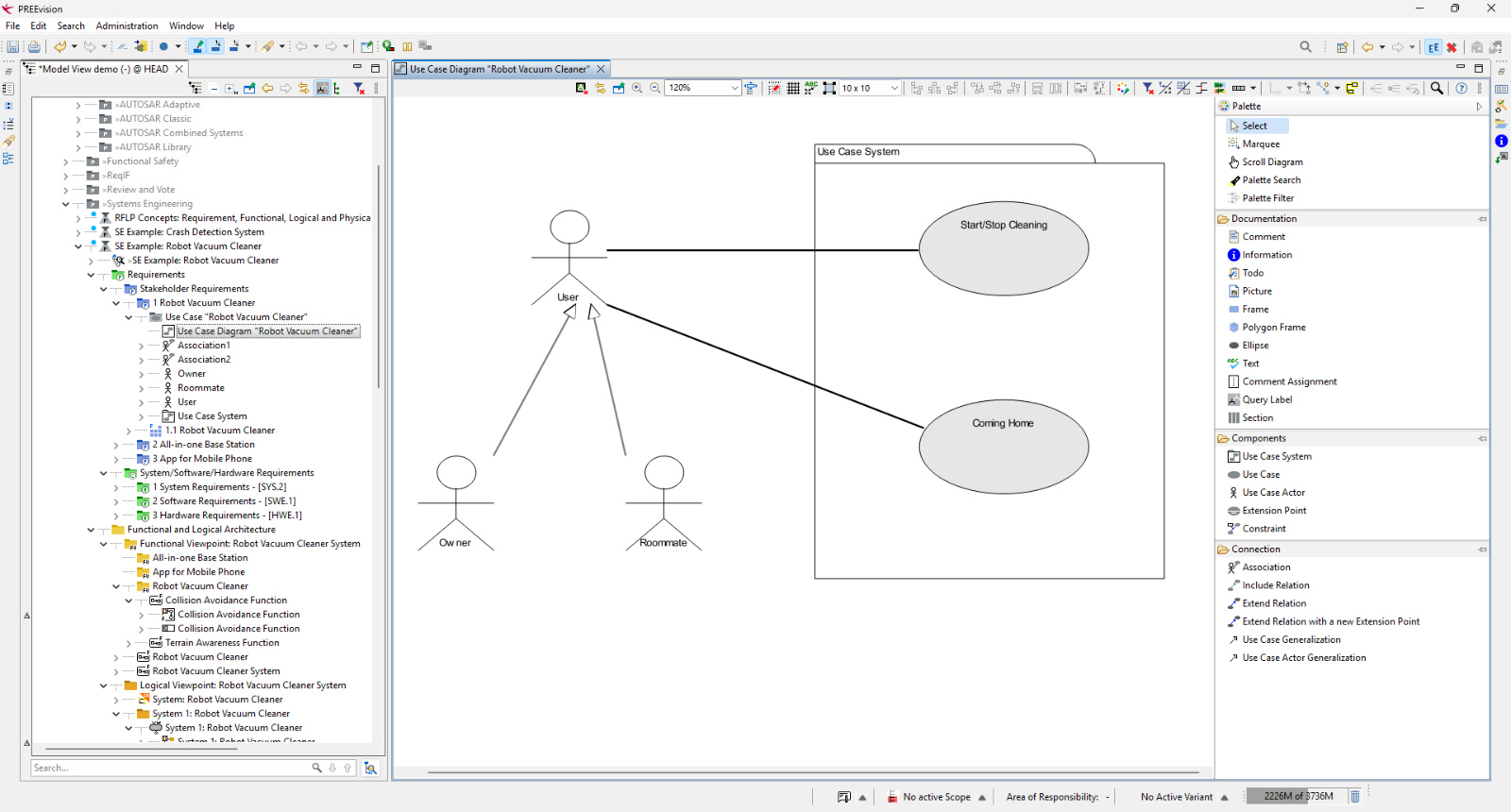
PREEvision use case diagram "Robot Vacuum Cleaner" with the actor User connected to the use cases "Start/Stop Cleaning" and "Coming Home" within the system boundary "Use Case System". The actors Owner and Roommate are linked to User by generalization arrows.
PREEvisionユースケース図
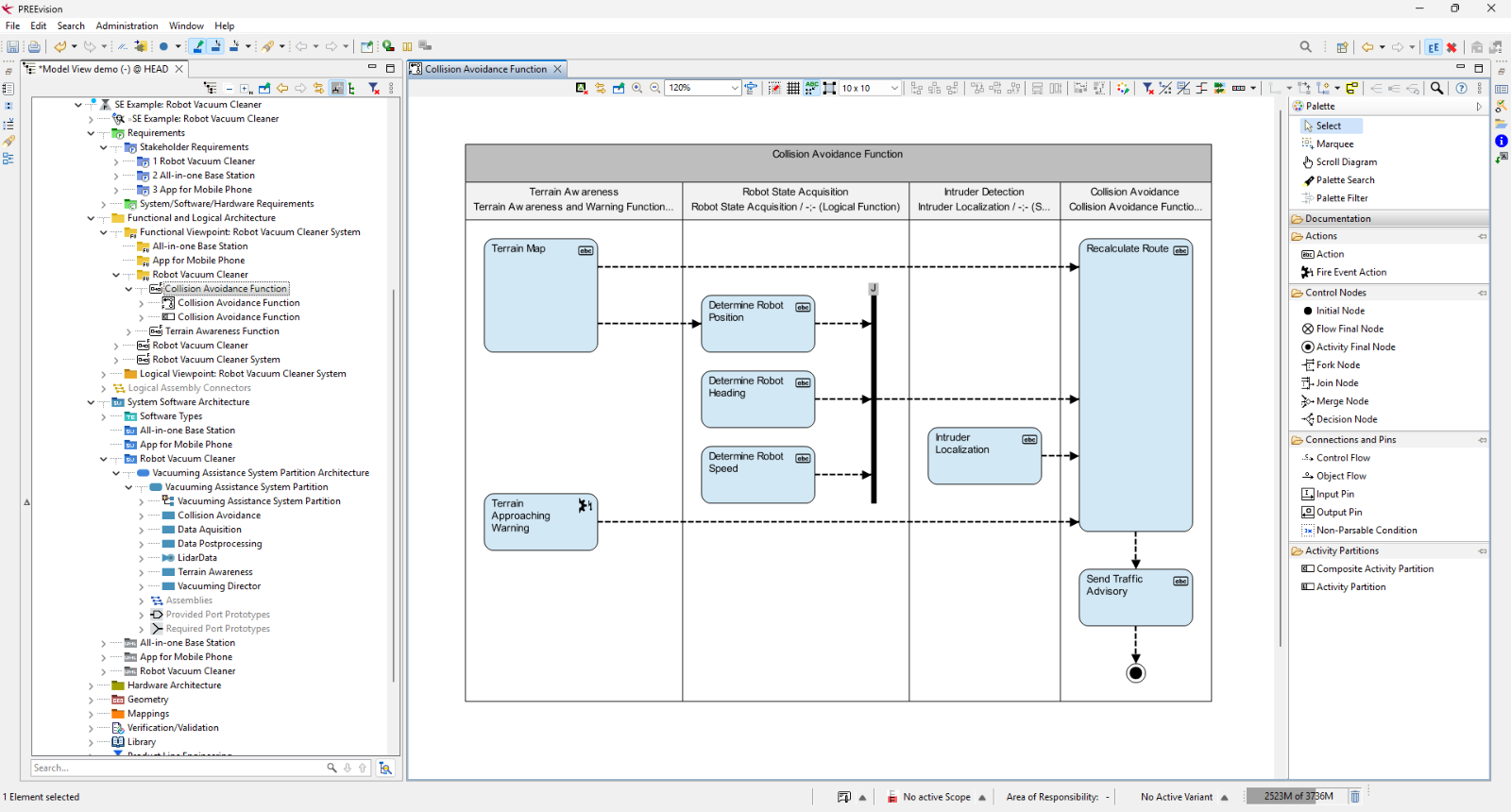
PREEvision activity diagram "Collision Avoidance Function" with four swimlanes: Terrain Awareness, Robot State Acquisition, Intruder Detection and Collision Avoidance. Terrain data and robot position, heading and speed feed into a route recalculation, which leads to sending a traffic advisory and an end node.
PREEvisionアクティビティ図
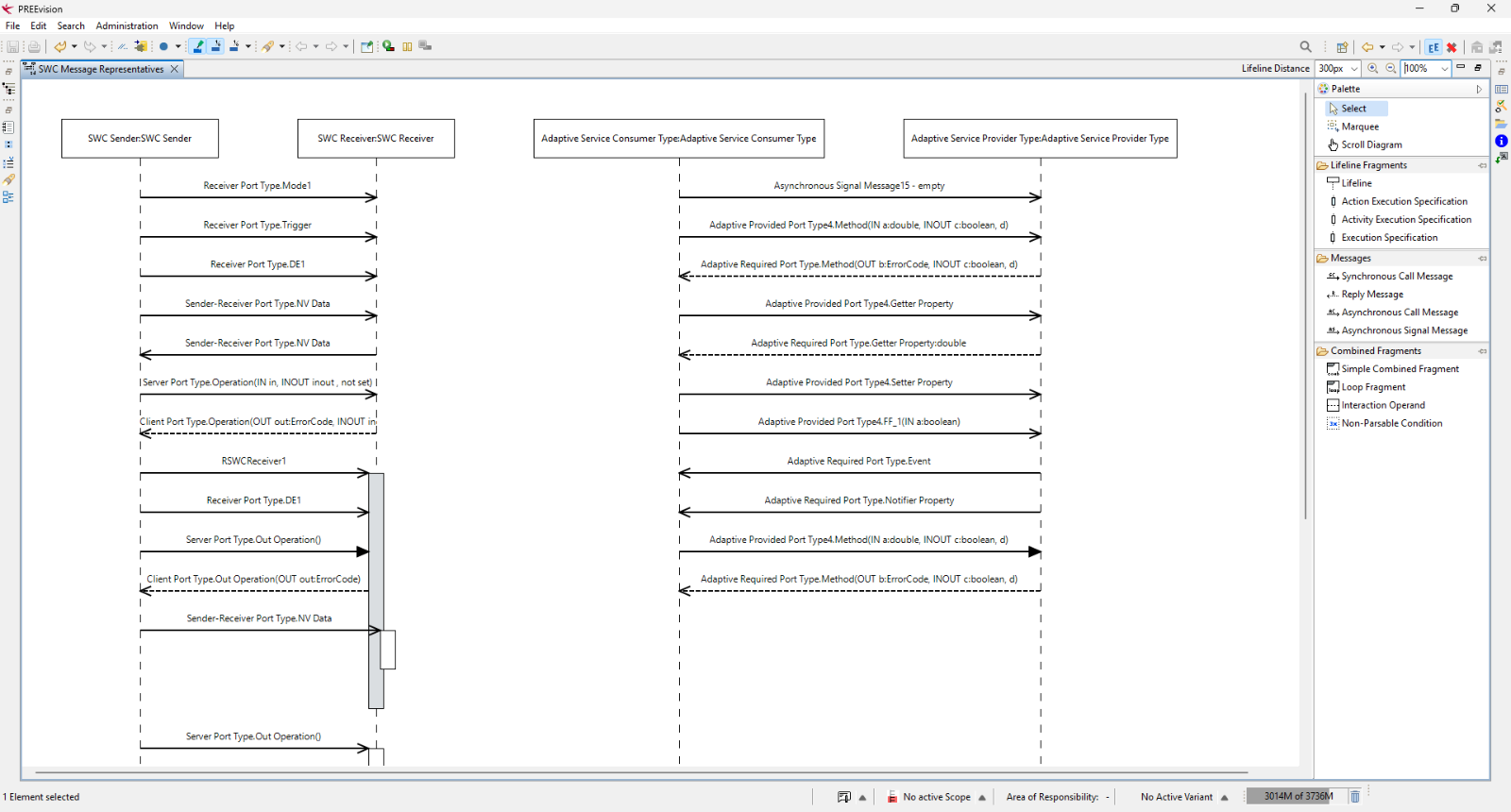
PREEvision sequence diagram "SWC Message Representatives" showing messages between two software components, SWC Sender and SWC Receiver, and between Adaptive Service Consumer and Adaptive Service Provider. The messages are calls, signals, property accesses and replies, shown as solid and dashed arrows.
PREEvisionシーケンス図
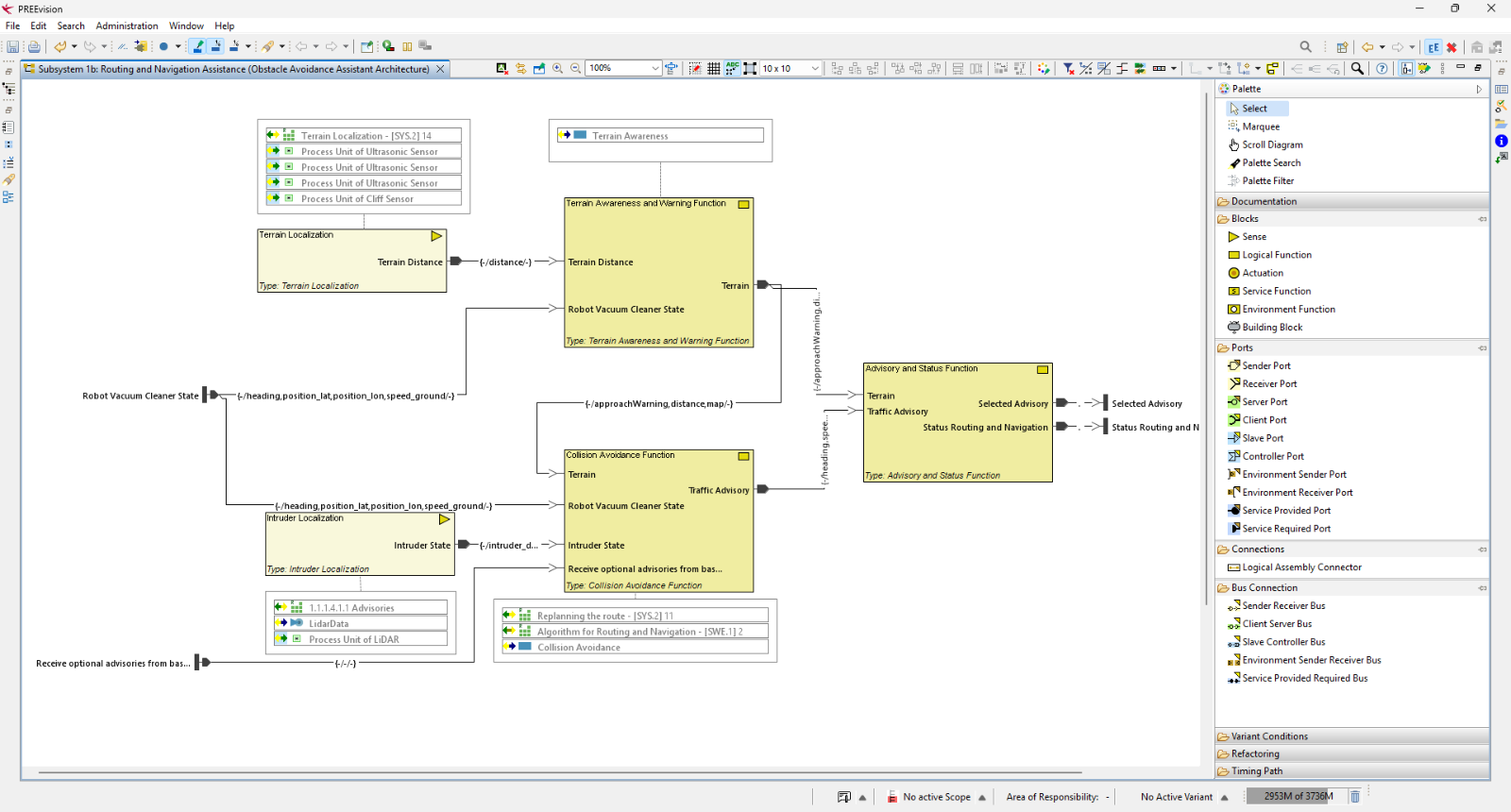
PREEvision logical architecture diagram of "Subsystem 1b: Routing and Navigation Assistance" for the Robot Vacuum Cleaner. Function blocks such as Terrain Localization, Terrain Awareness and Warning, Intruder Localization, Collision Avoidance and Advisory and Status are connected by labelled signal lines, with external inputs and outputs at the edges.
PREEvision論理アーキテクチャ図
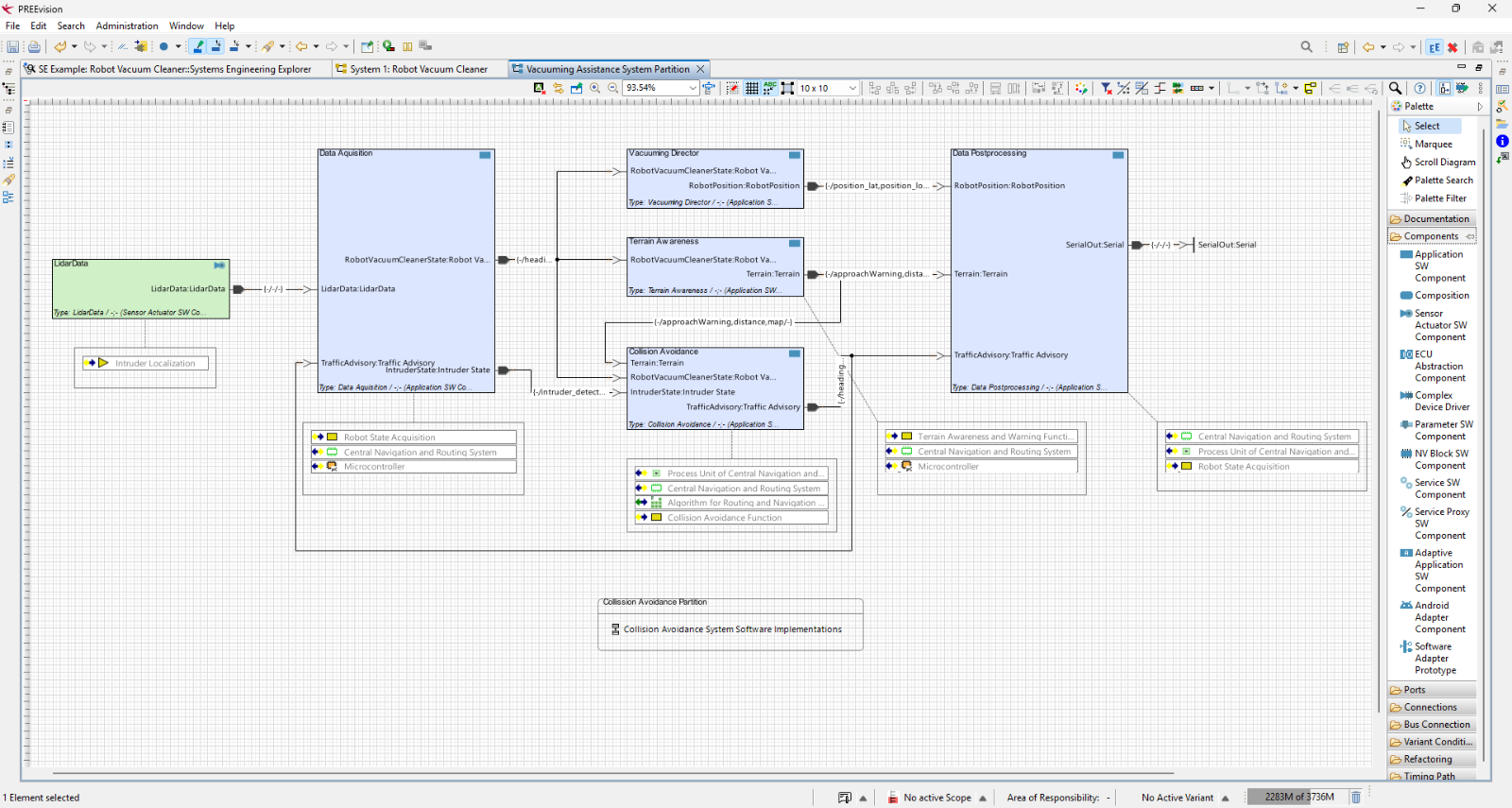
PREEvision software architecture diagram of the "Vacuuming Assistance System Partition" for the Robot Vacuum Cleaner. The components LidarData, Data Acquisition, Vacuuming Director, Terrain Awareness, Collision Avoidance and Data Postprocessing are connected by labelled ports and signals.
PREEvisionソフトウェアアーキテクチャ図
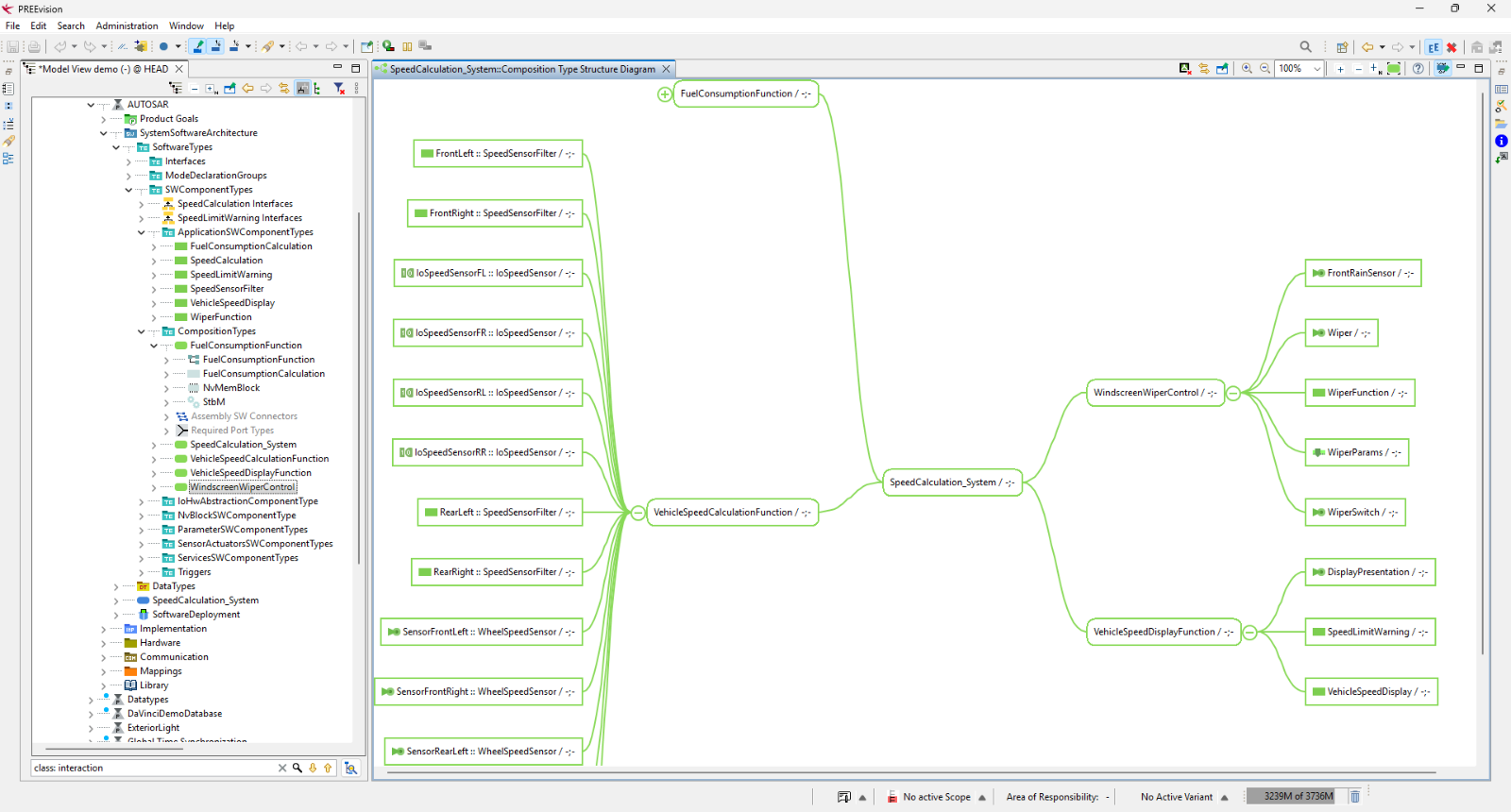
PREEvision composition type structure diagram of "SpeedCalculation_System". The central component connects to VehicleSpeedCalculationFunction, WindscreenWiperControl and VehicleSpeedDisplayFunction. Wheel speed sensors and filters feed into the speed calculation from the left.
PREEvisionソフトウェアコンポーネント構造図
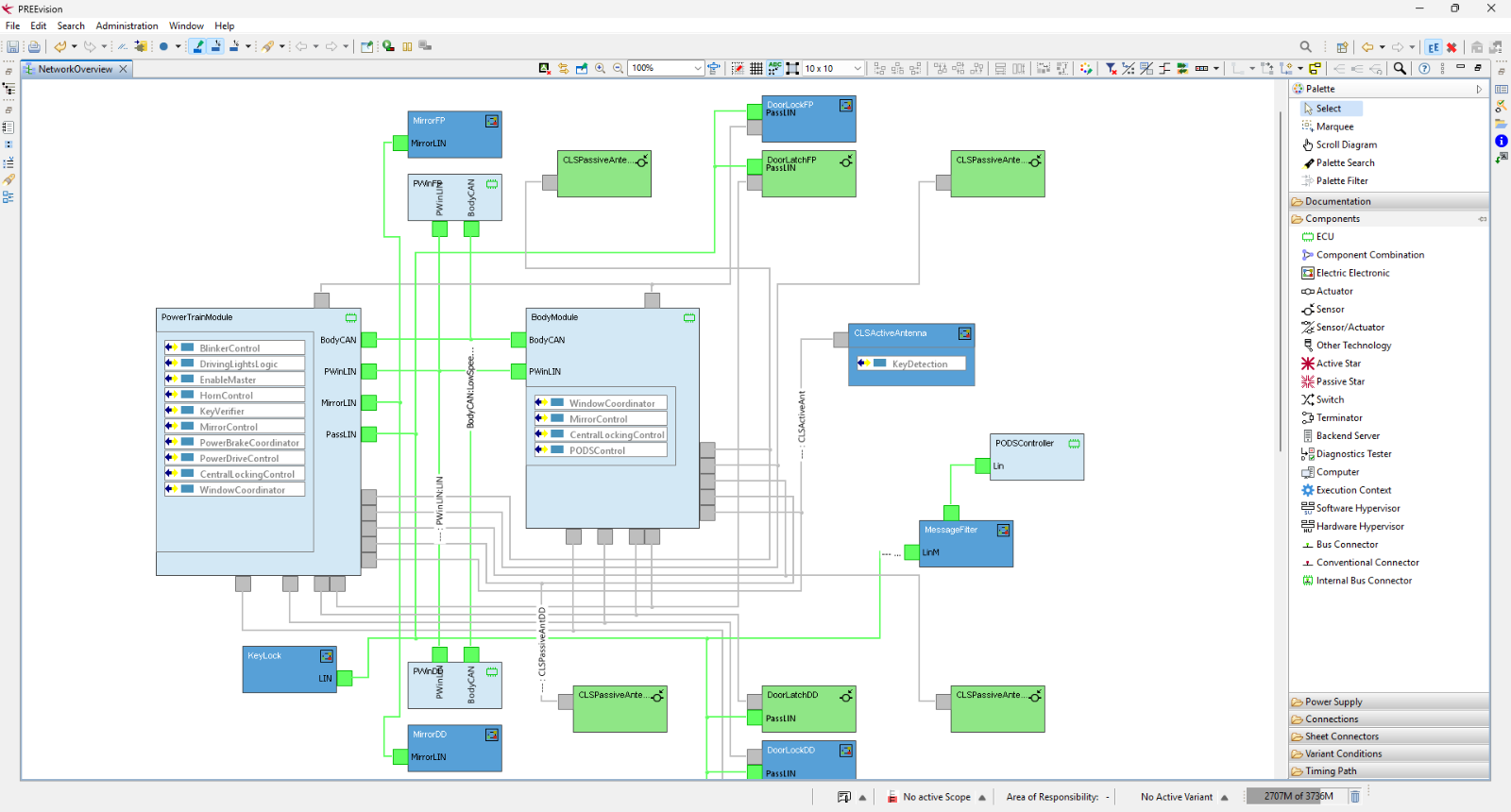
PREEvision network overview diagram of the vehicle's body electronics. The PowerTrainModule and BodyModule are connected by a body CAN bus and LIN buses, with door, mirror, window and antenna control units attached around them.
PREEvisionハードウェアネットワーク図
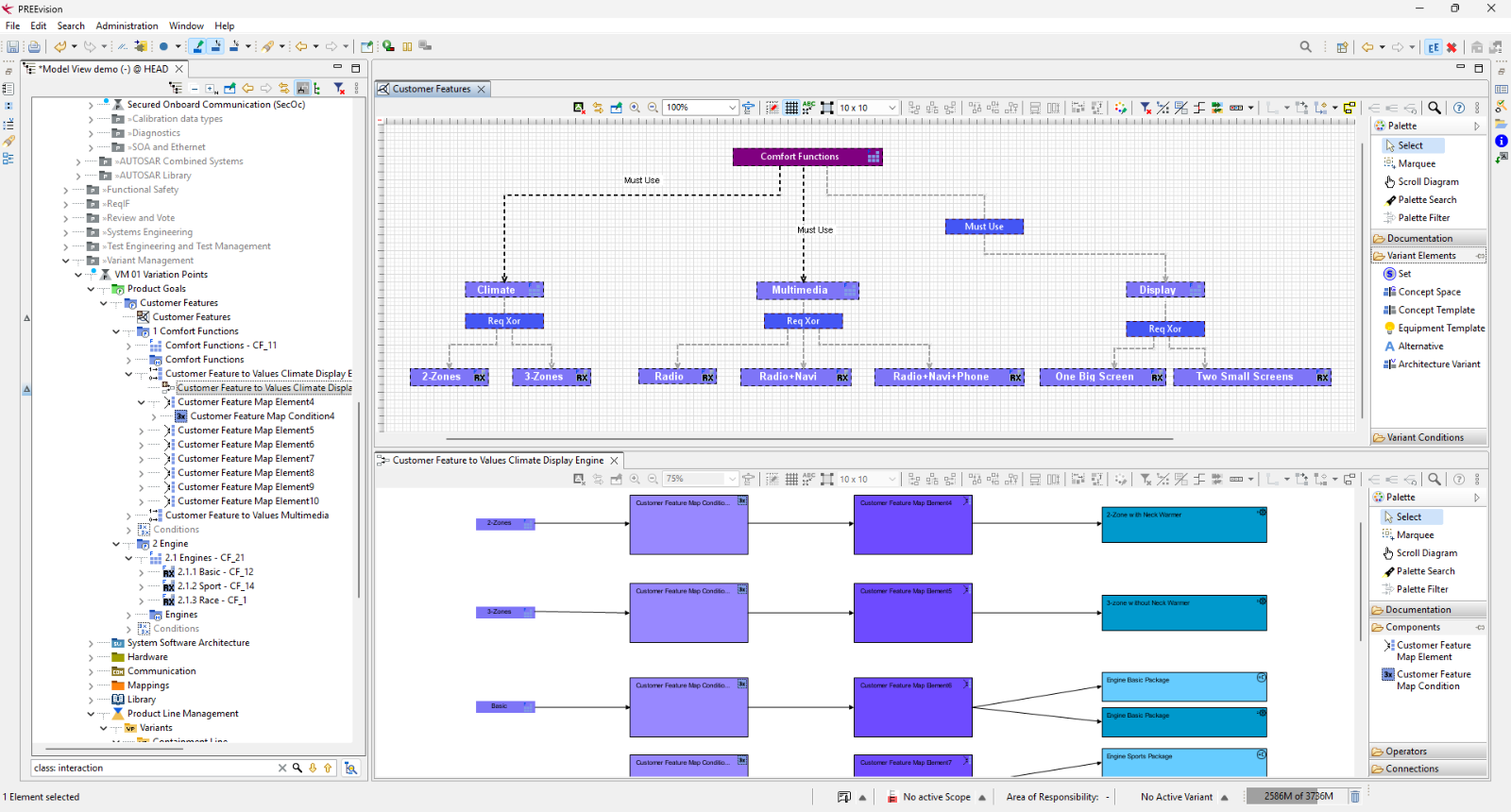
PREEvision variant management view for the Robot Vacuum Cleaner's customer features. The upper diagram shows a feature model with Comfort Functions and its sub-features Climate, Multimedia and Display, each with exclusive options. The lower diagram maps features to their values and to engine packages.
PREEvisionバリアント管理
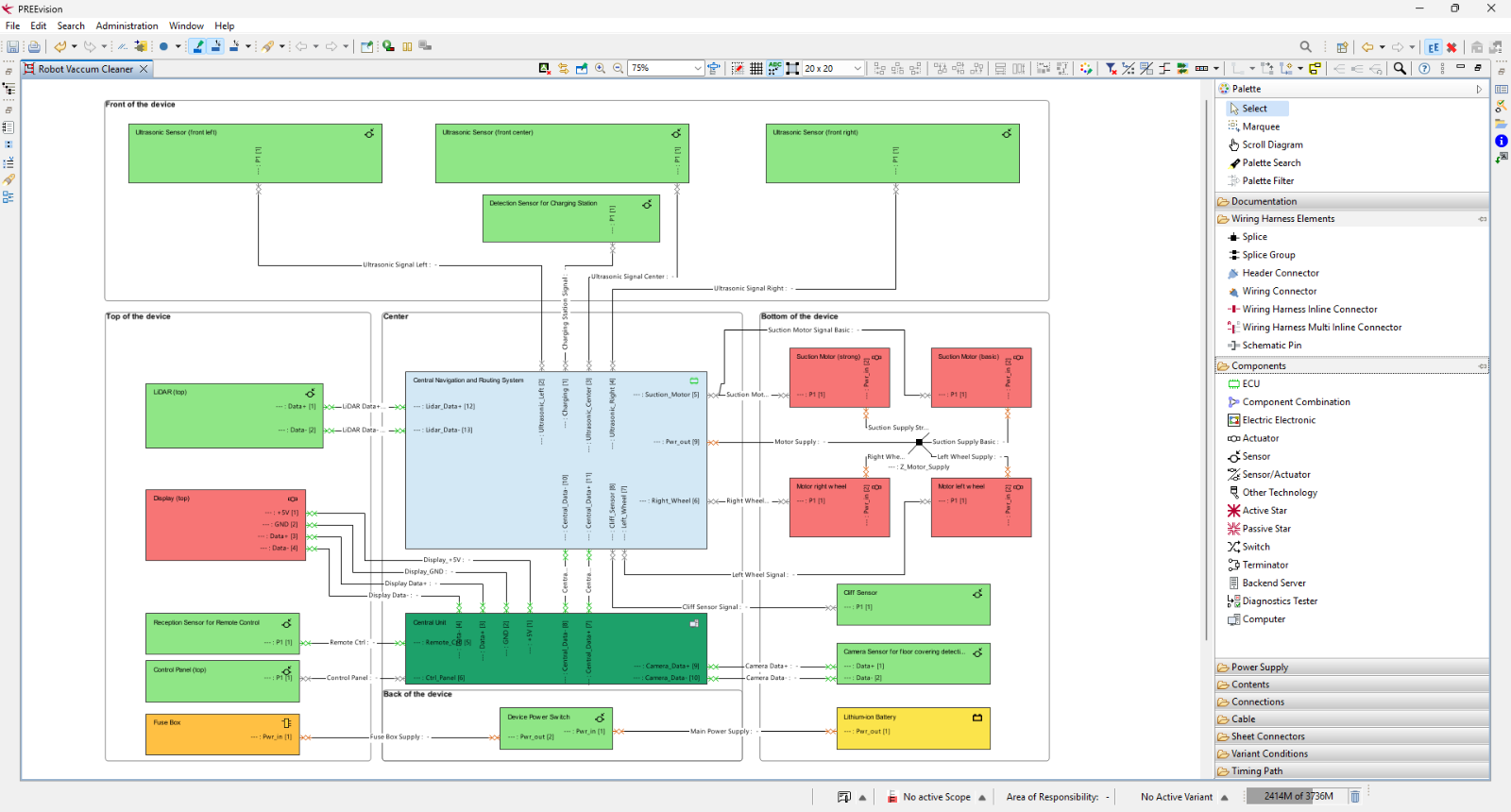
PREEvision wire harness diagram of the Robot Vacuum Cleaner. Components such as ultrasonic sensors, LIDAR, display, suction motors, wheel motors, central units and battery are grouped by their location on the device and connected by labelled harness wires.
PREEvisionワイヤハーネス図
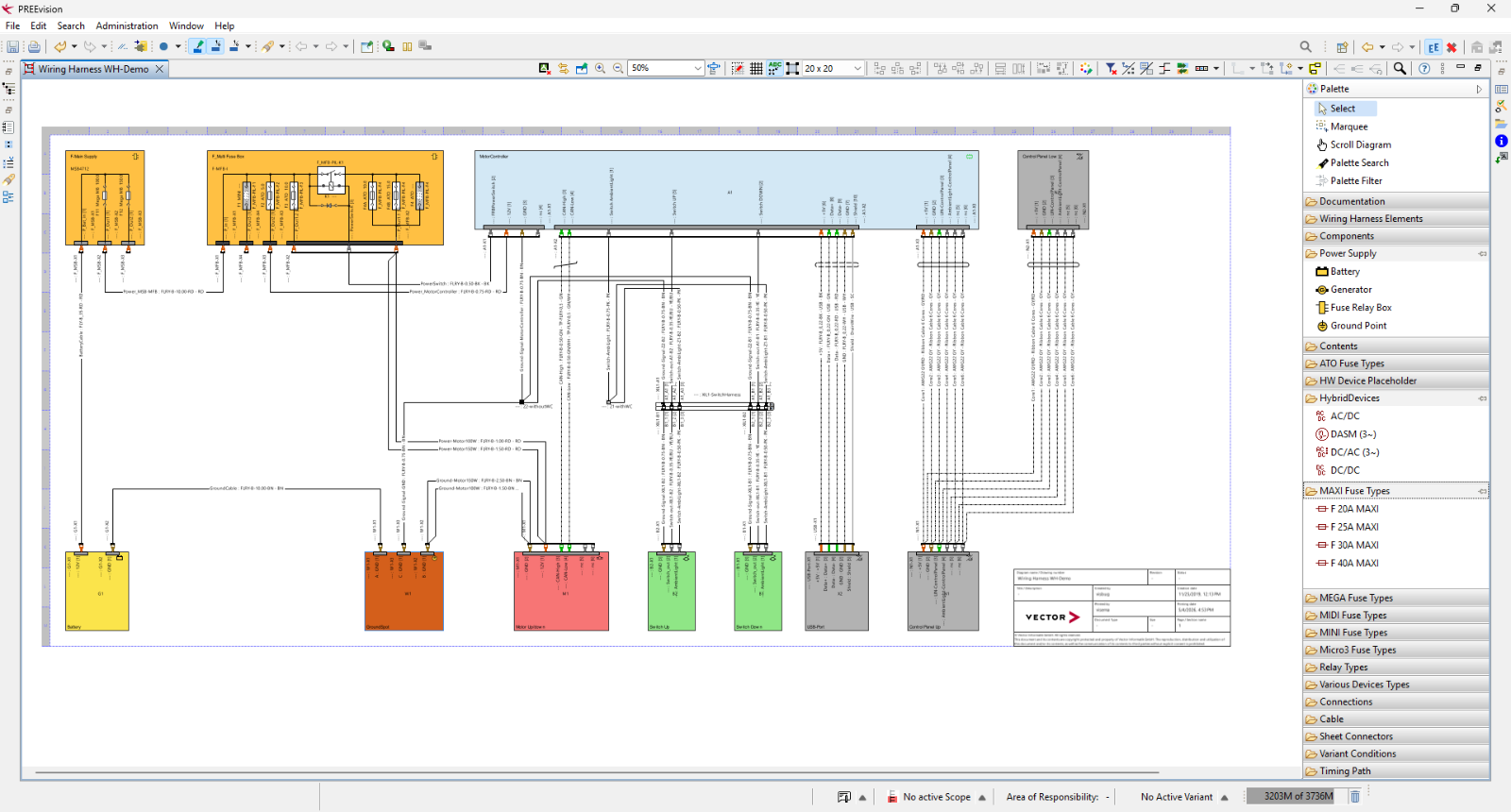
PREEvision wiring harness schematic "Wiring Harness WH-Demo" for the Robot Vacuum Cleaner. It shows the power supply and fuse box at the top, connected to the central motor controller, which links to the battery, motor, switches, USB port and control panel at the bottom.
PREEvisionワイヤハーネス図
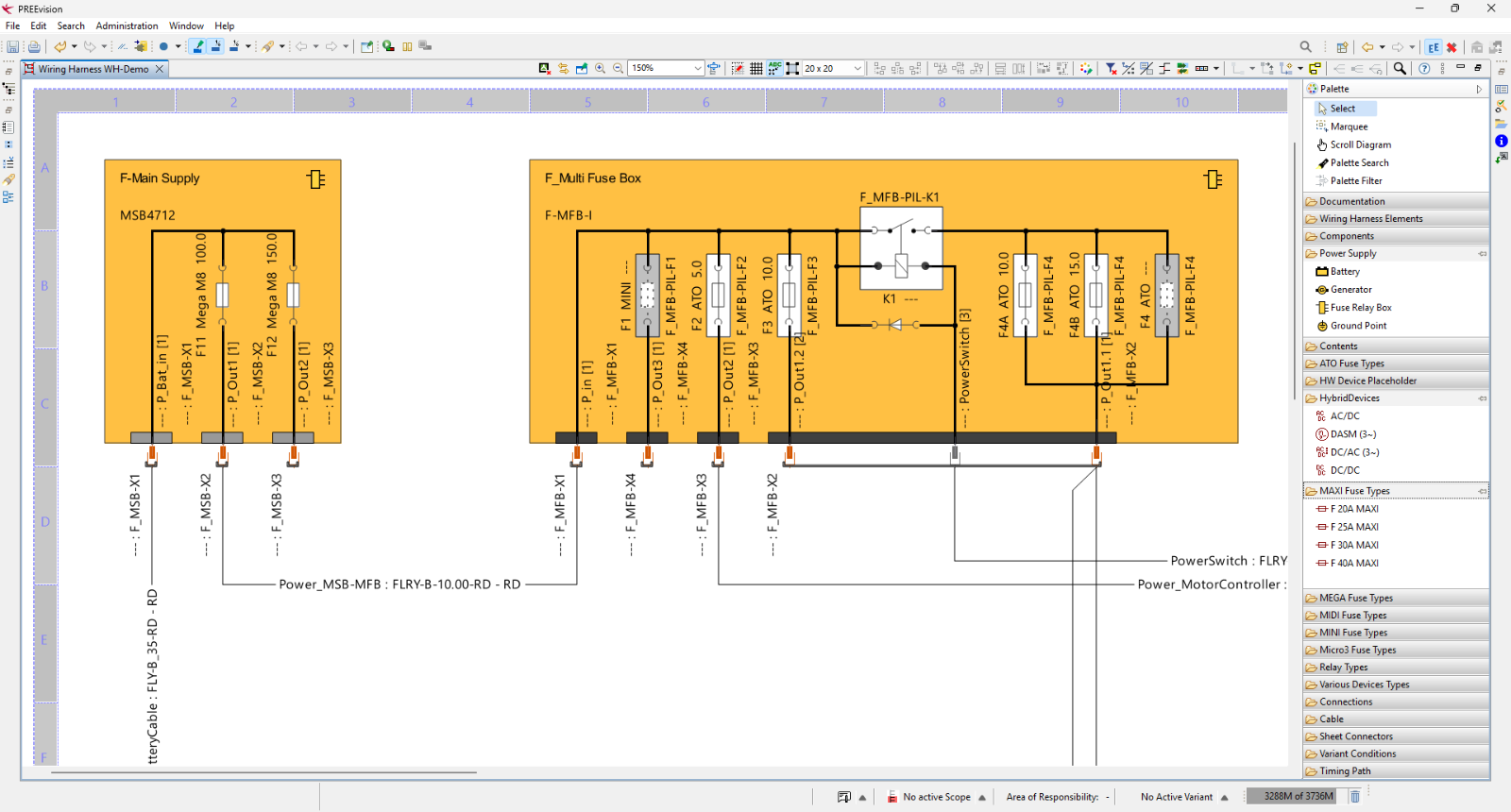
Detail view of the wiring harness schematic showing two fuse boxes: F-Main Supply with two Mega fuses, and F-Multi Fuse Box with several ATO fuses, a relay (K1) and a PowerSwitch. Connectors are labelled X1 to X4, and the wires lead to the battery cable and the motor controller.
PREEvisionワイヤハーネス図
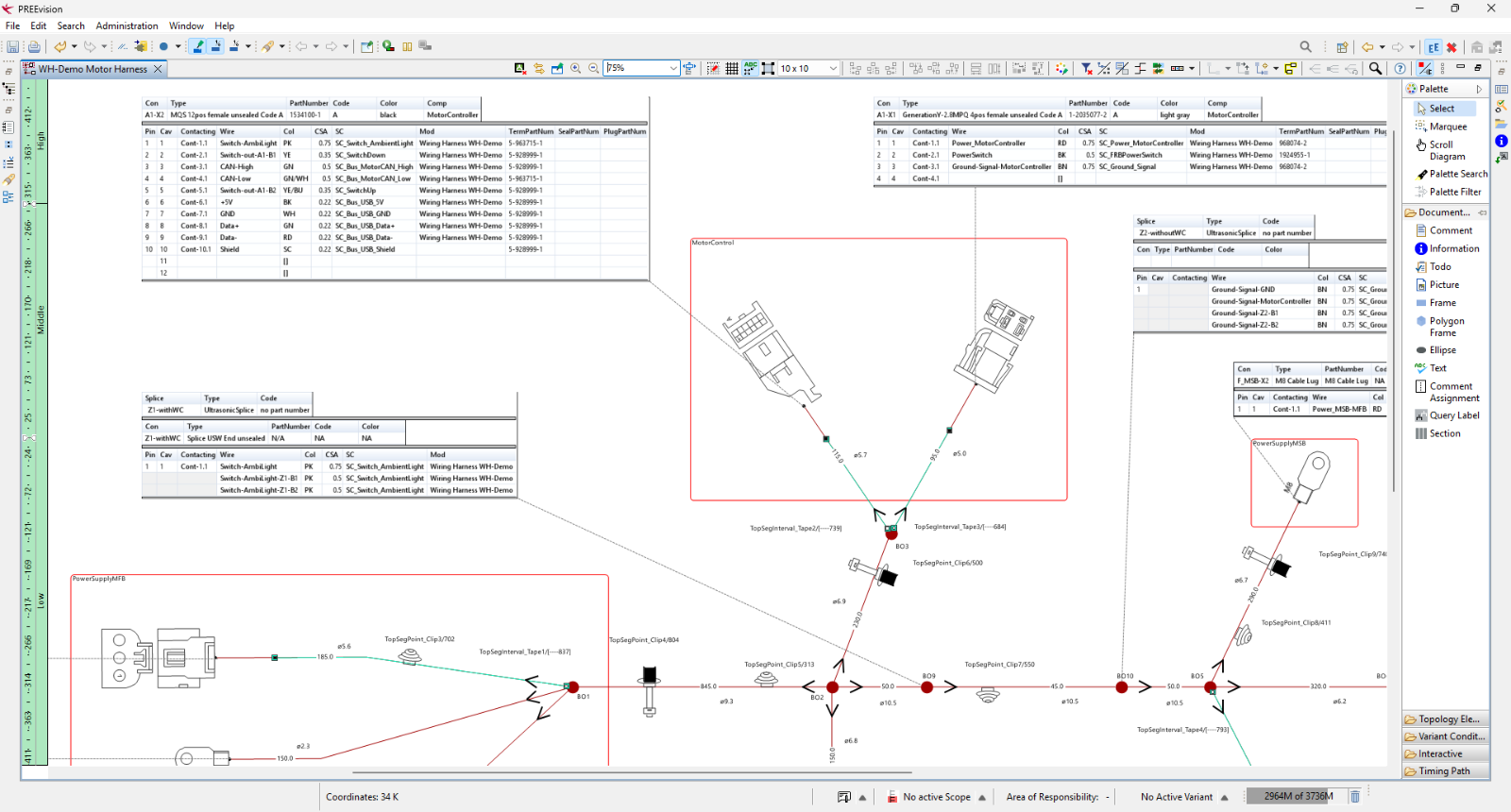
PREEvision geometry view of the wire harness "WH-Demo Motor Harness" with connector pin tables and the physical routing of the cable with breakout points, clips and tape.
PREEvisionジオメトリ図
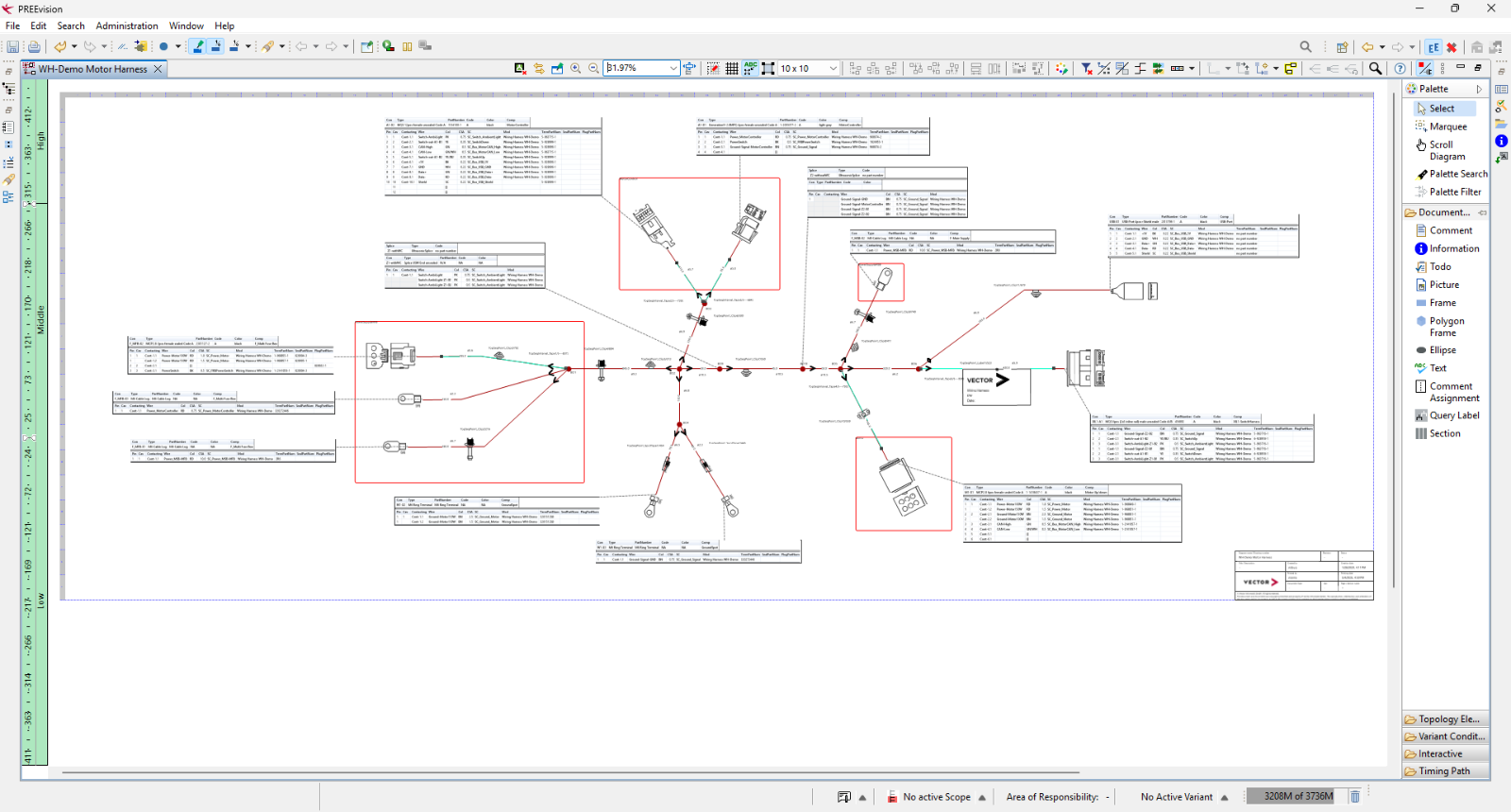
PREEvision geometry overview of the complete "WH-Demo Motor Harness" with its connectors, cable routing, breakout points and connector tables, shown zoomed out.
PREEvisionジオメトリ図

主な適用分野

お客様のユースケースに応じたワークフローや活用事例、関連情報をご紹介します。
PREEvision 26.x key visual: the white text "26.x" on a red bird silhouette, partly cropped at the edges, overlaid on a dark blue to red gradient.
PREEvision 26.0:継続的なイノベーション
PREEvision 26.0では、複雑なソフトウェア・デファインド・システムアーキテクチャに対応するため、技術基盤とデータ構造を刷新しました。ベースライン管理の強化や、完了した開発状態をより正確に文書化できる機能を提供します。また、起動時間の短縮、ログインプロセスの簡素化、高解像度ディスプレイでの表示最適化など、日常運用での使いやすさも向上しています。26.xシリーズは9週間ごとのリリースサイクルを採用しており、常に最新機能をご利用いただけます。

サポートとトレーニングでチームを強化

ベクターは、システム開発のあらゆる段階でお客様を支援します。専門コンサルティング、セキュアなホスティング環境、E-Learning(オンライン自己学習)、リモートトレーニング、集合研修を通じて、PREEvisionの価値を最大限に引き出します。
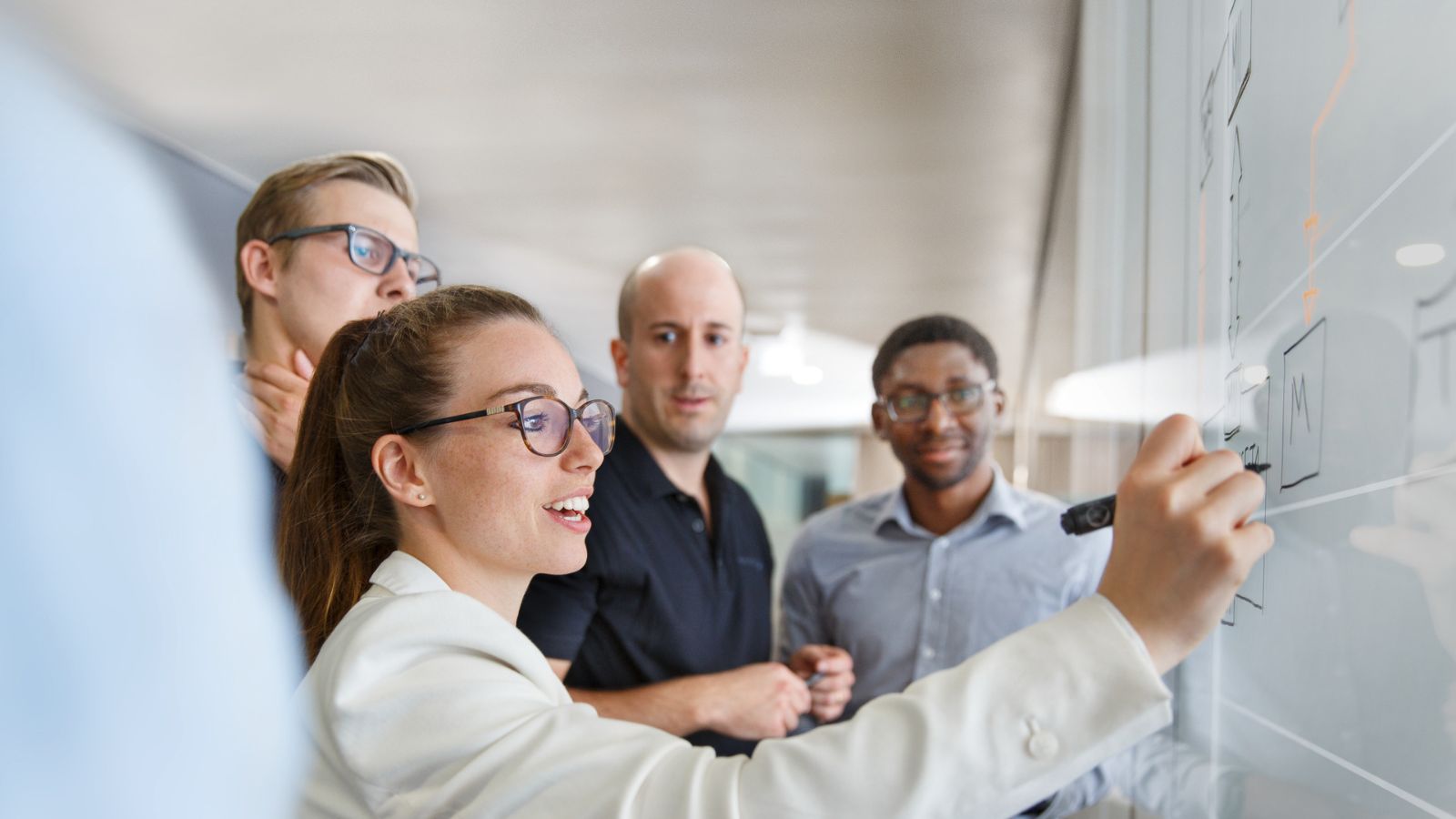
Four people in a bright office look at a glass wall, where a woman in a white blazer points at a drawing with a marker.

カスタマーサービス

専門コンサルタントがワークフローの最適化や既存ツールチェーンとの統合を支援し、プロジェクトの成功を加速します。

Four people in a bright office look at a glass wall, where a woman in a white blazer points at a drawing with a marker.

ホスティングソリューション

ITインフラ管理はベクターにお任せください。高性能かつセキュアなホスティング環境により、拠点を超えた効率的なコラボレーションを実現します。
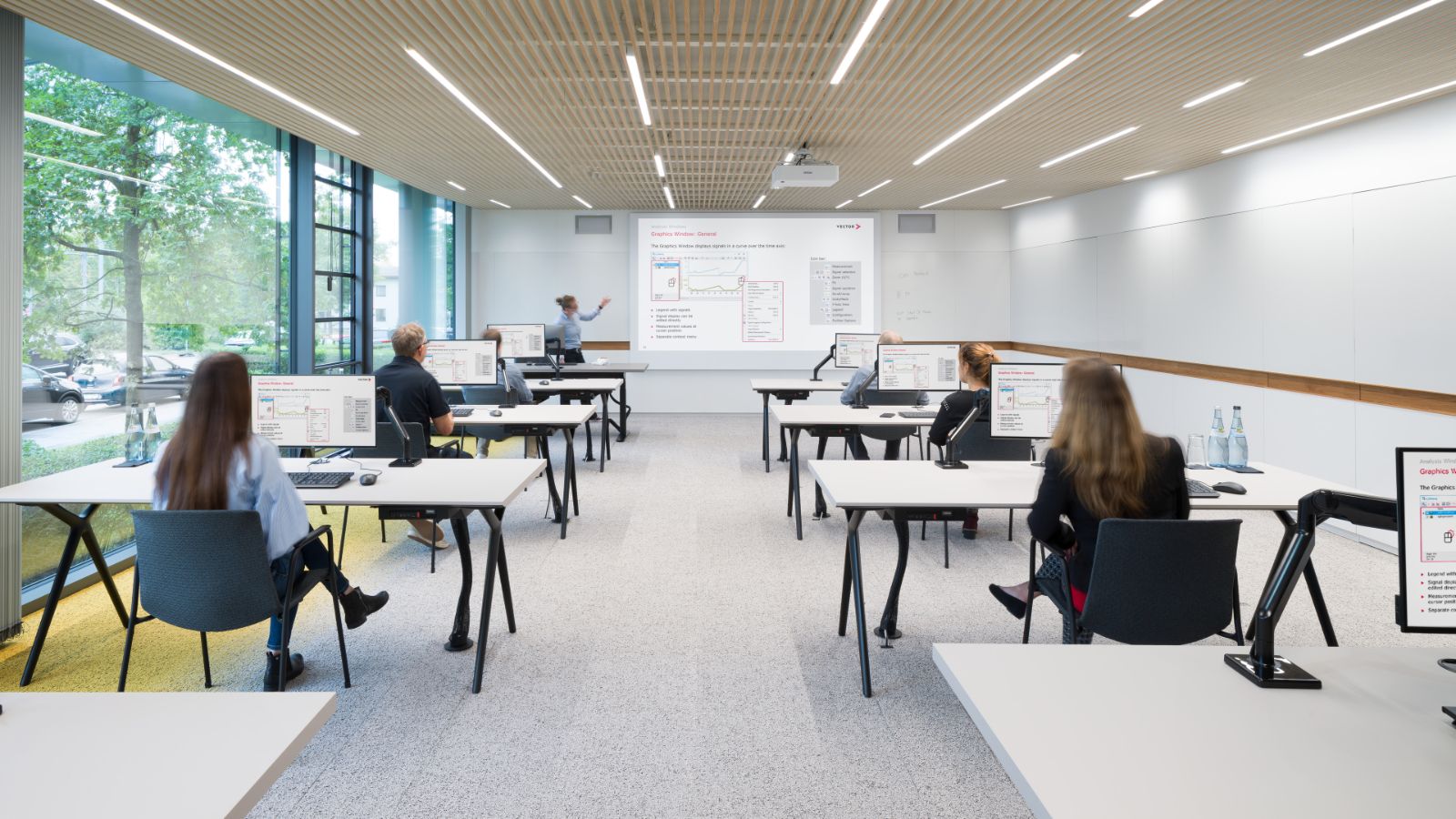
Bright classroom with rows of desks and computer monitors, where people sit working. A projection screen is at the front, and large windows show trees outside.

認定プログラム・トレーニング

E-Learning(オンライン自己学習)、リモートトレーニング、認定プログラム、集合研修など、多様な学習形式をご用意しています。PREEvisionを最大限活用するためのスキル習得を支援します。
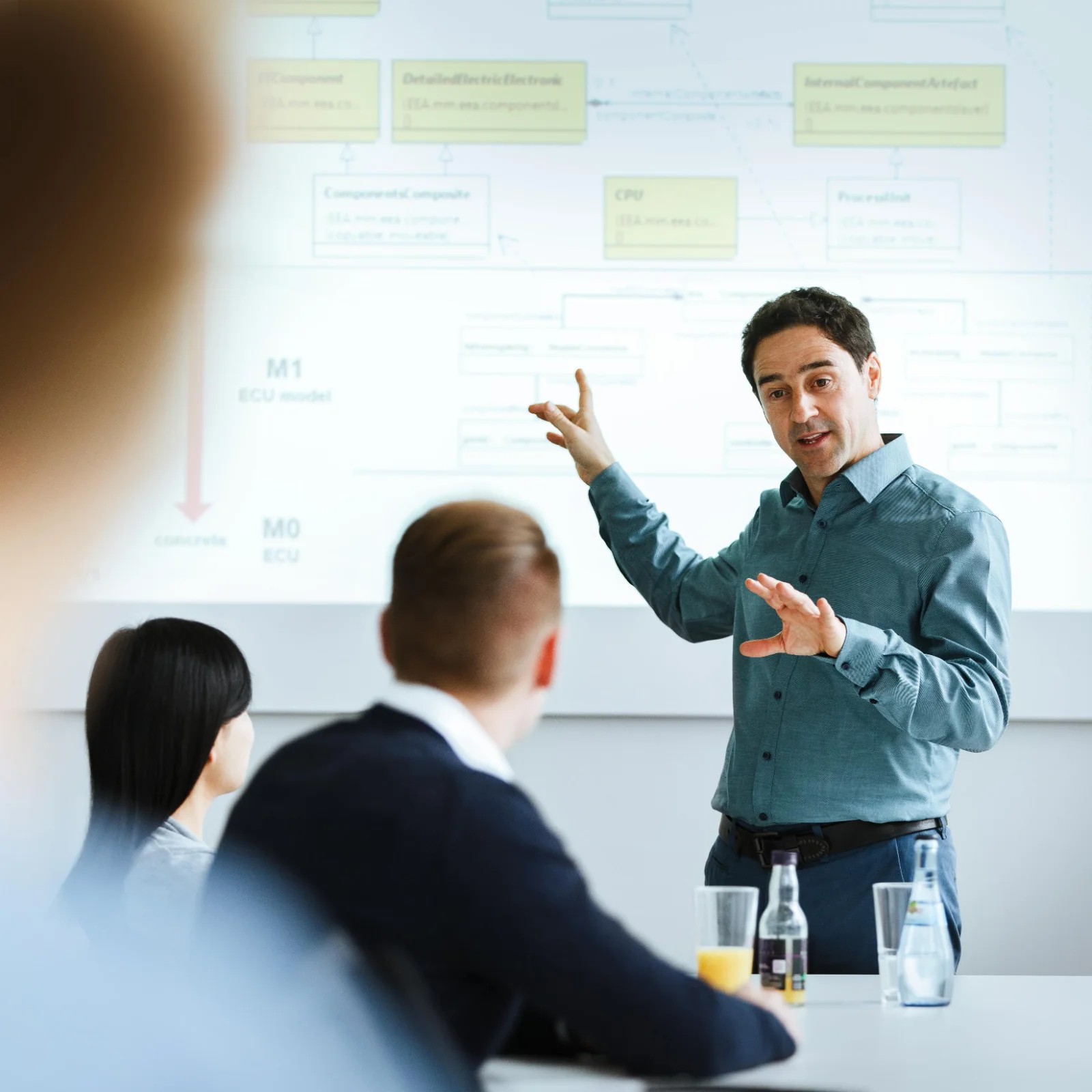
A presenter in a teal shirt gestures at a projected slide with a diagram of ECU models. In the foreground, two people sit at a table and listen.
PREEvision Advisors
Strategic Business Development
エンジニアリングの成功を支えるパートナー
お客様のエンジニアリング課題に最適な環境を、ベクターが共に構築します。PREEvisionの強力な機能を既存のワークフローへ効果的に取り入れる方法について、ぜひご相談ください。

よくあるご質問

LinkedIn logo.
ベクターのシステムズエンジニアリングソリューション
システムズエンジニアリングの成功を支える情報をお届けします。システムズエンジニアリングに特化した情報発信ページをご覧ください。シームレスでアジャイル、かつ包括的なシステムズエンジニアリングに関する最新情報を継続的にお届けします。PREEvisionを中心としたMBSEソリューションや、RFLPアプローチを活用したシステム設計のノウハウをご紹介しています。ぜひフォローして、将来を見据えたアーキテクチャ構築にお役立てください。

関連情報